
Blog App
What is a Blog App?
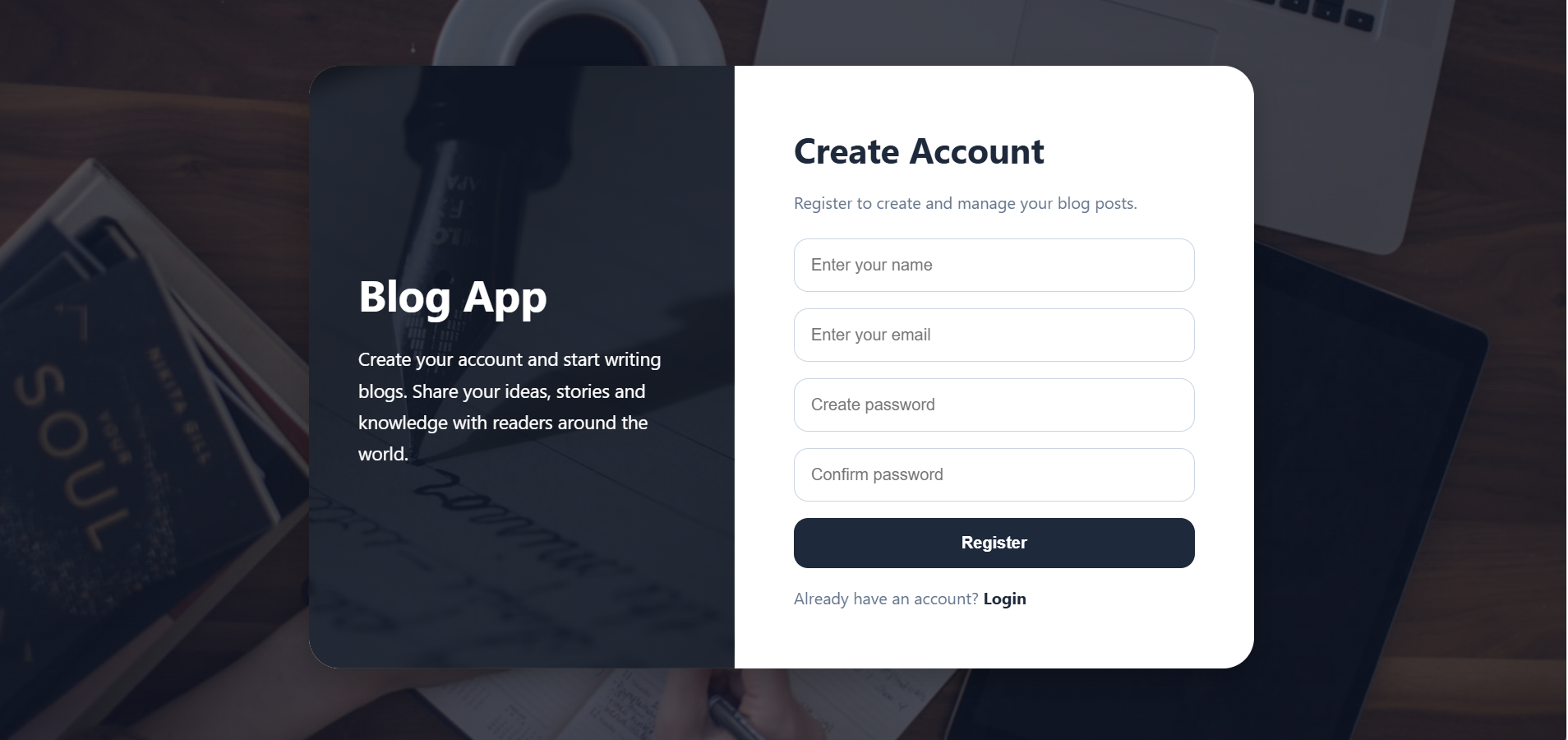
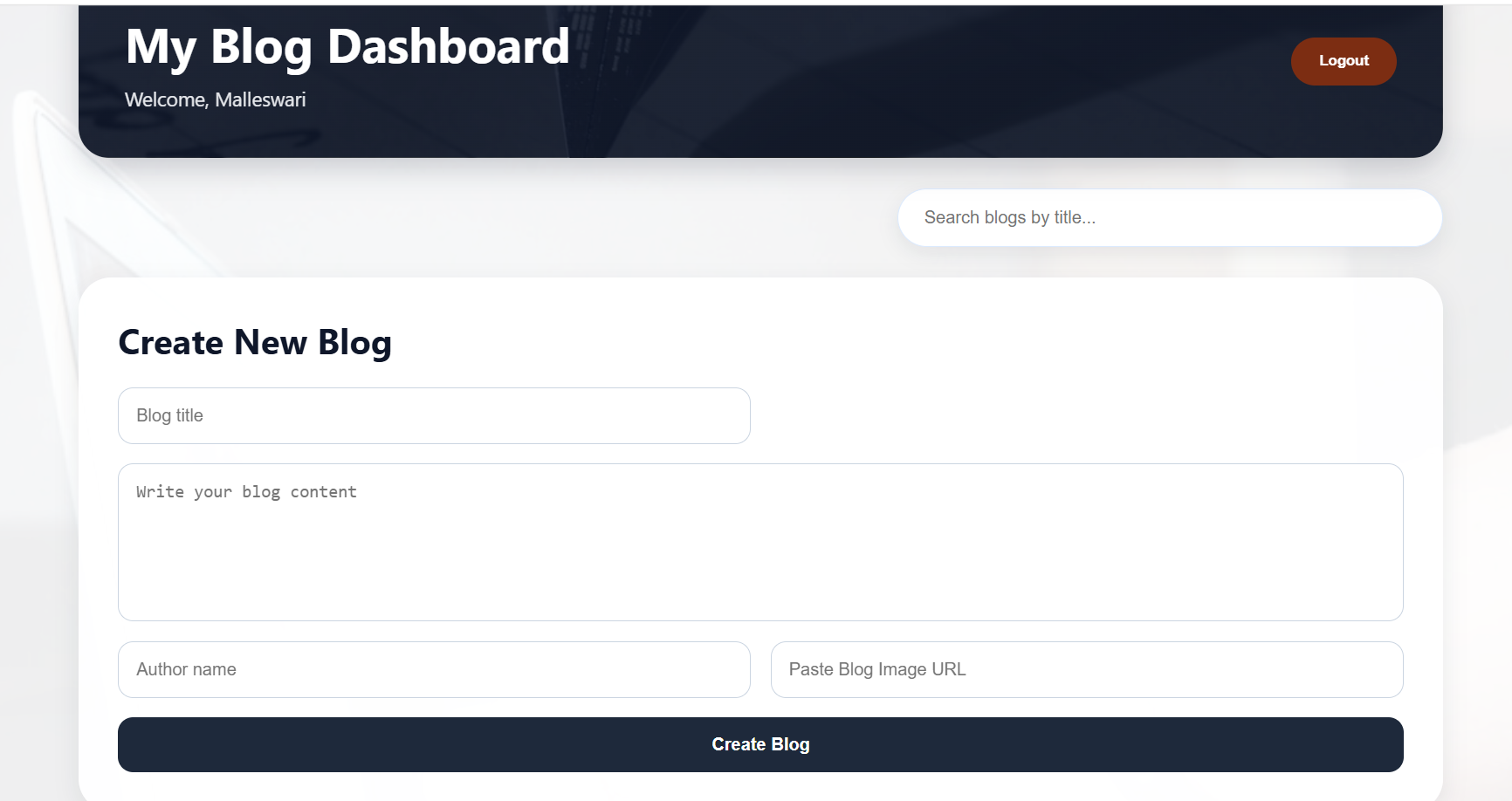
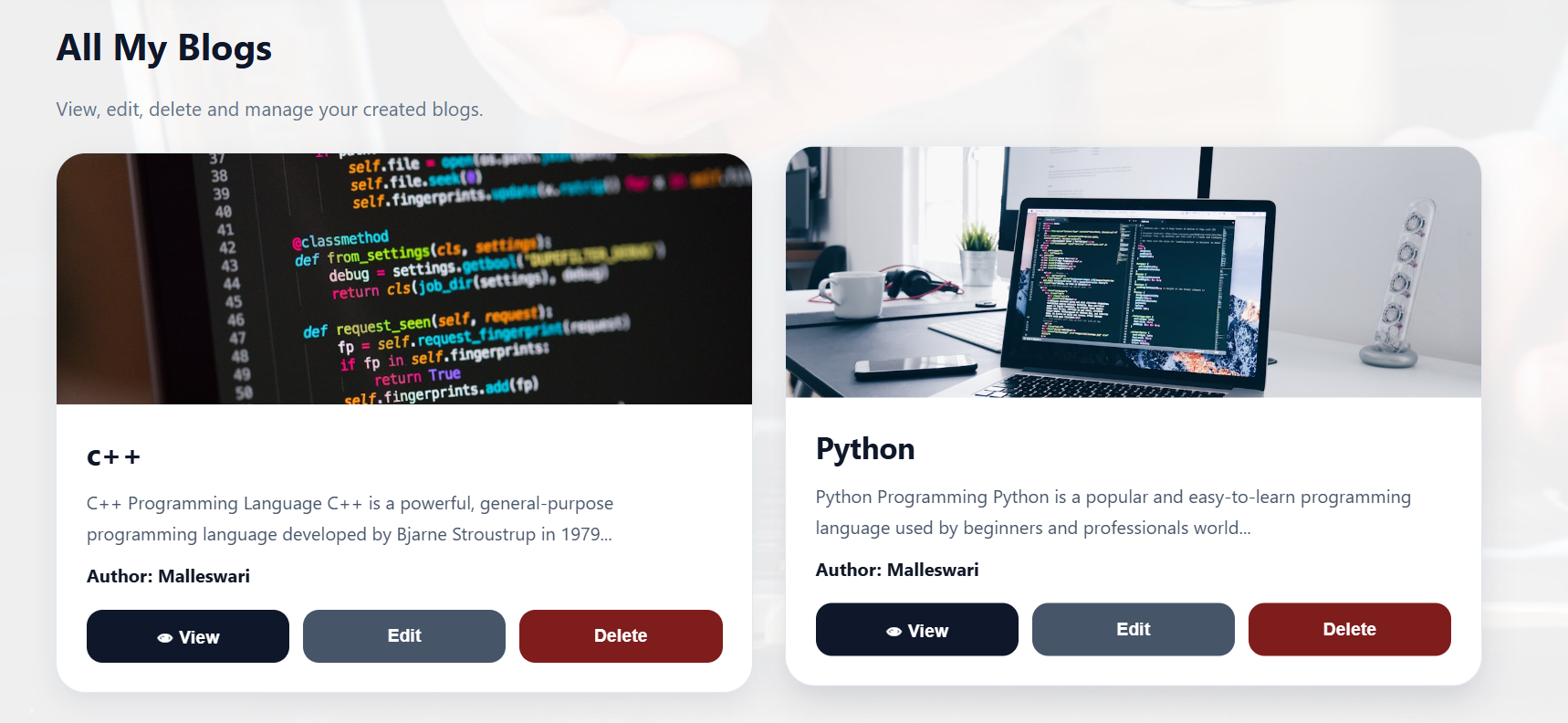
A Blog App is a full-stack MERN (MongoDB, Express.js, React.js, Node.js) web application that allows users to create, publish, manage, and share blog posts. It provides a platform where users can write articles, upload blog images, update existing posts, delete unwanted posts, and search for blogs easily.
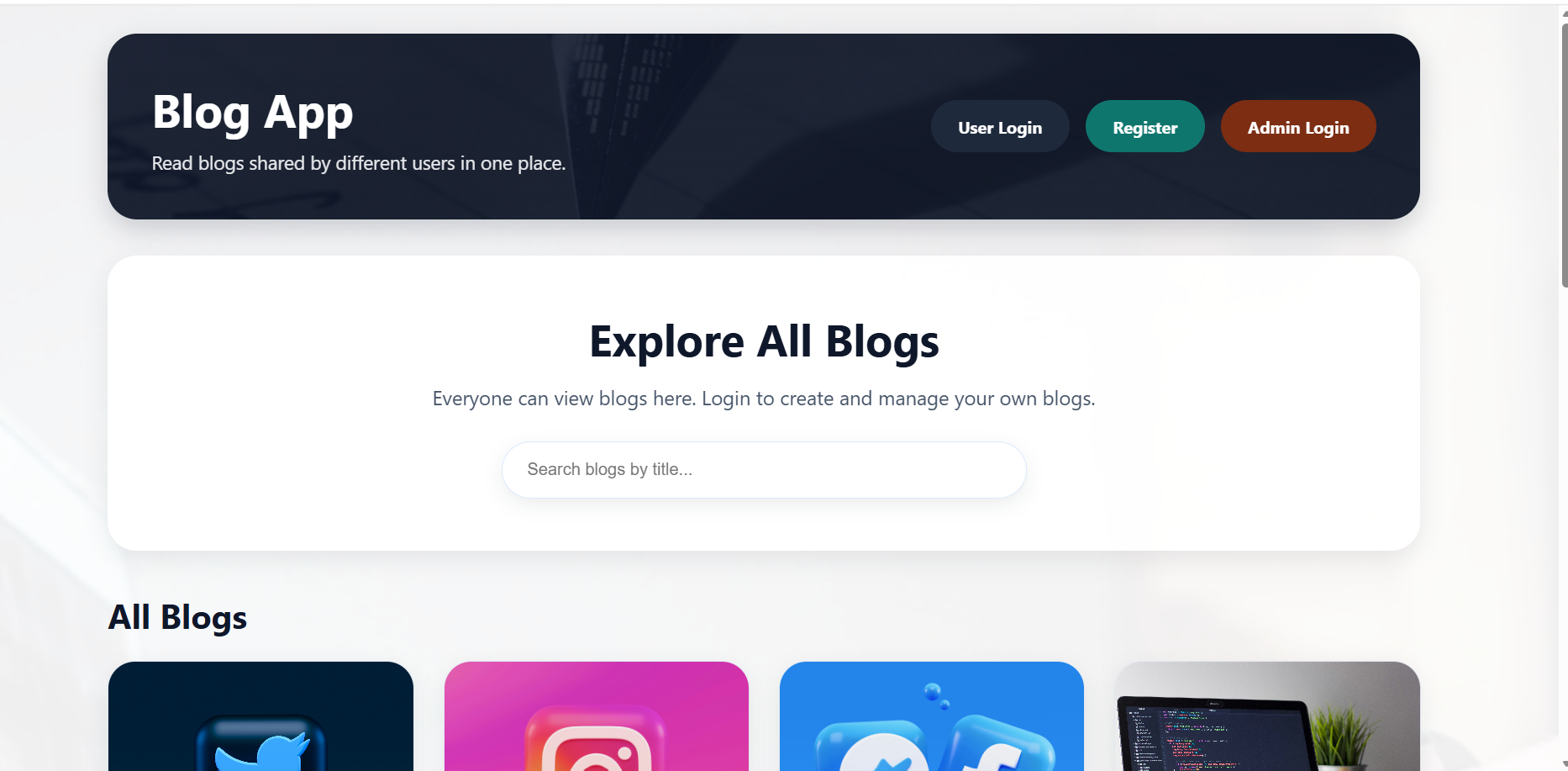
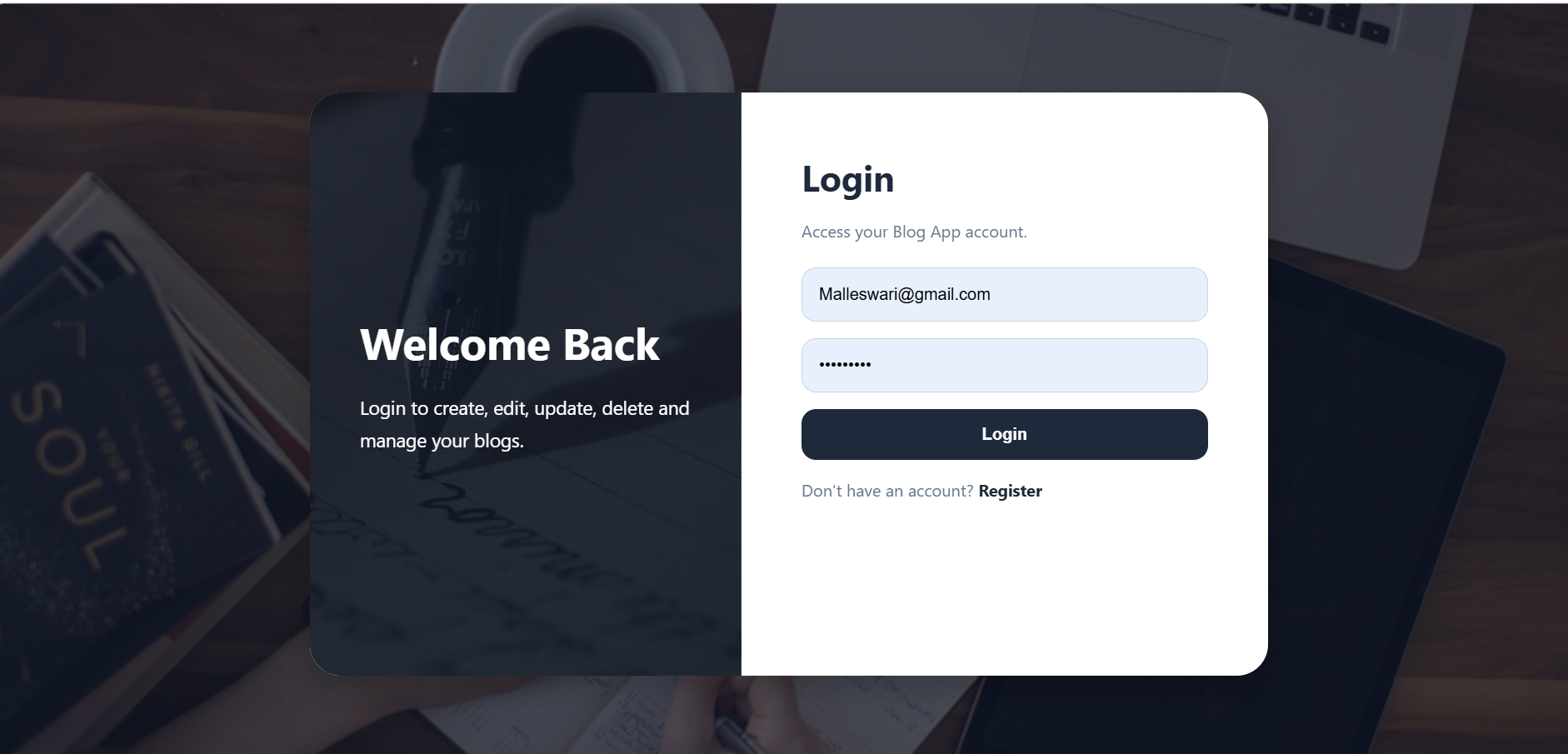
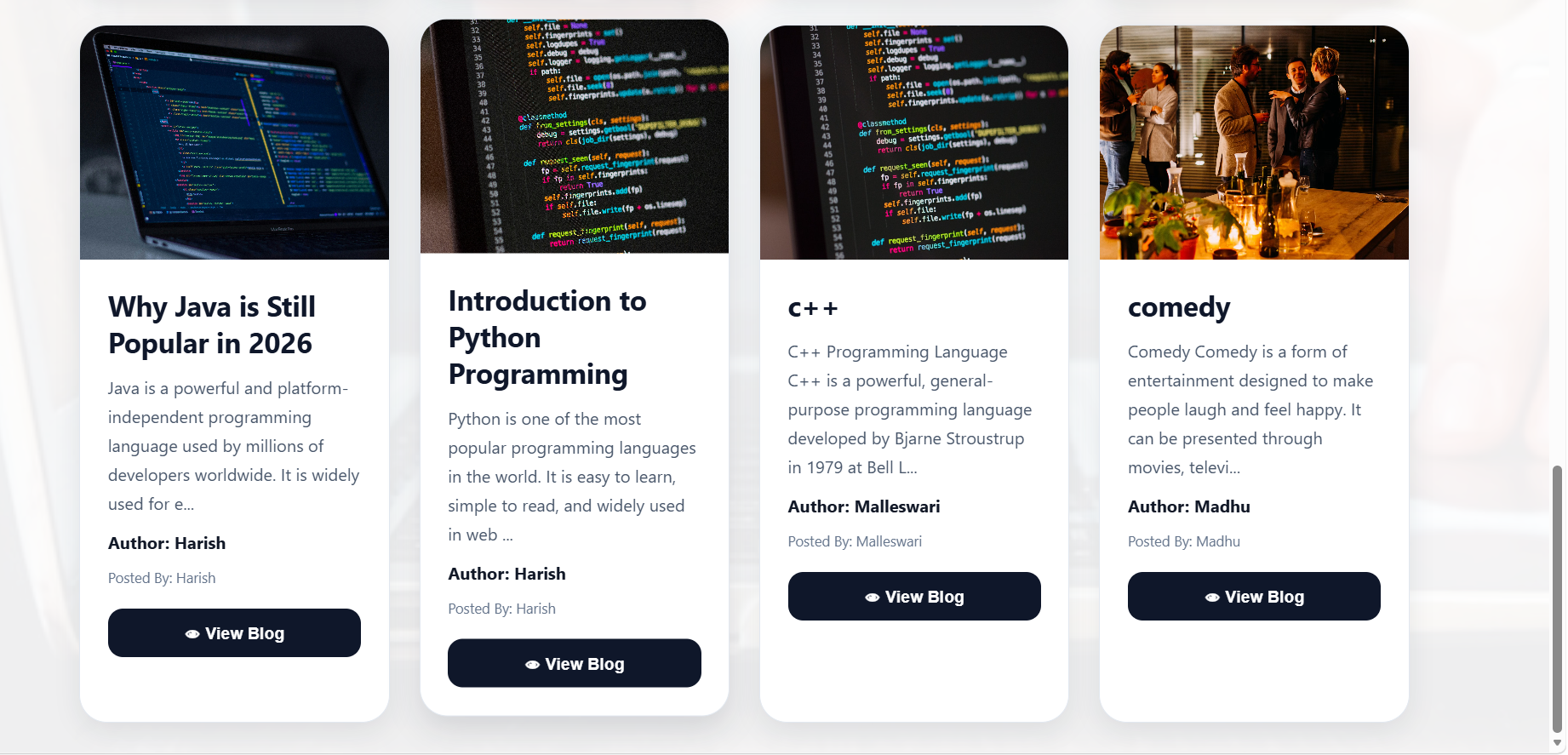
The application includes secure user authentication so that only registered users can create and manage their own blogs. Visitors can browse and read approved blog posts without logging in.
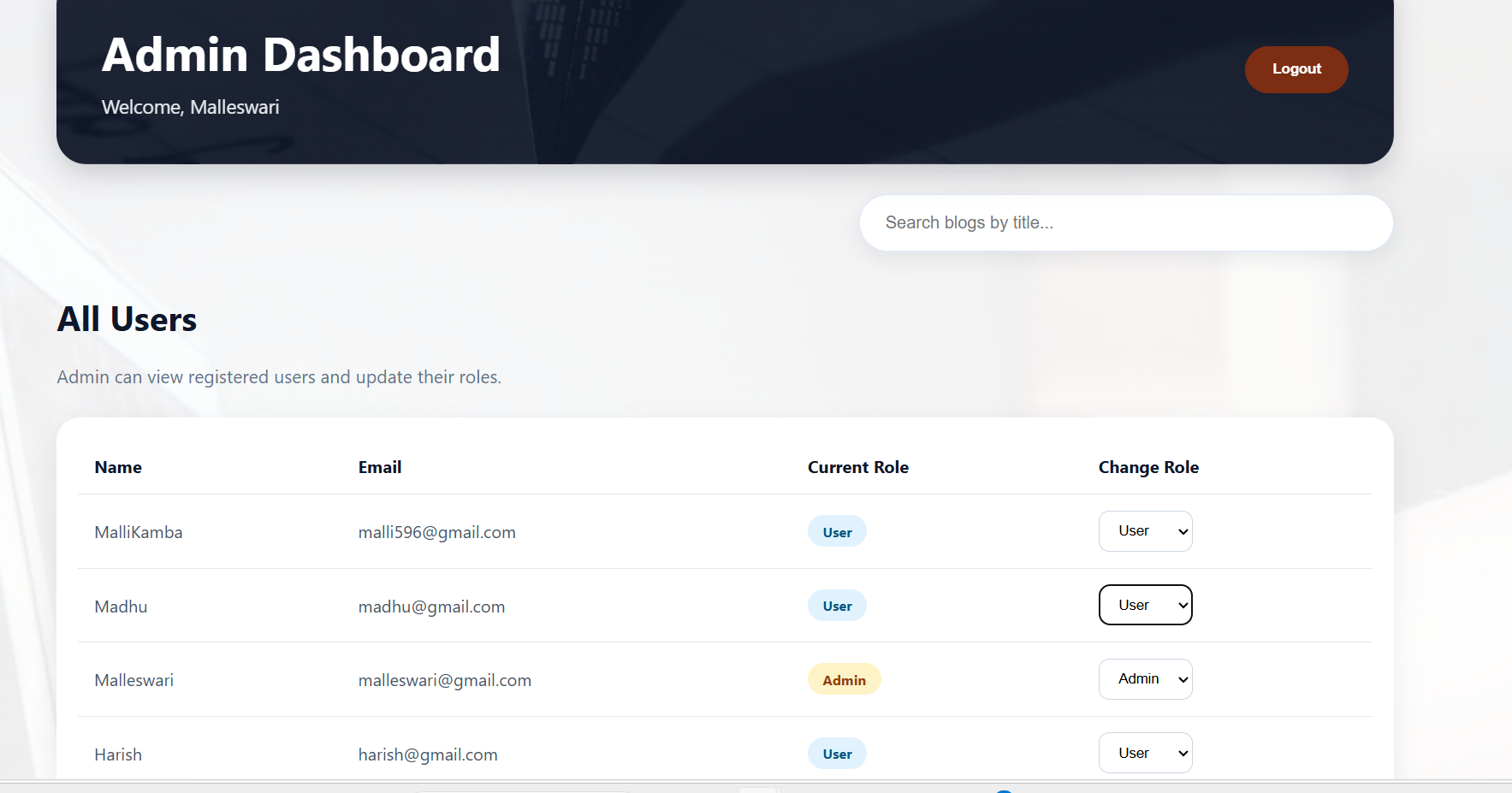
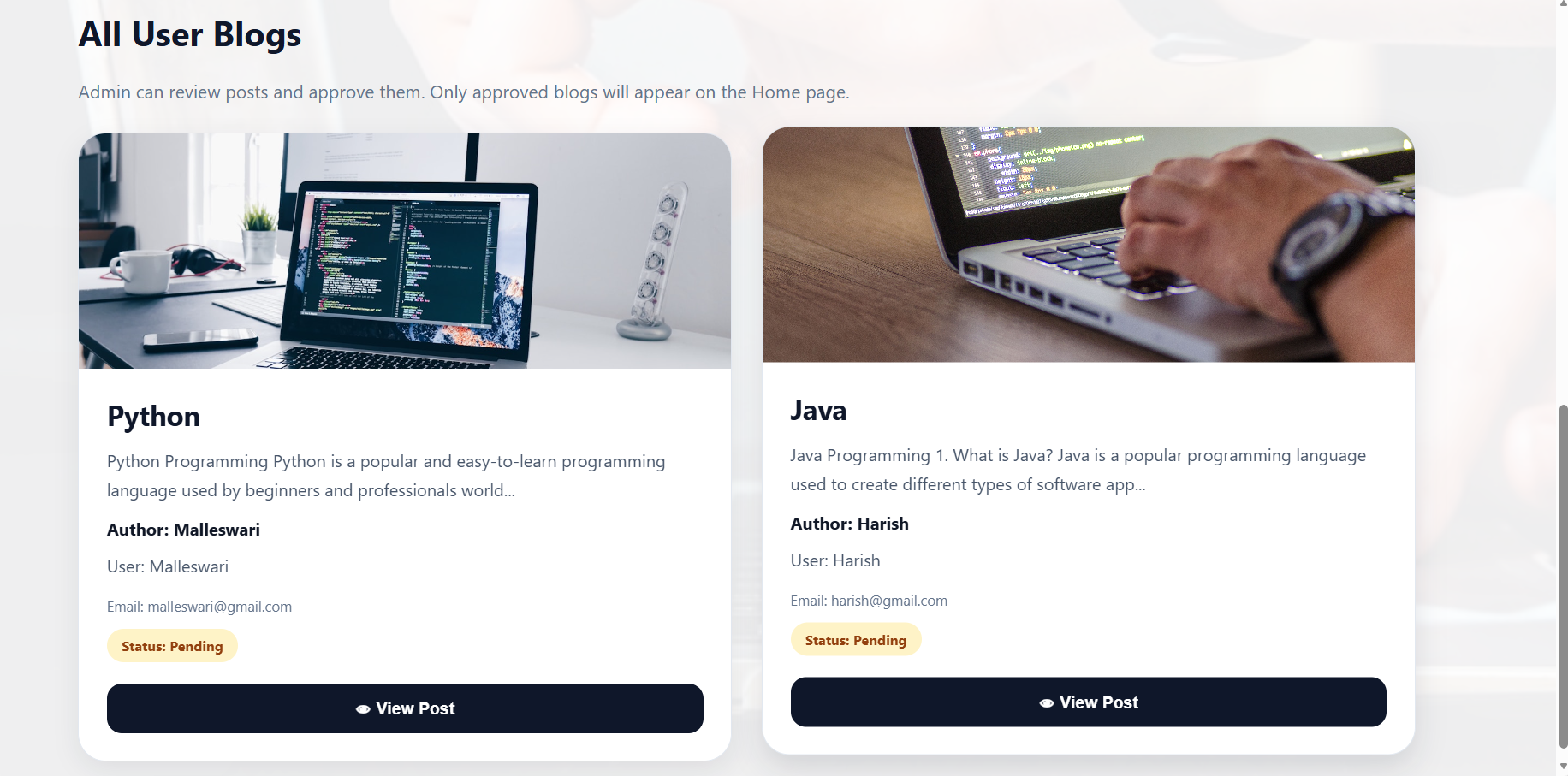
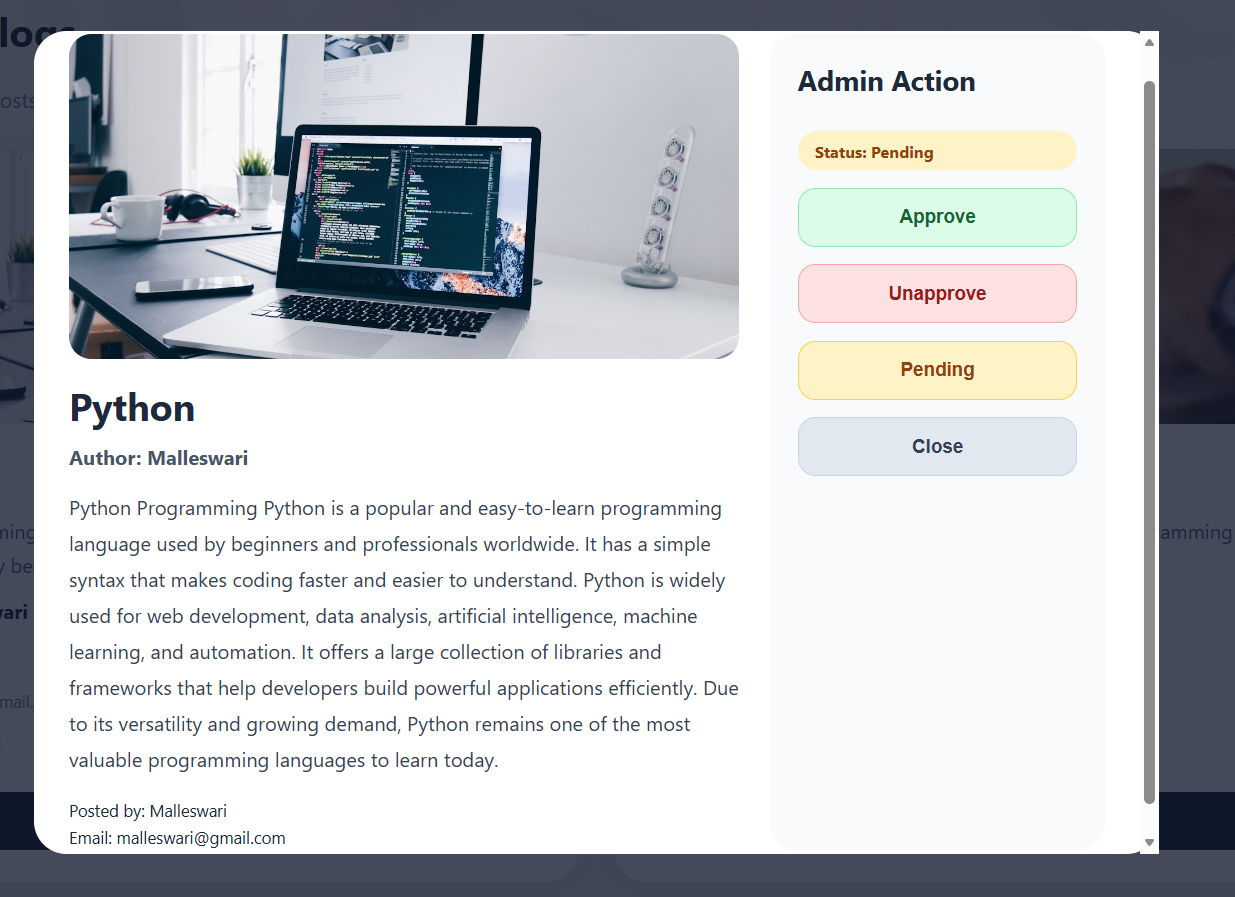
In this project, an Admin panel is also included. The admin can review all blog posts submitted by users and decide whether to approve, unapprove, or keep them pending. Only approved blogs are displayed on the public Home page, ensuring content quality and moderation.
The Blog App helps users share knowledge, tutorials, experiences, stories, news, and technical articles in an organized and user-friendly way.
Unlock New Career Opportunities
⬇️
Features of Blog App
User Features
| Feature | Description |
|---|---|
| User Registration | Create a new account |
| User Login | Secure login functionality |
| JWT Authentication | Token-based security |
| Create Blog | Publish new articles |
| Upload Blog Image URL | Add images to blogs |
| View Blogs | Read available blogs |
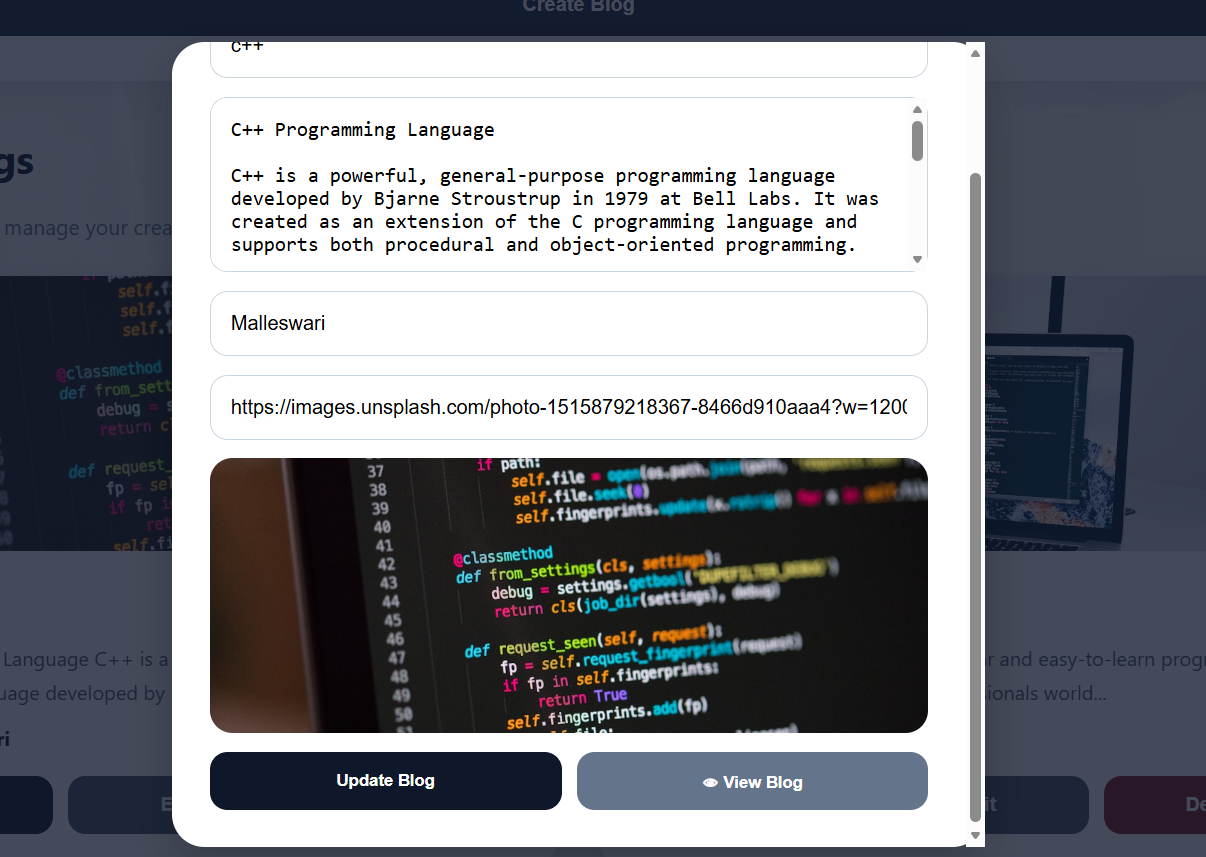
| Update Blogs | Edit blog content |
| Delete Blogs | Remove unwanted blogs |
| Search Blogs | Find blogs quickly |
| View Blog Details | Read complete article |
| Dashboard | Manage personal blogs |
| Logout | Secure account logout |
Admin Features
| Feature | Description |
| Admin Login | Secure administrator access |
| View All Blogs | Access all submitted blogs |
| Review Content | Moderate blog content |
| Approve Blogs | Make blogs public |
| Unapprove Blogs | Hide blogs from public |
| Pending Status | Keep blogs under review |
| Content Moderation | Maintain quality standards |
| Manage Visibility | Control blog publishing |
Public Features
| Feature | Description |
|---|---|
| View Approved Blogs | Read published blogs |
| Search Blogs | Find articles quickly |
| Blog Details Page | Read full blog content |
| No Login Required | Visitors can browse content without creating an account |
MERN Stack Blog App File Structure
A MERN Stack Blog App is divided into three main parts: Frontend, Backend, and Database.
The frontend creates the user interface, the backend handles APIs and authentication, and MongoDB stores users and blog data.
Technologies Used
Frontend
| Technology | Purpose |
|---|---|
| React.js | User Interface Development |
| Vite | Fast React Development and Build Tool |
| JSX | UI Component Syntax for React |
| CSS | Styling and Design of Web Pages |
| Axios | API Communication between Frontend and Backend |
| React Router DOM | Client-Side Routing and Navigation |
Backend
| Technology | Purpose |
|---|---|
| Node.js | JavaScript Runtime Environment |
| Express.js | Backend Framework for Building APIs |
Database
| Technology | Purpose |
|---|---|
| MongoDB | NoSQL Database for Storing Data |
| Mongoose | Object Data Modeling (ODM) Library for MongoDB |
Authentication
| Technology | Purpose |
|---|---|
| JWT (JSON Web Token) | Secure User Authentication |
| bcrypt | Password Hashing and Security |
Backend Files Included
server.js
routes/authRoutes.js
routes/blogRoutes.js
models/User.js
models/Blog.js
middleware/authMiddleware.js
middleware/adminMiddleware.js
.env
package.json
Frontend Files Included
main.jsx
App.jsx
pages/Home.jsx
pages/Login.jsx
pages/Register.jsx
pages/Dashboard.jsx
pages/AdminLogin.jsx
pages/AdminDashboard.jsx
components/BlogForm.jsx
components/BlogList.jsx
App.css
index.css
Take the Next Step in Your Career
⬇️
Simple Blog App Flow
User registers
↓
User logs in
↓
User creates blog
↓
Blog status becomes pending
↓
Admin reviews blog
↓
Admin approves blog
↓
Approved blog appears on Home page
Backend Execution (Node.js + Express.js)
Backend Installation Commands
mkdir backend
cd backend
npm init -y
npm install express mongoose cors dotenv bcryptjs jsonwebtoken
npm install nodemon --save-dev
mkdir models routes middleware
touch server.js .env
npm run dev
Backend flow:
server.js
↓
Routes
↓
Middleware
↓
Models
↓
MongoDB
Frontend Execution (React.js)
Frontend Installation Commands
mkdir frontend
cd frontend
npm create vite@latest .
npm install
npm install axios react-router-dom
npm run dev
Frontend flow:
main.jsx
↓
App.jsx
↓
Pages
↓
Axios API Calls
↓
Backend
↓
MongoDB
Blog App Architecture
Frontend (React.js)
↓
Axios API Calls
↓
Backend (Node.js + Express.js)
↓
Middleware (JWT Authentication)
↓
Routes
↓
Controllers
↓
Mongoose Models
↓
MongoDB Database
Output Screens of Blog App Application

Keywords
Blog App, MERN Stack Blog App, React Blog Application, Node.js Blog Project, MongoDB Blog System, Express.js Backend, React Frontend, Full Stack Blog Application, CRUD Operations, JWT Authentication, Blog Management System, Admin Dashboard, User Authentication, Role-Based Access Control, React Vite Project, MongoDB Database, Axios API Calls, Content Management System, CMS Project, Blog Website, Blog Posting Platform, Article Management System, Secure Login System, MERN Stack Project, Full Stack Web Development, Admin Approval Workflow, Blog Approval System, React CRUD Application, Node.js Authentication, MongoDB CRUD Project, Frontend Backend Integration, Developer Blog Platform, Blog Dashboard, Responsive Blog Website, Beginner MERN Project, Real-Time Blog Management, Blog Publishing Application, Full Stack JavaScript Project, Web Development Project, React Node MongoDB Project.
Summary
The Blog App is a full-stack MERN application that enables users to securely register, log in, create blog posts, update existing blogs, delete unwanted blogs, search blog content, and manage their own blog dashboard. The application includes an Admin Dashboard where administrators can review all submitted blogs and approve, unapprove, or mark them as pending before they become publicly visible. Only approved blogs are displayed on the Home page, ensuring better content moderation and quality control. This project helps developers learn React.js, Node.js, Express.js, MongoDB, JWT Authentication, Role-Based Authorization, CRUD Operations, API Integration, and Full Stack Web Development through a real-world blogging platform.
Unlock New Career Opportunities
⬇️



