
Event Management System
What is an Event Management System?
An Event Management System is a full-stack MERN web application that allows users to discover and register for events online.
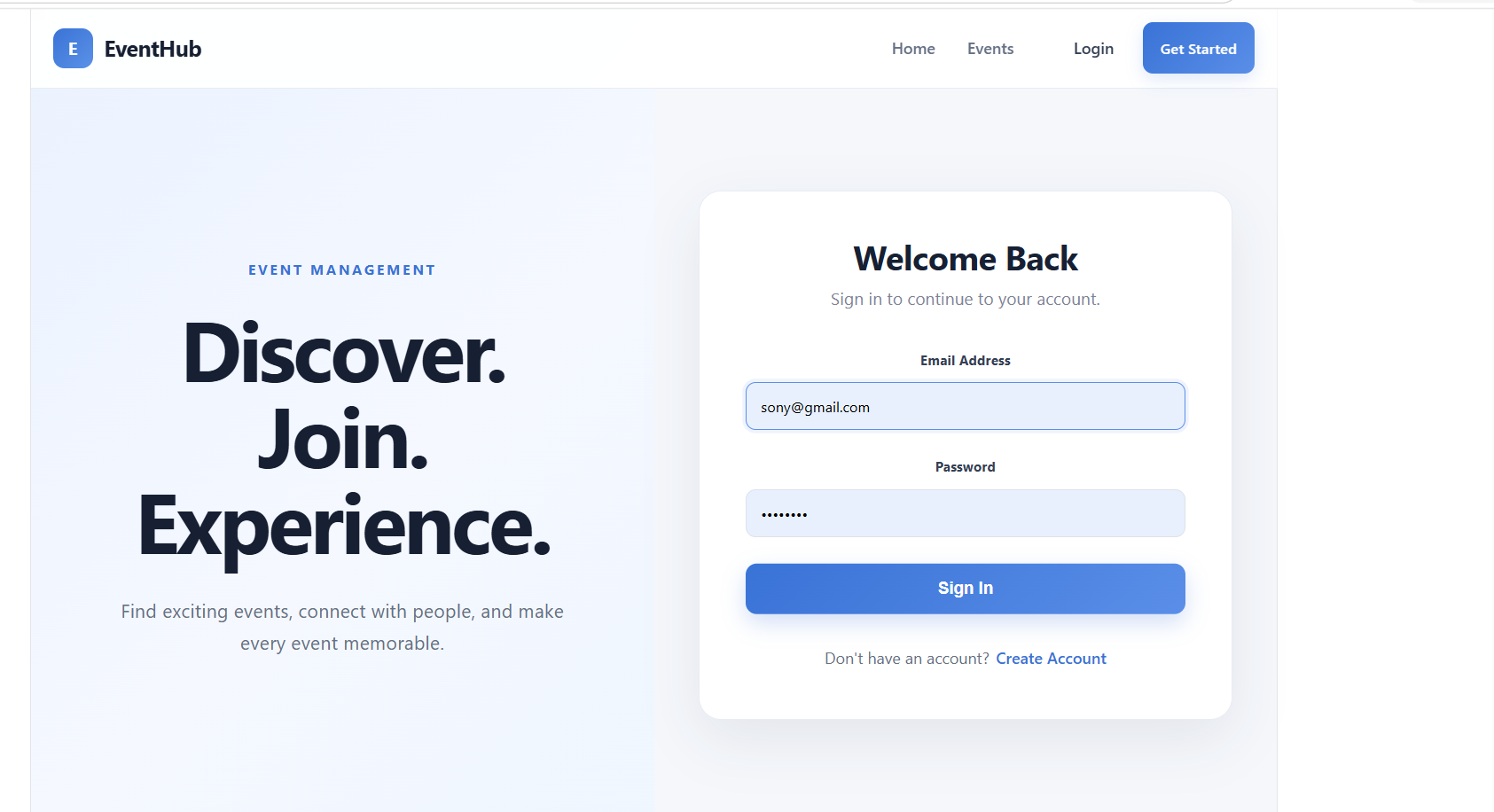
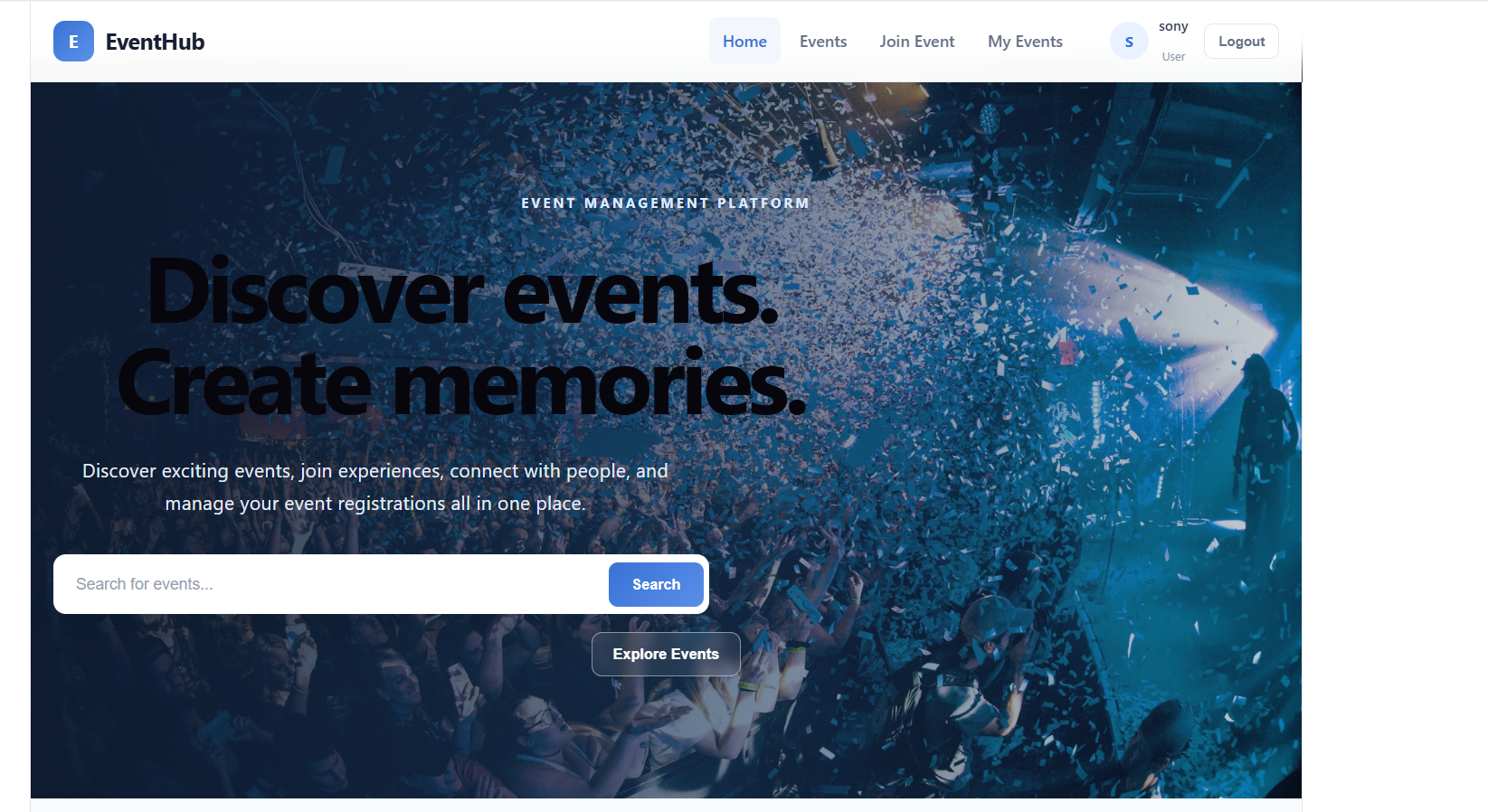
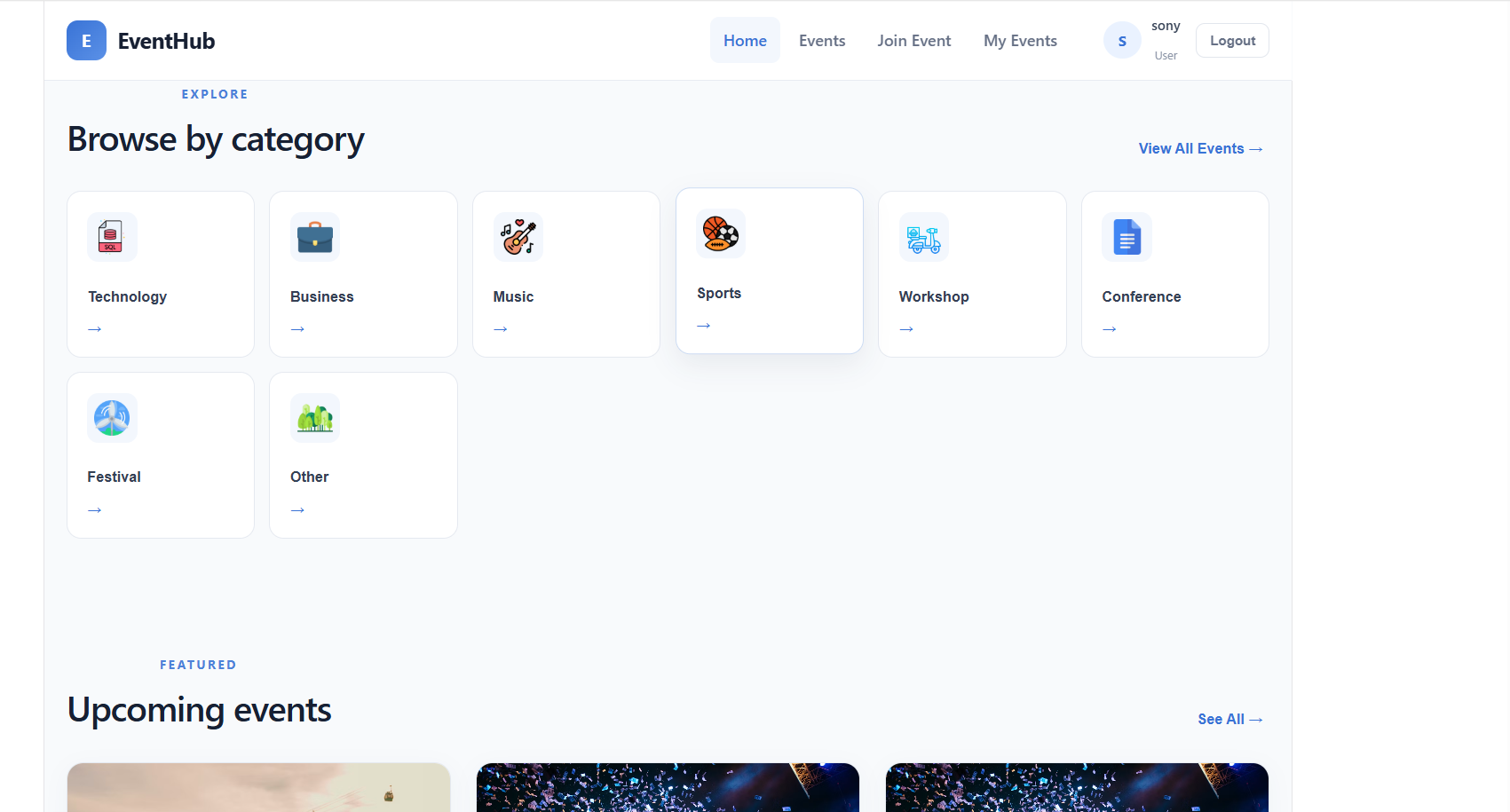
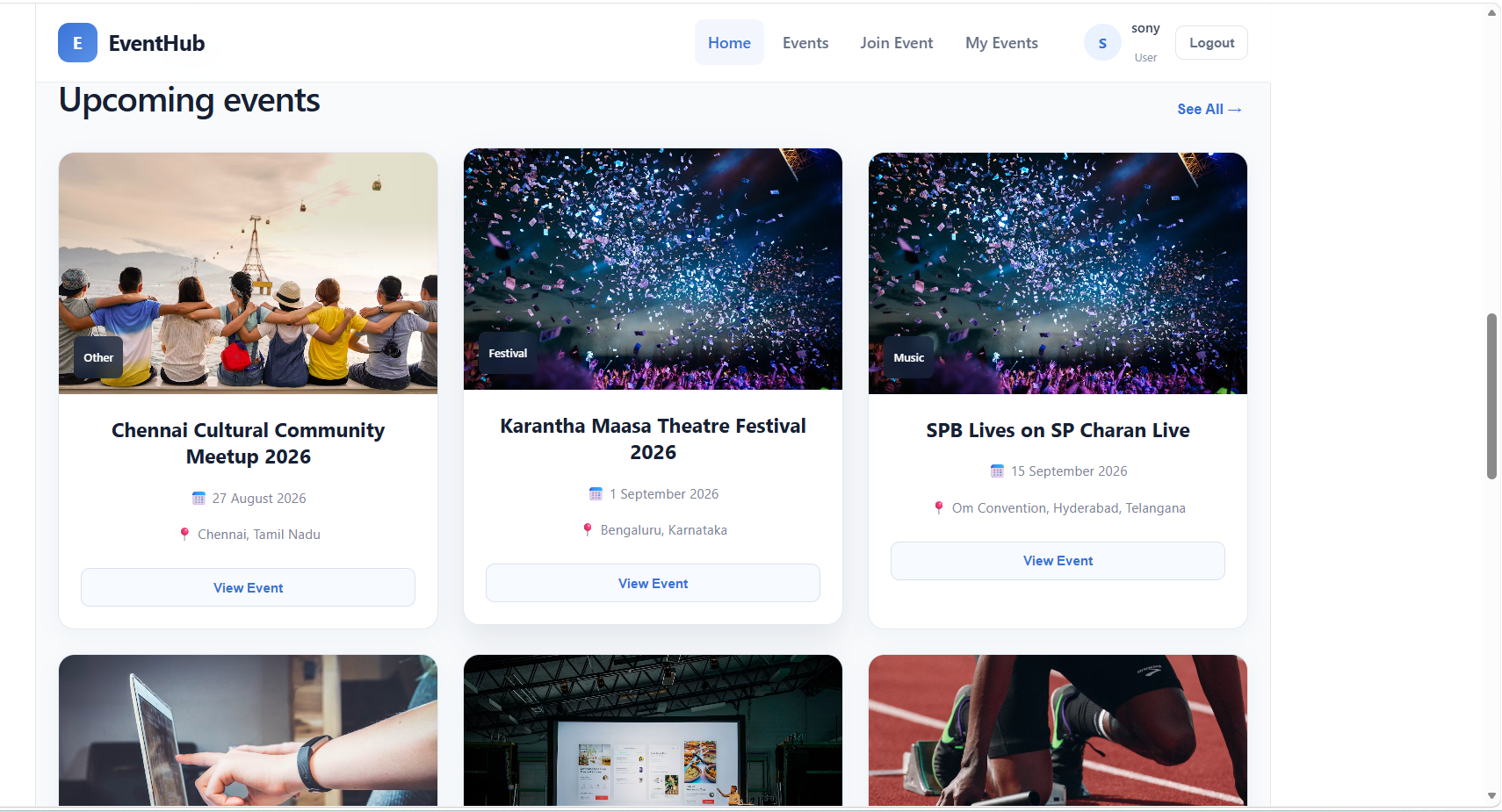
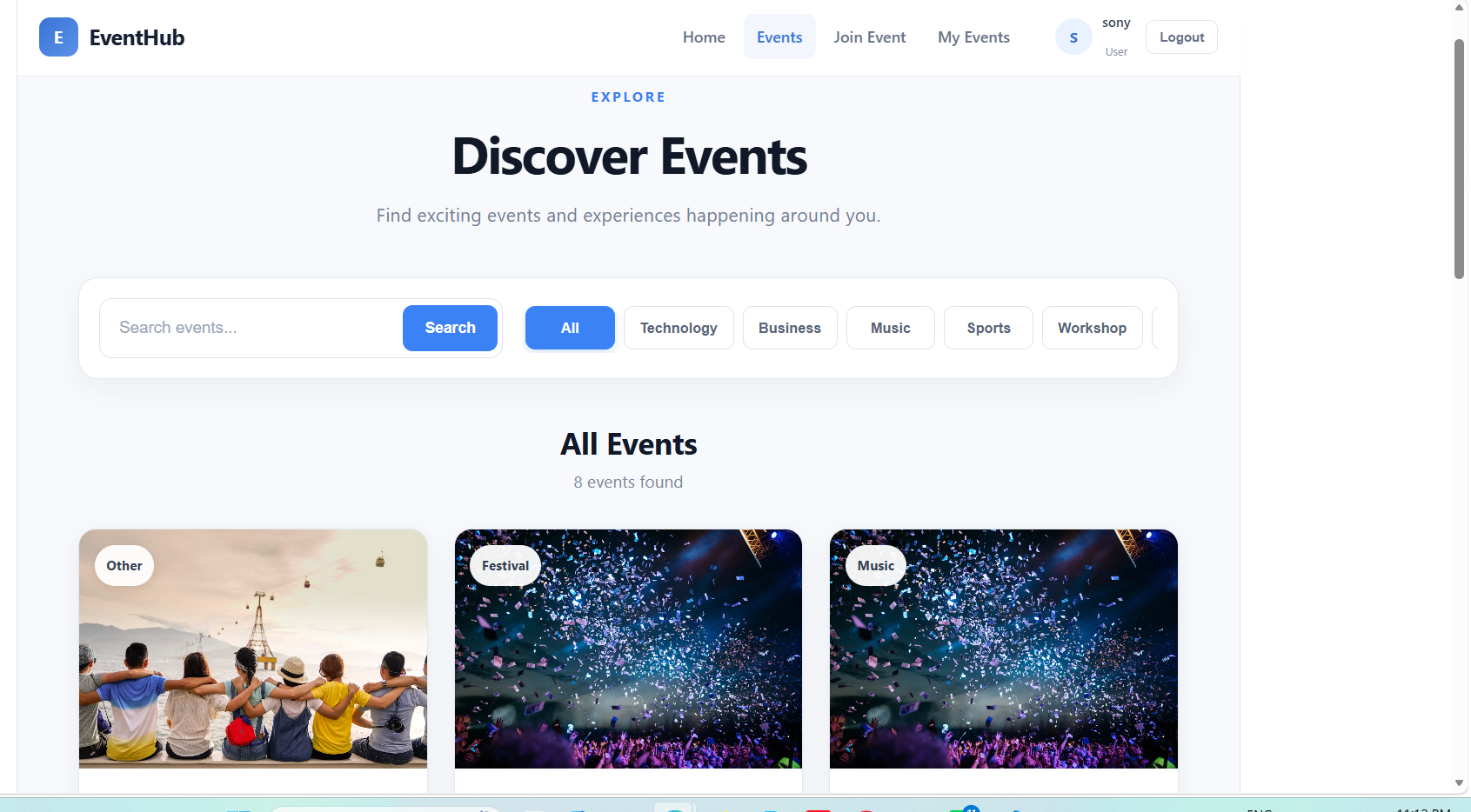
Users can securely create an account, login, view available events, search and filter events, view complete event details, and join events.
Admins can create, update, delete, and manage events and view the users who have registered for each event.
The application uses JWT Authentication to protect user and admin accounts and private APIs.
The system also manages event capacity and available seats, so users can see how many seats are available before joining an event.
Discover Your Path to Career Success
⬇️
Features of Event Management System
User Features
| Feature | Description |
|---|---|
| User Registration | Create a new account |
| User Login | Login securely using email and password |
| JWT Authentication | Protect user accounts and private APIs |
| User Dashboard | View and manage user activities |
| View Events | View all available events |
| Search Events | Search events by title or keyword |
| Filter Events | Filter events by category, location, etc. |
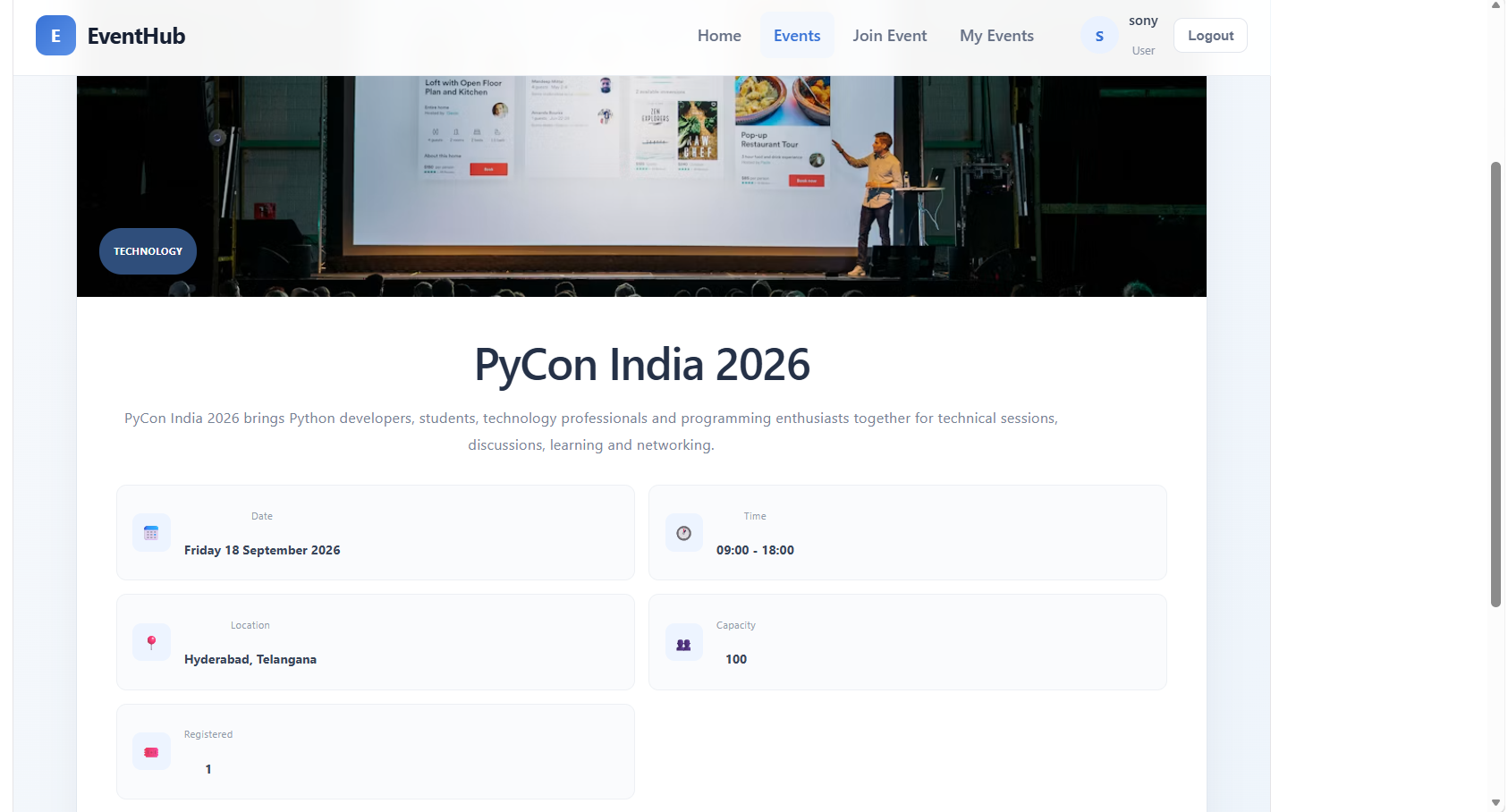
| Event Details | View complete information about an event |
| Event Image | Display event image |
| Event Date | Display event date |
| Event Time | Display event start and end time |
| Event Location | Display event location |
| Event Category | Display event category |
| Event Capacity | Display maximum number of attendees |
| Available Seats | Display remaining seats |
| Join Event | Register for an available event |
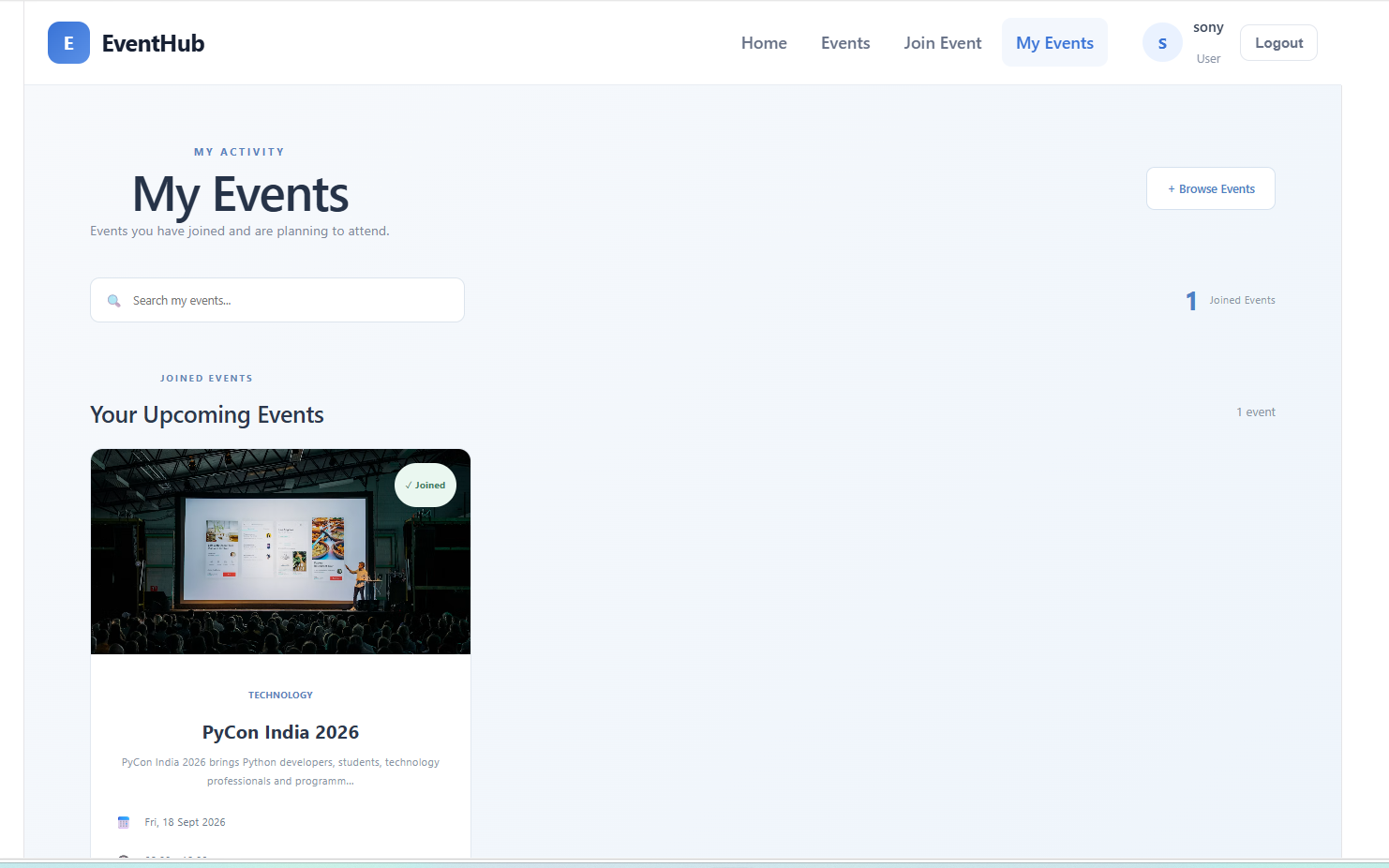
| My Events | View events joined by the user |
| Event Status | Display event status such as Full or Completed |
| Logout | Securely logout from the application |
Admin Features
| Feature | Description |
|---|---|
| Admin Login | Login using an admin account |
| Admin Dashboard | Manage the complete event system |
| Create Event | Create a new event |
| Update Event | Edit existing event information |
| Delete Event | Remove an event |
| View Events | View all created events |
| Manage Events | Manage event information |
| View Attendees | View users registered for an event |
| Manage Attendees | View attendee information |
| Event Capacity | Set maximum number of attendees |
| Event Status | Monitor event availability |
Event Management Flow
Admin
   |
   | Create Event
   ↓
Event Created
   |
   ↓
Event Appears on Events Page
   |
   ↓
User Views Event
   |
   ↓
User Opens Event Details
   |
   ↓
User Checks
   |
   ├── Date
   ├── Time
   ├── Location
   ├── Category
   ├── Capacity
   └── Available Seats
   |
   ↓
User Login Required
   |
   ↓
User Logs In / Registers
   |
   ↓
User Clicks "Join Event"
   |
   ↓
Registration Created
   |
   ↓
Available Seats Updated
   |
   ↓
Event Appears in My Events
Technologies Used
Frontend
| Technology | Purpose |
|---|---|
| React.js | User interface |
| Vite | React development setup |
| JSX | Component structure |
| CSS | Styling and responsive design |
| Axios | API communication |
| React Router DOM | Page navigation |
| Context API | Authentication/user state management |
| JavaScript | Frontend functionality |
Backend
| Technology | Purpose |
|---|---|
| Node.js | JavaScript runtime |
| Express.js | Backend API framework |
| MongoDB | Stores users and events |
| Mongoose | MongoDB connection and schemas |
| JWT | Secure authentication |
| bcryptjs | Password hashing |
| CORS | Frontend-backend communication |
| dotenv | Environment variable management |
Event Management System File Structure
Backend Files
backend/
├── server.js
├── .env
├── package.json
│
├── config/
│   └── db.js
│
├── models/
│   ├── User.js
│   └── Event.js
│
├── controllers/
│   ├── authController.js
│   └── eventController.js
│
├── routes/
│   ├── authRoutes.js
│   └── eventRoutes.js
│
└── middleware/
    └── authMiddleware.js
Frontend Files
frontend/
├── src/
│   ├── App.jsx
│   ├── main.jsx
│   │
│   ├── services/
│   │   └── api.js
│   │
│   ├── components/
│   │   ├── Navbar.jsx
│   │   └── EventCard.jsx
│   │
│   ├── context/
│   │   └── AuthContext.jsx
│   │
│   ├── pages/
│   │   ├── Login.jsx
│   │   ├── Register.jsx
│   │   ├── Home.jsx
│   │   ├── Events.jsx
│   │   ├── EventDetails.jsx
│   │   ├── UserDashboard.jsx
│   │   ├── AdminDashboard.jsx
│   │   ├── CreateEvent.jsx
│   │   ├── ManageEvents.jsx
│   │   └── ManageAttendees.jsx
│   │
│   └── styles/
│       ├── global.css
│       ├── login.css
│       ├── register.css
│       ├── home.css
│       ├── events.css
│       ├── EventDetails.css
│       ├── dashboard.css
│       ├── admin.css
│       └── event-form.css
│
├── public/
├── package.json
└── vite.config.js
Backend Installation Commands
Create the backend:
mkdir backend

cd backend

npm init -y
Install required packages:
npm install express mongoose cors dotenv bcryptjs jsonwebtoken
Install Nodemon:
npm install nodemon --save-dev
Create folders:
mkdir models routes controllers middleware configFrontend Installation Commands
Create the frontend:
mkdir frontend

cd frontend

npm create vite@latest .
Select:
React
JavaScript
Then install packages:
npm installInstall required frontend packages:
npm install axios react-router-dom
Security Features
The Event Management System includes:
- JWT Authentication
- Password Hashing using bcryptjs
- Protected API Routes
- Authentication Middleware
- Admin Access Control
- User Access Control
- CORS Configuration
- MongoDB Data Storage
- Event Capacity Validation
- Protected Event Registration
Complete Project Architecture
                  EVENT MANAGEMENT SYSTEM
                           |
              ┌────────────┴────────────┐
              ↓                         ↓
          FRONTEND                    BACKEND
              |                         |
          React.js                  Node.js
              |                         |
            Vite                   Express.js
              |                         |
          Axios API                REST API
              |                         |
      React Router DOM            Routes
              |                         |
        Context API             Controllers
              |                         |
              |                  Middleware
              |                         |
              └────────────┬────────────┘
                           ↓
                        MongoDB
                           |
                ┌──────────┴──────────┐
                ↓                     ↓
              Users                 Events
                                       |
                                ┌──────┴──────┐
                                ↓             ↓
                            Attendees      Event Details
Output Screens of Chat Application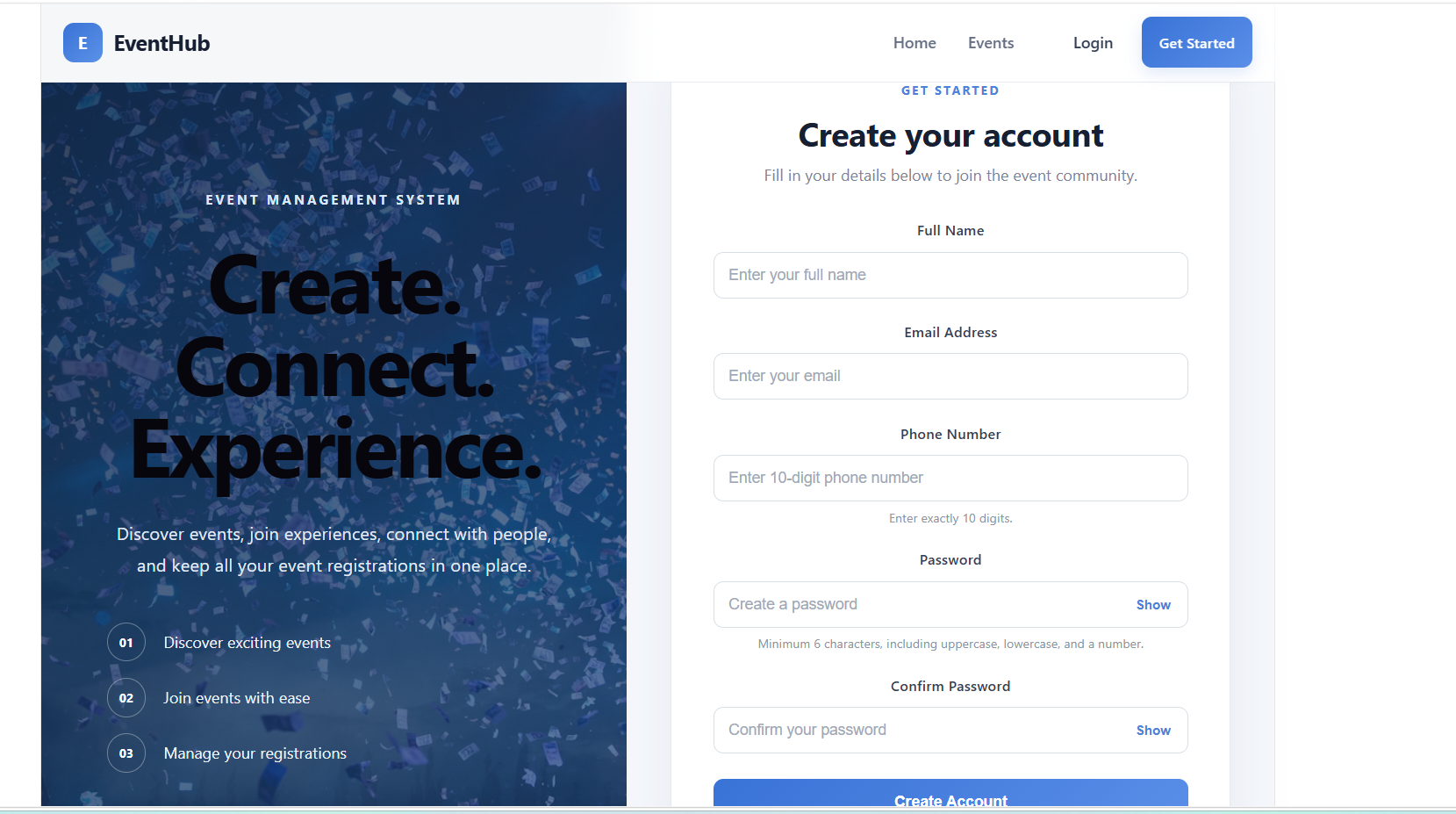
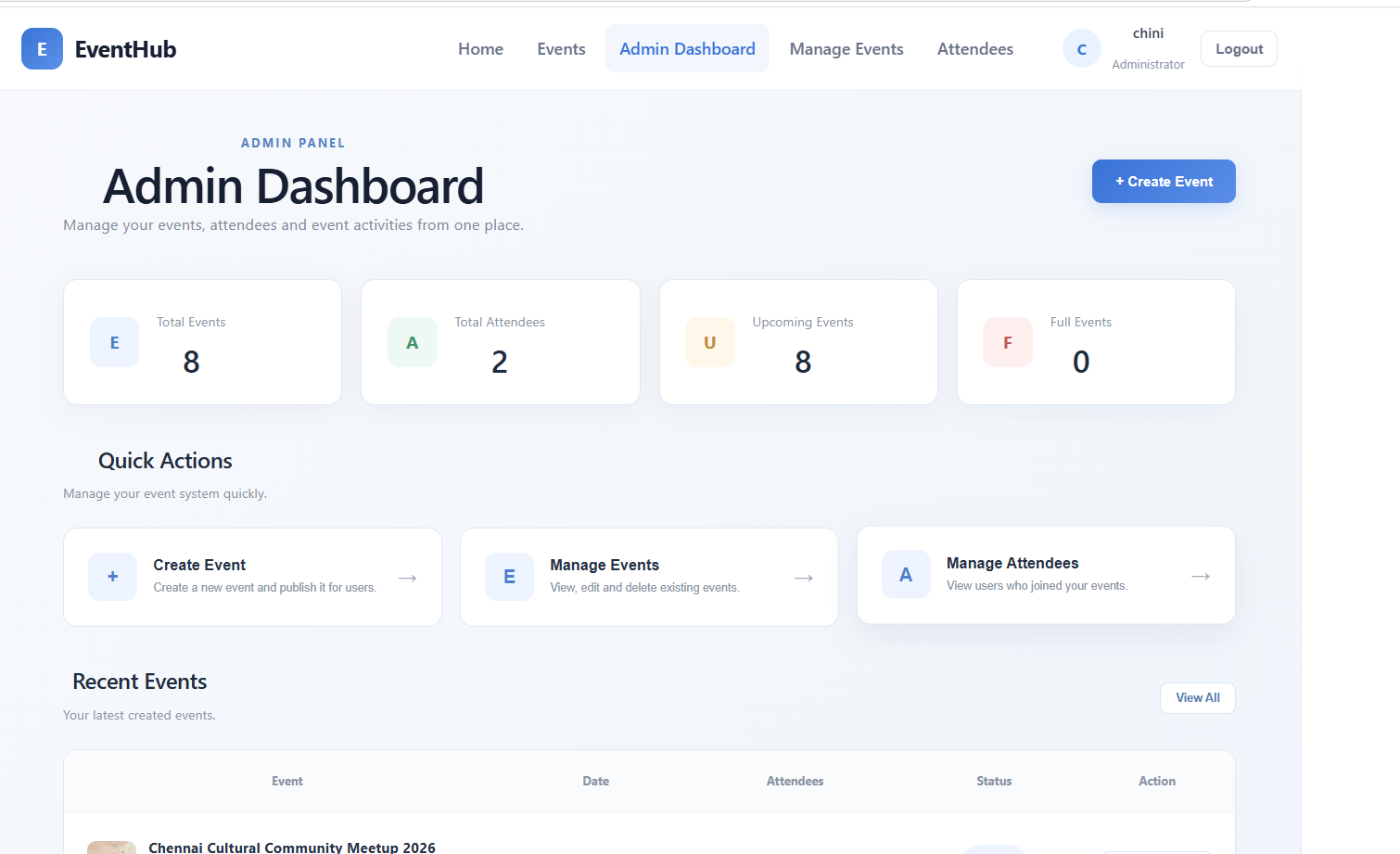
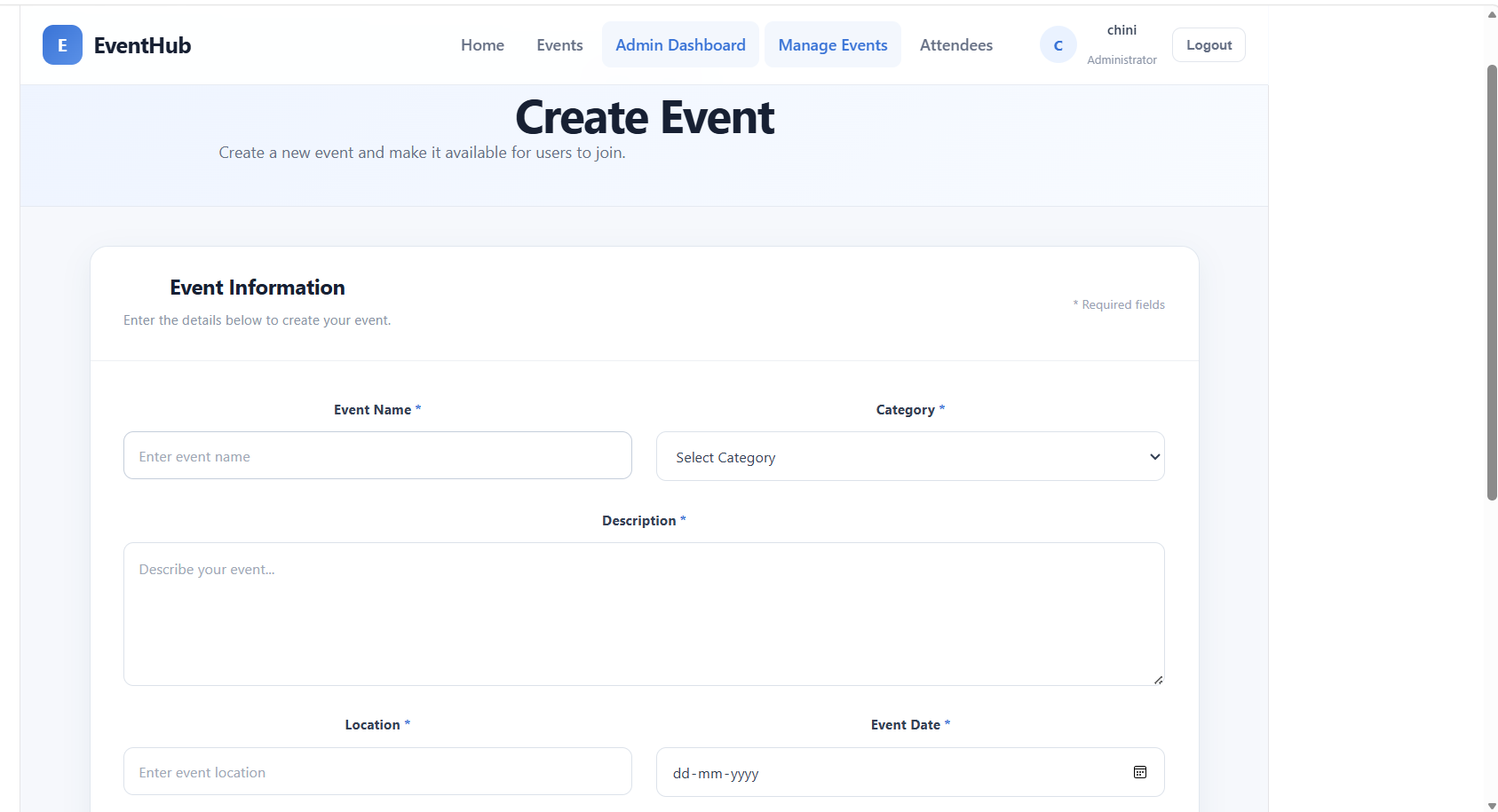
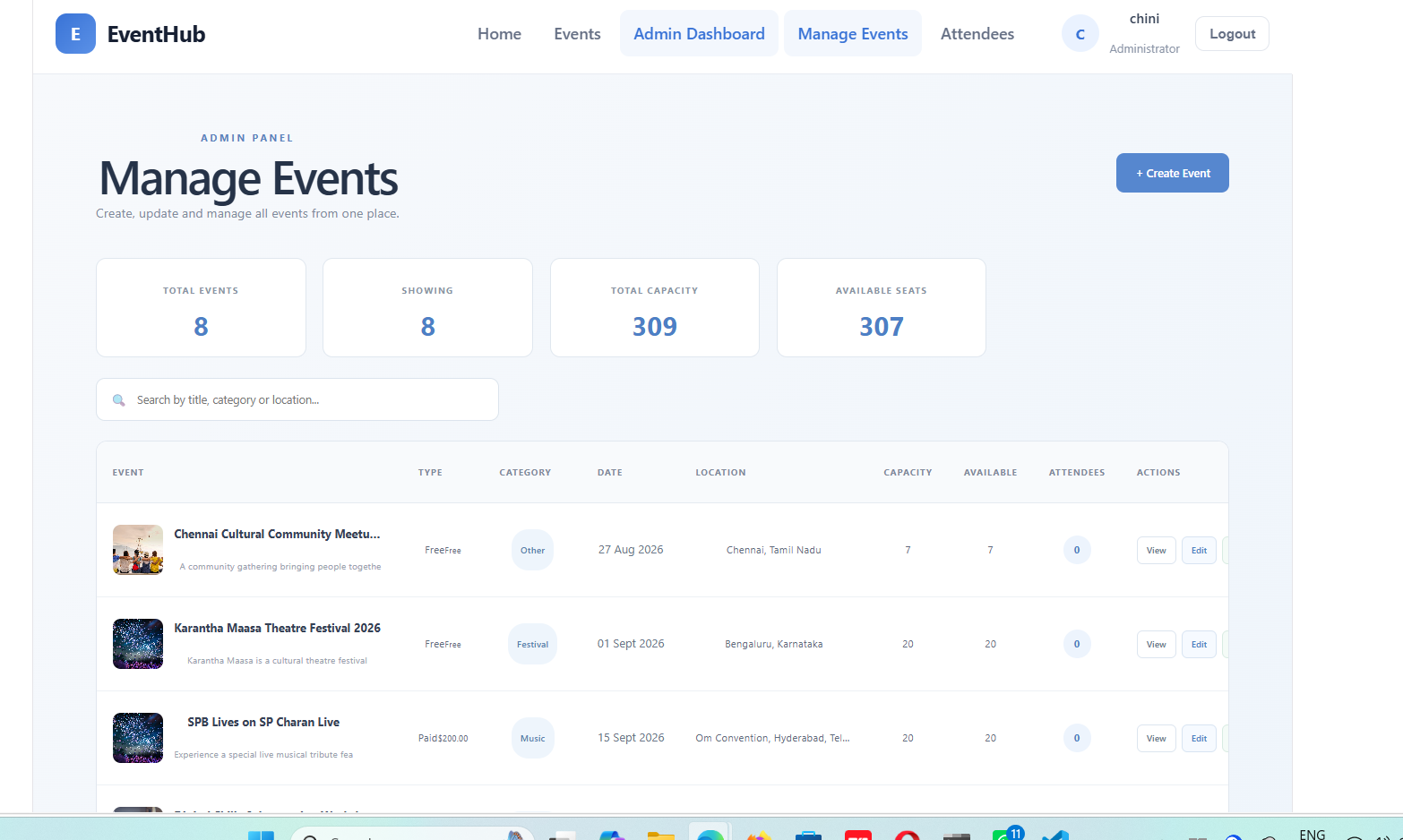
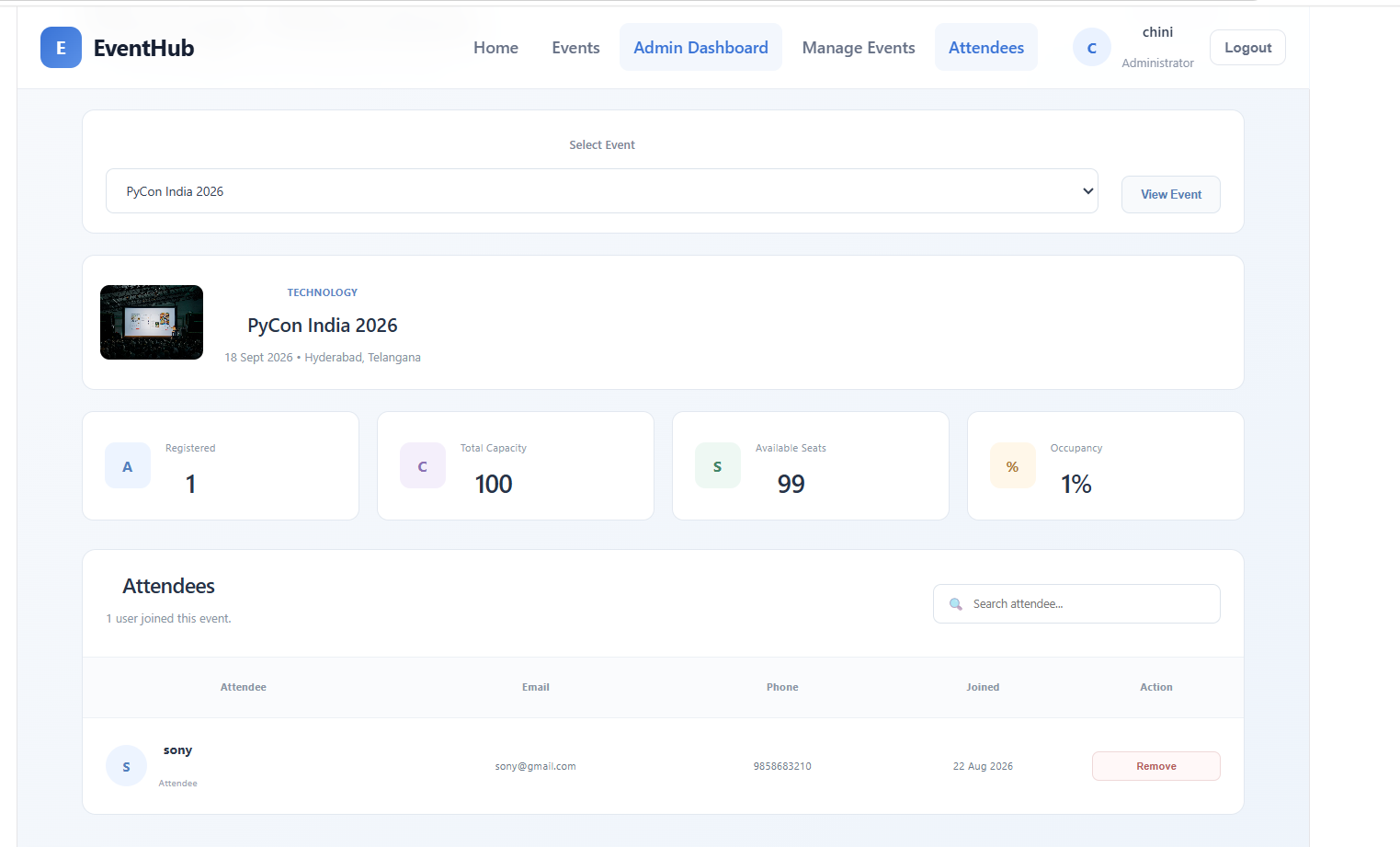
Extra Task: Stripe Payment Integration
Stripe Payment Integration can be added as an extra feature to the Event Management System for paid events.
How it works
User selects an event
        ↓
User selects ticket
        ↓
User clicks "Book / Pay"
        ↓
Stripe Payment Page
        ↓
User enters card details
        ↓
Payment successful
        ↓
Booking is confirmed
        ↓
Ticket/Booking details are saved
        ↓
User can view booking in Dashboard
What we need to add
Backend
- Stripe package
- Payment controller
- Payment route
- Stripe secret key in
.env - Payment verification
- Booking/payment status
Frontend
- Payment button
- Checkout page
- Stripe payment form
- Payment success page
- Payment failure message
Simple Example
For a paid event, the user cannot directly join the event.
Instead:
Event → Select Ticket → Pay with Stripe → Payment Successful → Booking Confirmed → Event Joined
For a free event, the existing Join Event flow can remain unchanged.
Important
This is an extra task and is not part of the current version of your Event Management System. It can be added later without changing the main event, user, and admin functionality.
Summary
The Event Management System is a full-stack MERN application that helps users discover and register for events.
Users can:
- Register
- Login
- View events
- Search events
- Filter events
- View event details
- Check available seats
- Join events
- View their joined events
- Logout
Admins can:
- Login
- Create events
- Update events
- Delete events
- Manage events
- View registered attendees
- Manage event capacity
The application uses React.js and Vite for the frontend, Node.js and Express.js for the backend, MongoDB and Mongoose for database management, and JWT with bcryptjs for authentication and security.
Unlock New Career Opportunities
⬇️



