
Expense Tracker
What is an Expense Tracker?
An Expense Tracker is a full-stack MERN web application that allows users to securely manage their income and expenses, track their spending habits, and monitor their financial balance.
It is used to record income, expenses, categories, amounts, and transaction dates. Users can also view financial summaries, charts, and transaction history.
The application uses JWT Authentication so only logged-in users can access and manage their own financial records.
Each user can manage only their personal transactions. One user cannot see another user’s financial data.
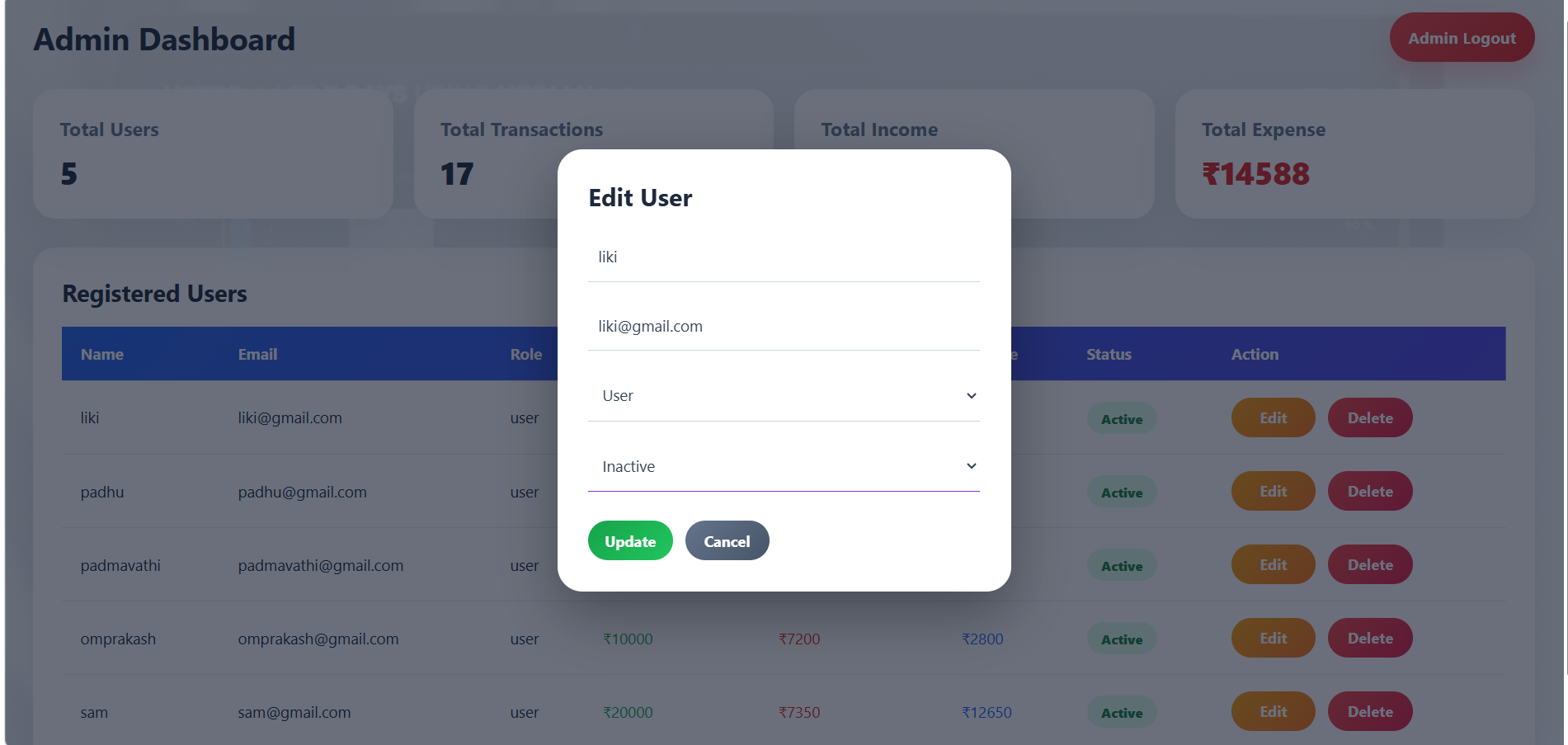
In this project, an Admin Dashboard is also included. The admin can view total users, total transactions, total income, total expenses, and registered user details. The admin can also edit user information, change roles and status, and delete users.
Unlock New Career Opportunities
⬇️
Features of Expense Tracker
User Features
| Feature | Description |
|---|---|
| User Registration | Create a new user account |
| User Login | Login securely using email and password |
| JWT Authentication | Protects user dashboard |
| Add Income | Record income transactions |
| Add Expense | Record expense transactions |
| View Transactions | Display all income and expense records |
| Edit Transaction | Update transaction details |
| Delete Transaction | Remove unwanted transactions |
| Search Transactions | Search by title or category |
| Filter Transactions | Filter by income or expense |
| Date Filter | Filter transactions using start and end dates |
| Expense Chart | Visualize expenses using Pie Chart |
| Summary Cards | Display Total Income, Expense, and Balance |
| WhatsApp Share | Share financial summary on WhatsApp |
| Logout | Securely logout from account |
Admin Features
| Feature | Description |
|---|---|
| Admin Login | Secure login for admin |
| Admin Dashboard | Shows user and transaction statistics |
| Total Users | Count of registered users |
| Total Transactions | Count of all income and expense records |
| Total Income | Total income from all users |
| Total Expense | Total expense from all users |
| Registered Users Table | Shows name, email, role, income, expense, balance, and status |
| Edit User | Update user name, email, role, and status |
| Delete User | Remove users from database |
| Admin Logout | Logout with success popup |
Technologies Used
Frontend
| Technology | Purpose |
|---|---|
| React.js | User Interface |
| Vite | Fast React setup |
| JSX | Component structure |
| CSS | Styling and responsive layout |
| Axios | API communication |
| React Router DOM | Page navigation |
| Recharts | Expense Pie Chart |
Backend
| Technology | Purpose |
|---|---|
| Node.js | JavaScript runtime |
| Express.js | Backend API framework |
| MongoDB | Stores users and transactions |
| Mongoose | MongoDB connection and schemas |
| JWT | Secure authentication |
| bcryptjs | Password hashing |
| CORS | Allow frontend-backend communication |
| dotenv | Environment variable management |
Expense Tracker File Structure
Backend Files
backend/
├── server.js
├── .env
├── models/
│   ├── User.js
│   └── Transaction.js
├── routes/
│   ├── authRoutes.js
│   ├── transactionRoutes.js
│   └── adminRoutes.js
├── controllers/
│   ├── authController.js
│   ├── transactionController.js
│   └── adminController.js
└── middleware/
    └── authMiddleware.js
Frontend Files
frontend/src/
├── App.jsx
├── App.css
├── main.jsx
├── pages/
│   ├── Register.jsx
│   ├── Login.jsx
│   ├── AdminLogin.jsx
│   ├── Dashboard.jsx
│   └── AdminDashboard.jsx
└── components/
    ├── TransactionForm.jsx
    ├── TransactionList.jsx
    ├── SummaryCards.jsx
    └── ExpenseChart.jsx
Simple Expense Tracker Flow
User opens Register page
        ↓
User creates account
        ↓
Password is hashed using bcrypt
        ↓
User data is saved in MongoDB
        ↓
User logs in
        ↓
JWT token is created
        ↓
Token is saved in browser
        ↓
User opens Expense Dashboard
        ↓
User adds income and expenses
        ↓
Transactions are saved in MongoDB
        ↓
Dashboard automatically updates
        ↓
Summary cards and charts refresh
        ↓
User can edit, delete, search, filter, and share transactions
Admin Flow
Admin logs in
        ↓
Backend checks admin role
        ↓
JWT token is created
        ↓
Admin Dashboard opens
        ↓
Admin views users and transaction statistics
        ↓
Admin edits users, updates roles/status, or deletes users
        ↓
Admin logs out
Transaction CRUD Flow
Add Transaction
Choose Income or Expense
        ↓
Enter Title
        ↓
Enter Amount
        ↓
Enter Category
        ↓
Select Date
        ↓
Frontend validates data
        ↓
Backend validates data
        ↓
Transaction saved in MongoDB
        ↓
Dashboard updates automatically
Edit Transaction
Click Edit
        ↓
Edit transaction details
        ↓
Save changes
        ↓
Updated transaction appears immediately
Delete Transaction
Click Delete
        ↓
Confirmation popup
        ↓
Transaction removed from MongoDB
        ↓
Transaction list updates automatically
Expense Chart Flow
User opens Dashboard
        ↓
Expense transactions are collected
        ↓
Categories are grouped
        ↓
Total amount is calculated for each category
        ↓
Pie Chart is generated
        ↓
User can filter chart using Start Date and End Date
        ↓
Chart updates automatically
WhatsApp Share Flow
User clicks Share on WhatsApp
        ↓
Dashboard calculates
Income
Expense
Balance
Recent Transactions
        ↓
Message is generated
        ↓
WhatsApp opens automatically
        ↓
User shares the financial summary
Backend Execution
Backend Installation Commands
mkdir backend
cd backend
npm init -y

npm install express mongoose cors dotenv bcryptjs jsonwebtoken

npm install nodemon --save-dev

mkdir models routes controllers middleware
Backend Run Command
npm run devFrontend Execution
Frontend Installation Commands
mkdir frontend

cd frontend

npm create vite@latest .

npm install

npm install axios react-router-dom recharts
Frontend Run Command
npm run dev
Expense Tracker Architecture
React Frontend
        ↓
Axios API Calls
        ↓
Node.js + Express Backend
        ↓
Routes
        ↓
Controllers
        ↓
JWT Middleware
        ↓
Mongoose Models
        ↓
MongoDB Database
        ↓
Response Back to React UI
Output Screens of Expense Tracker
User Registration Page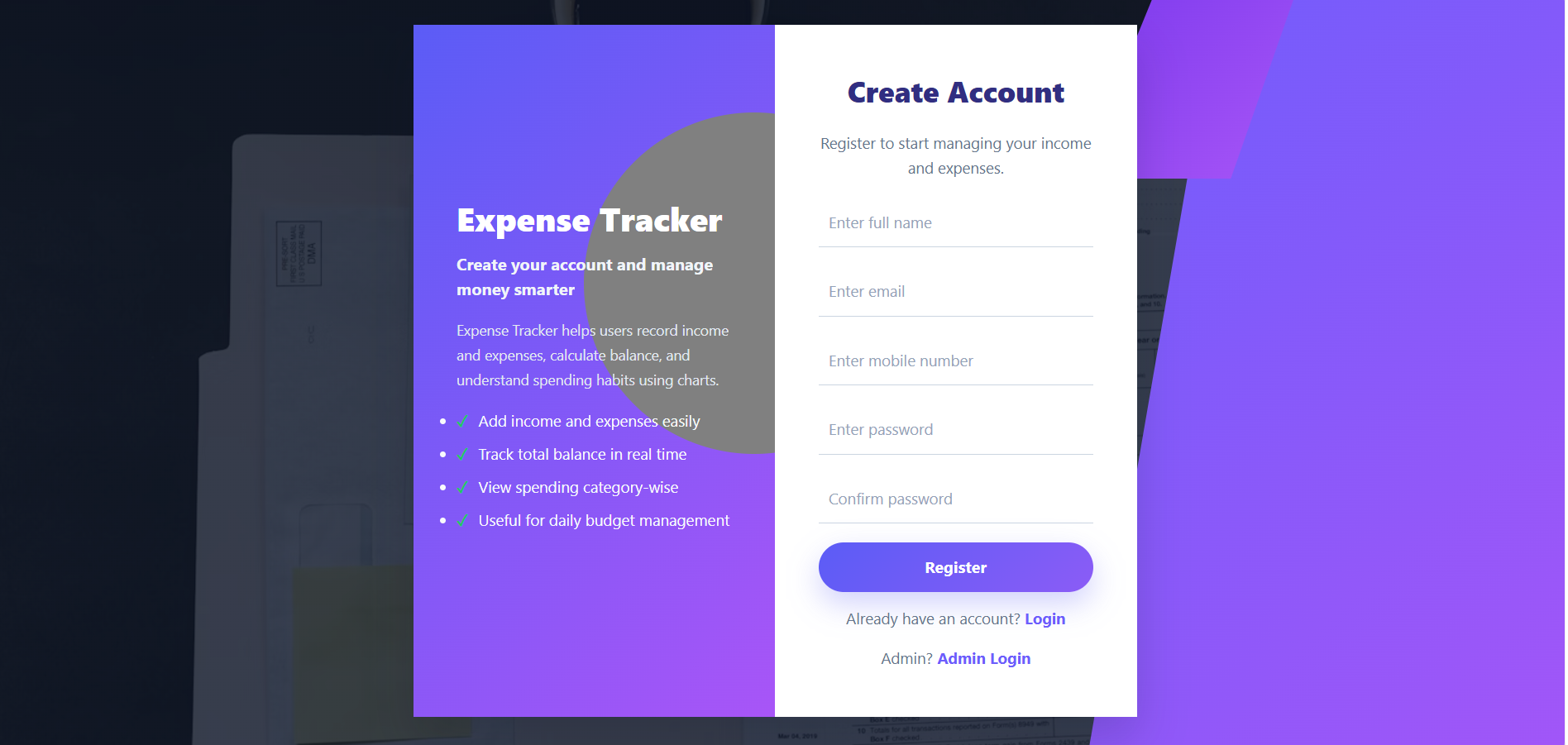
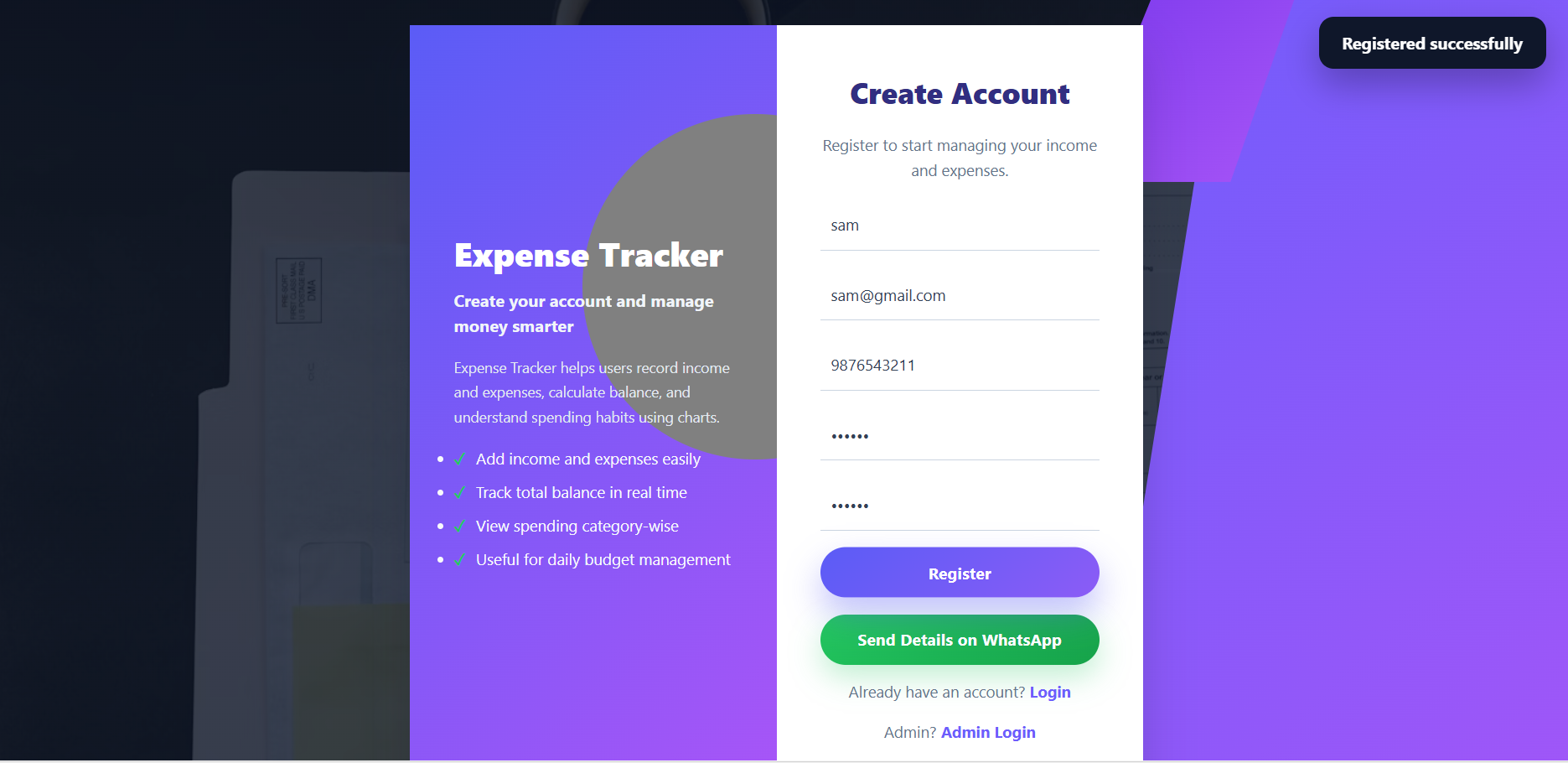
User Login Page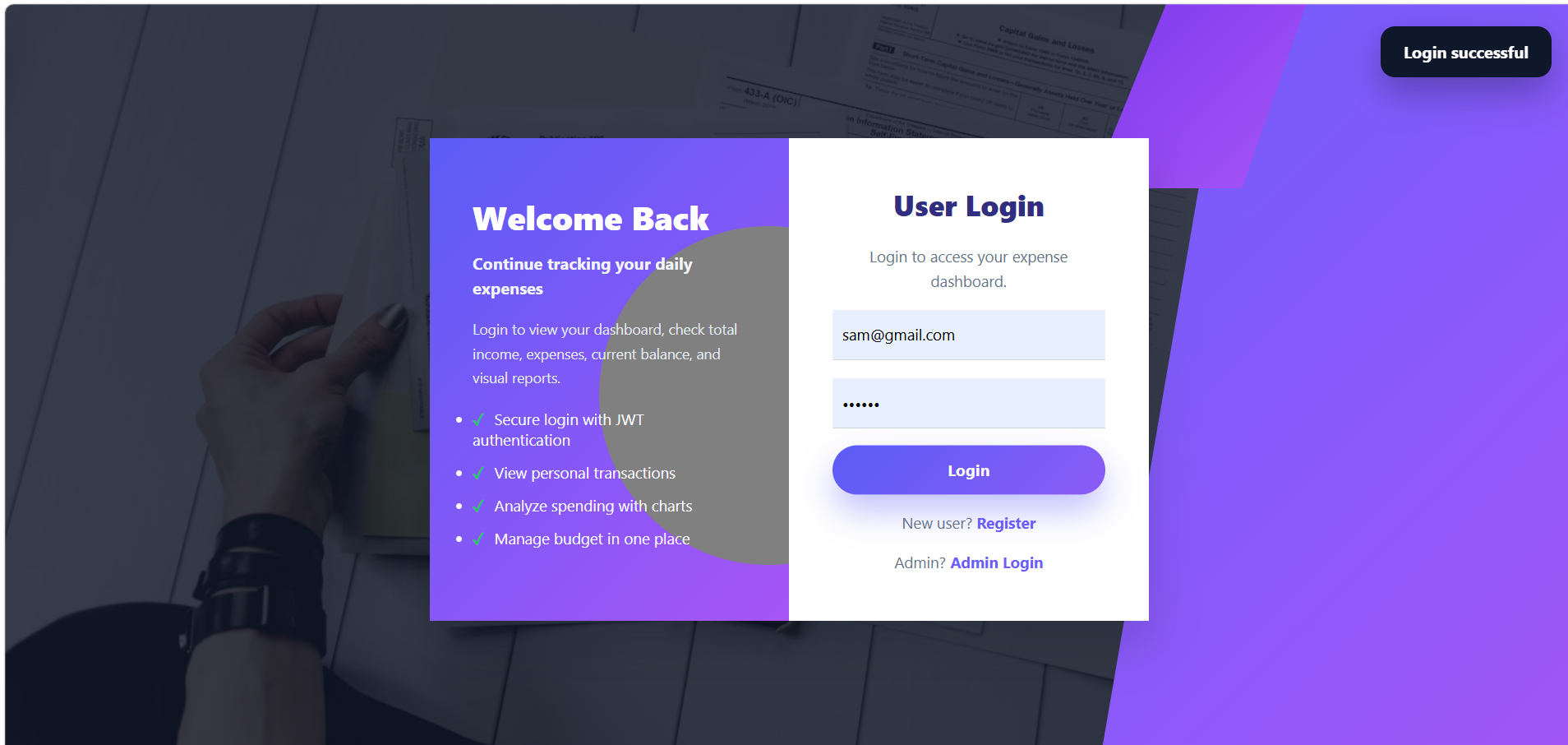
Dashboard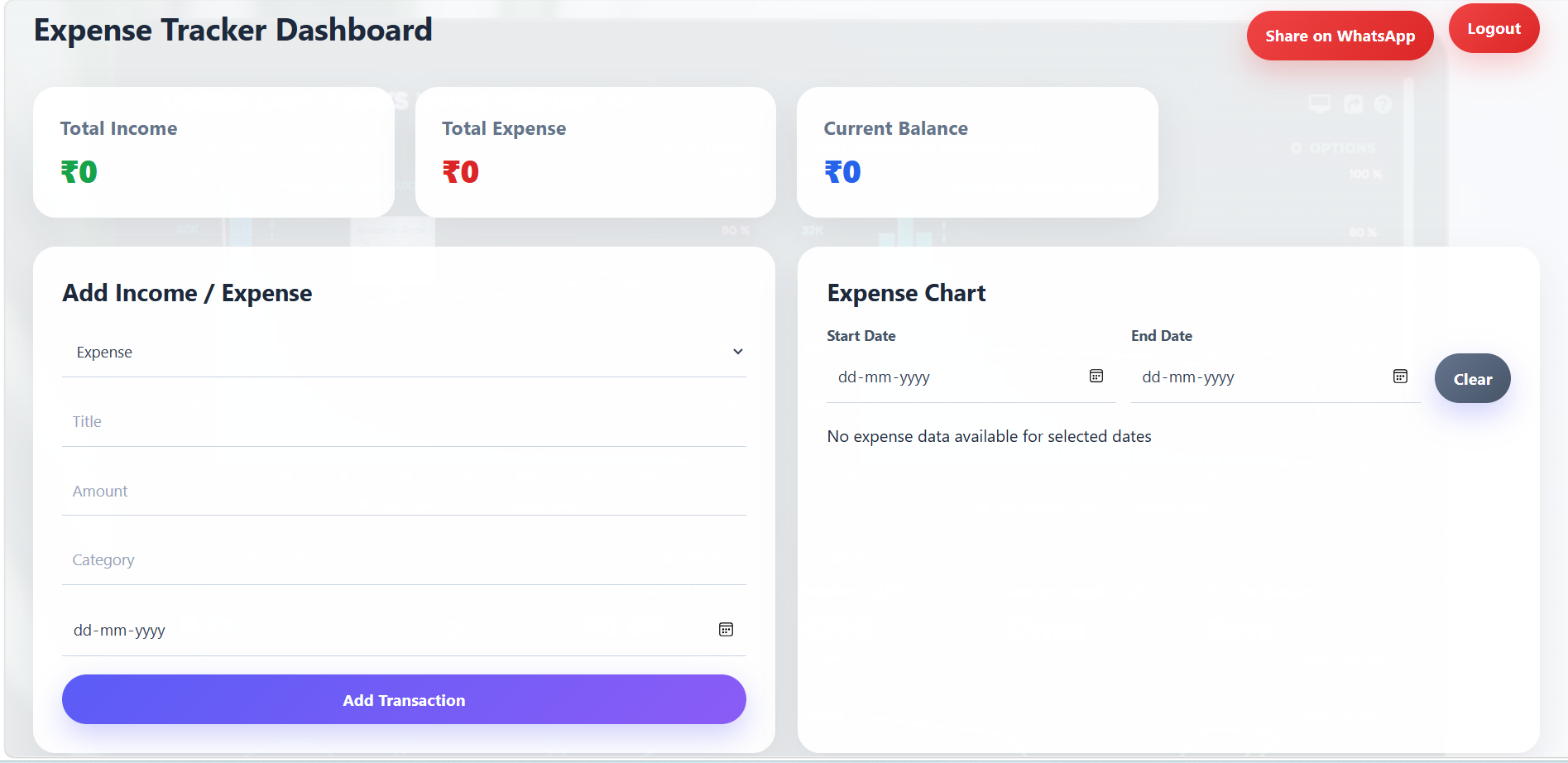
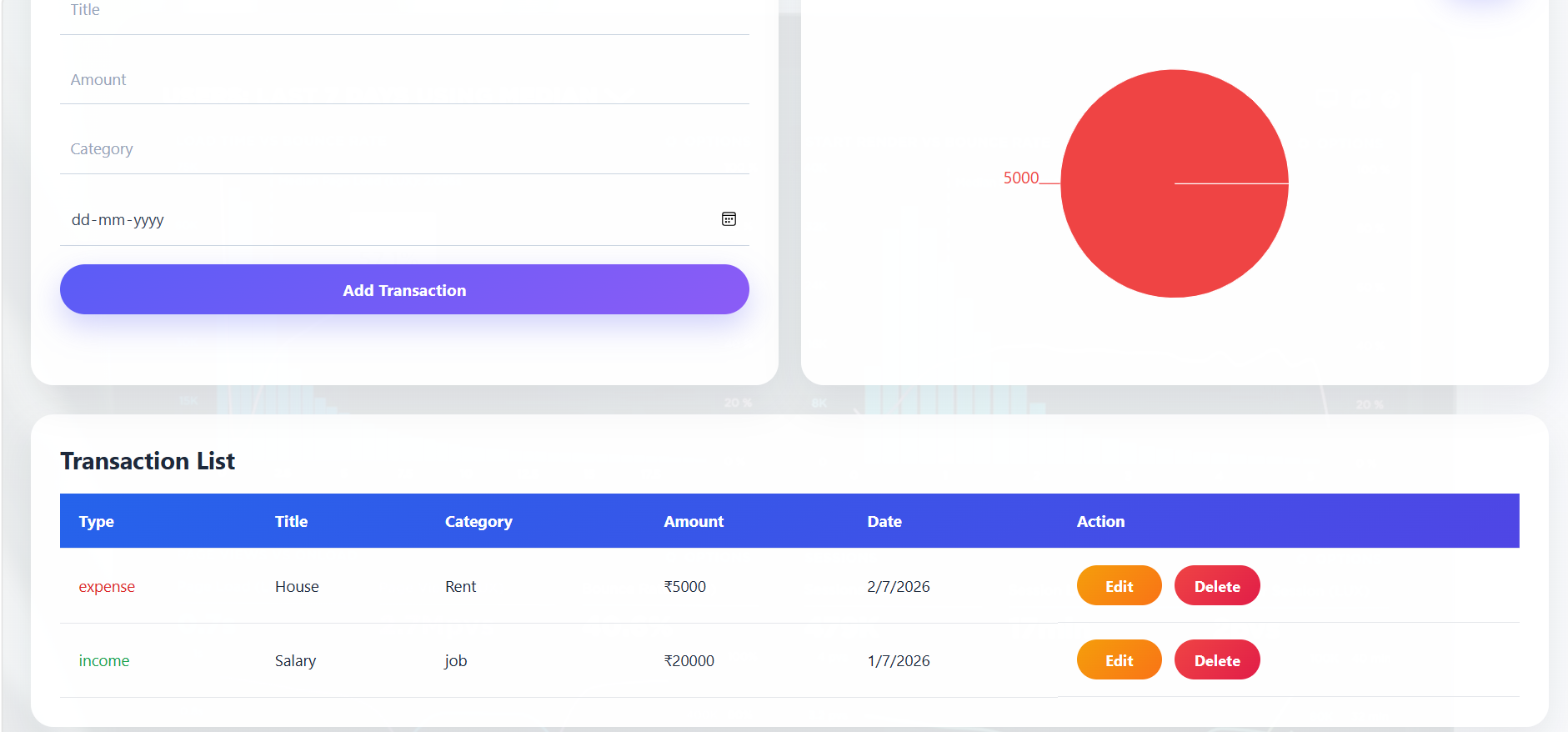
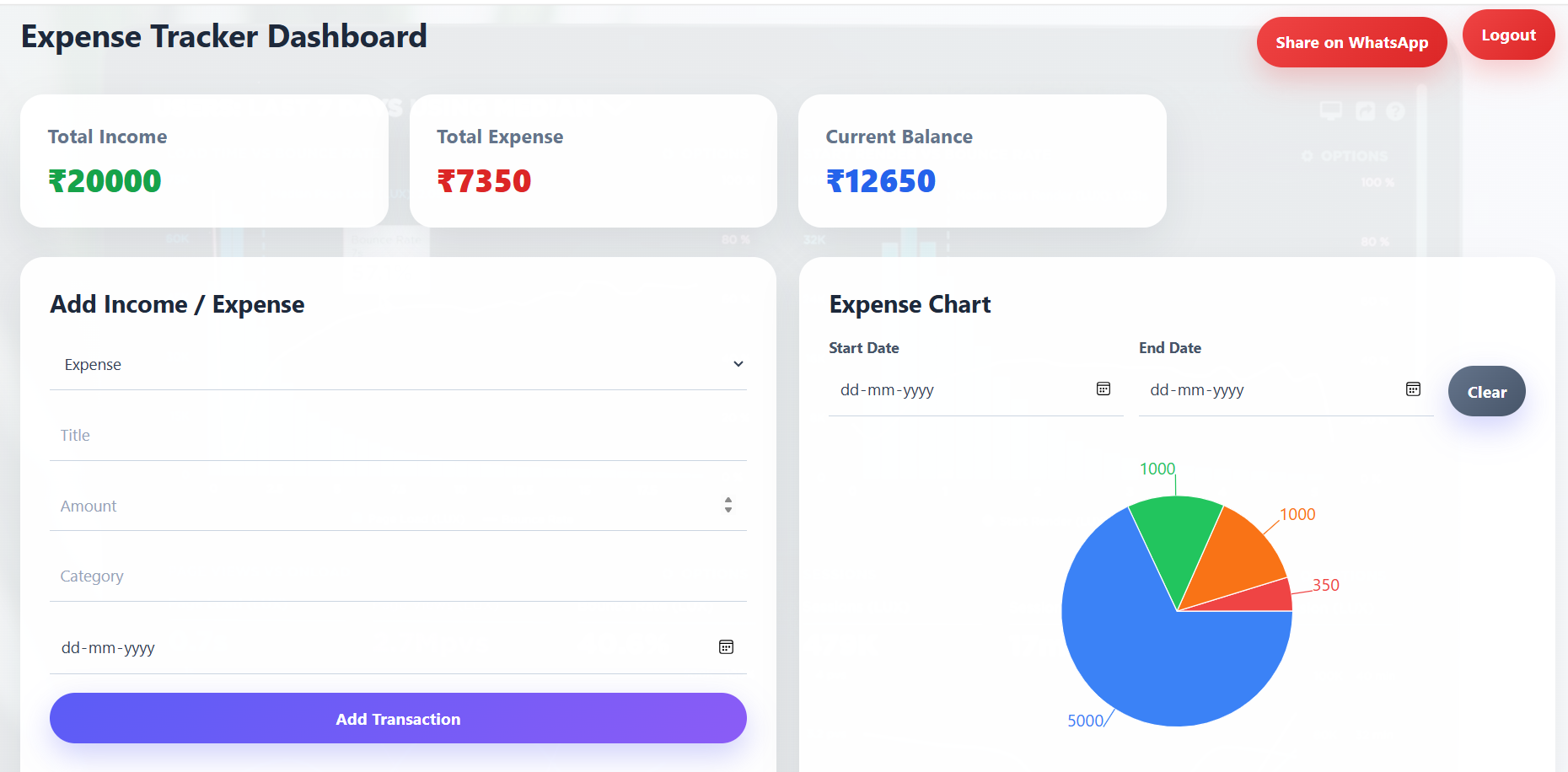
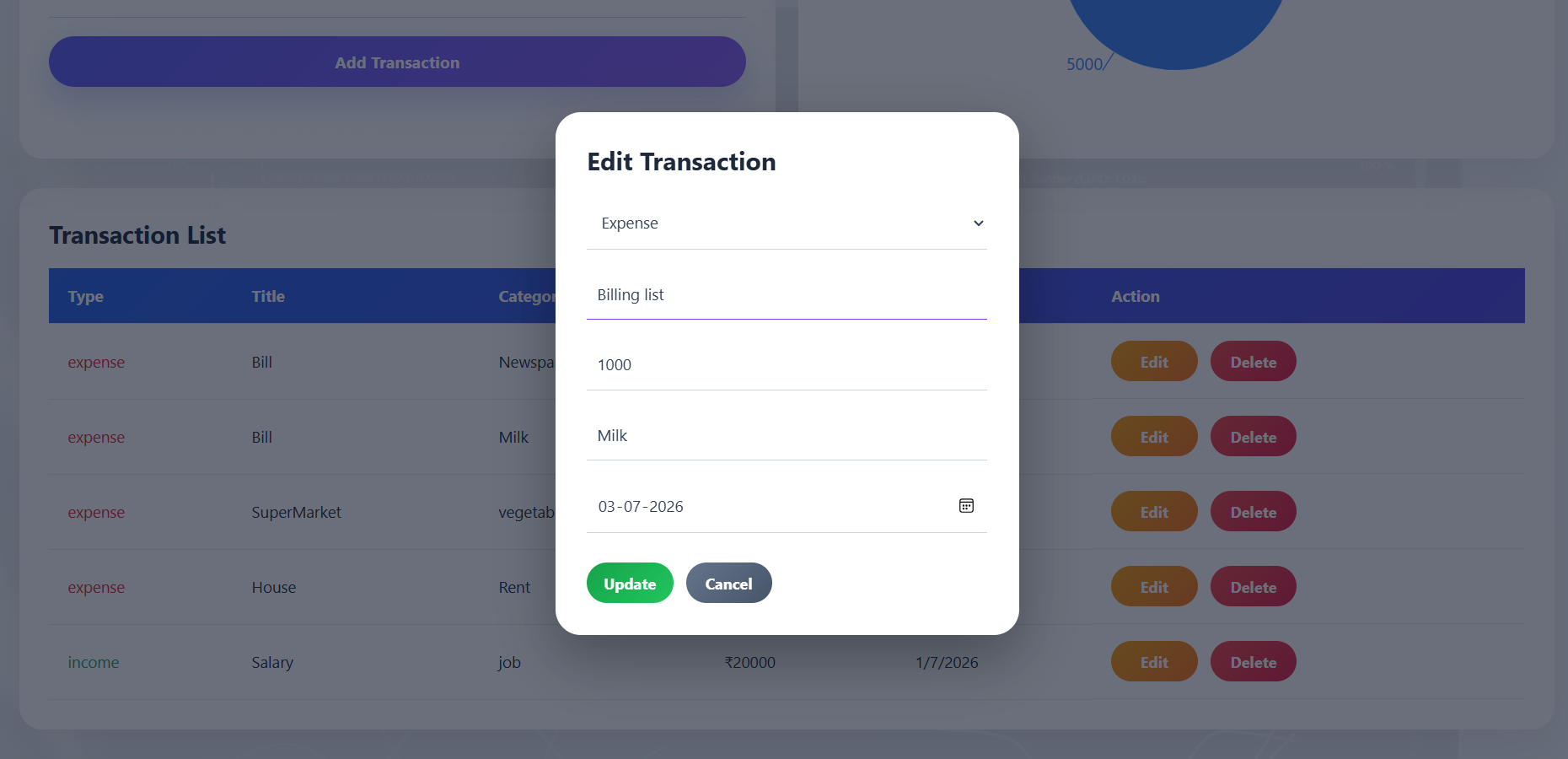
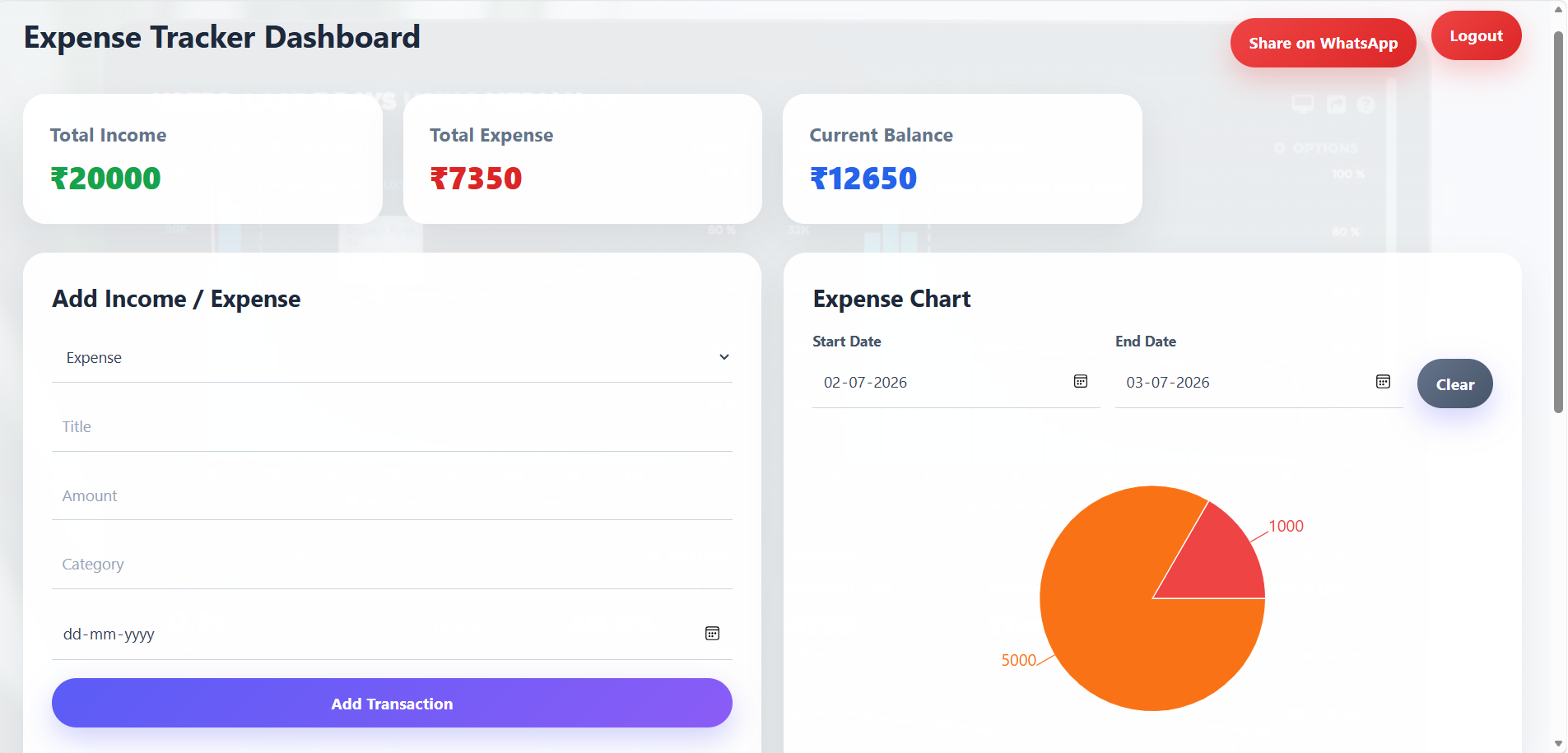
Admin Login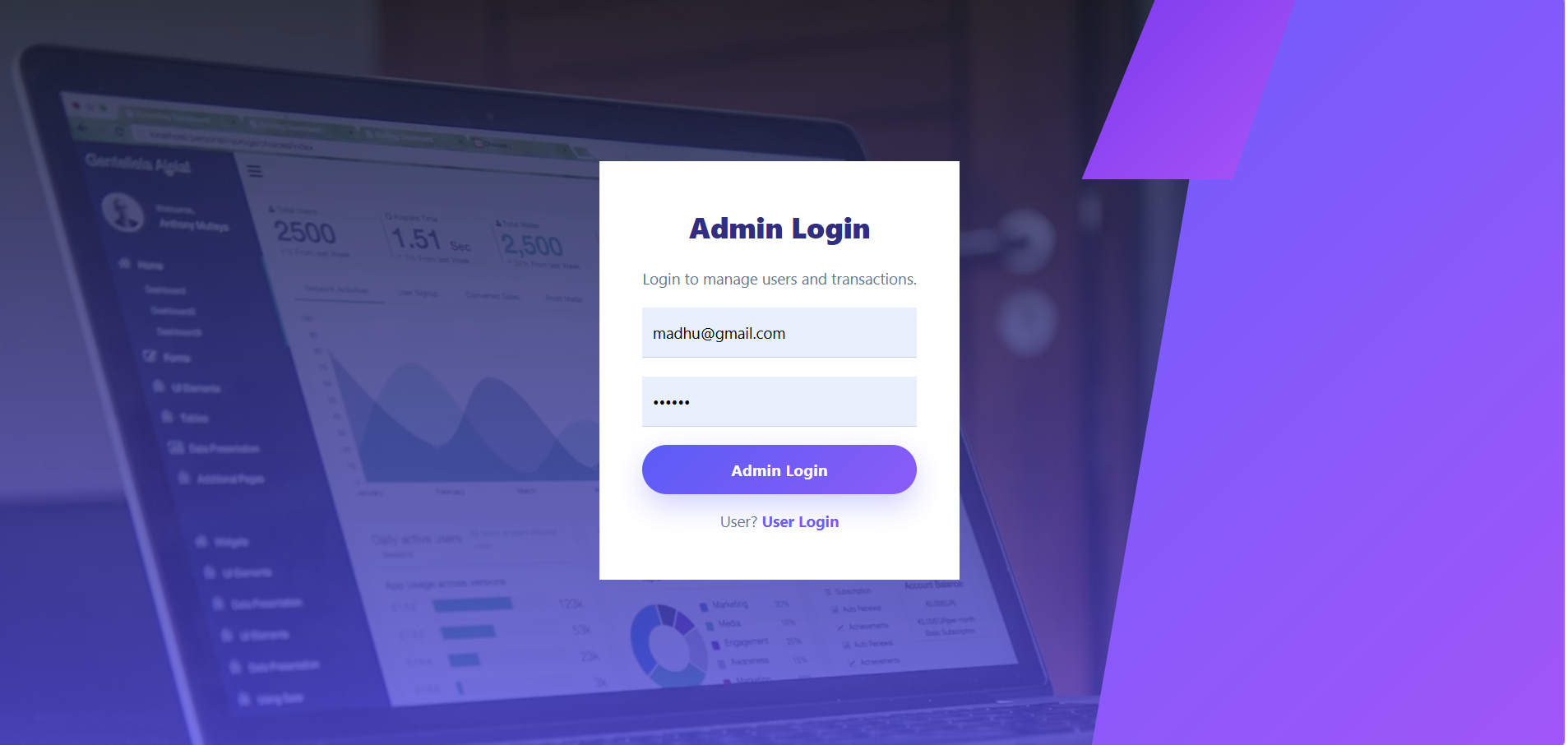
Admin Dashboard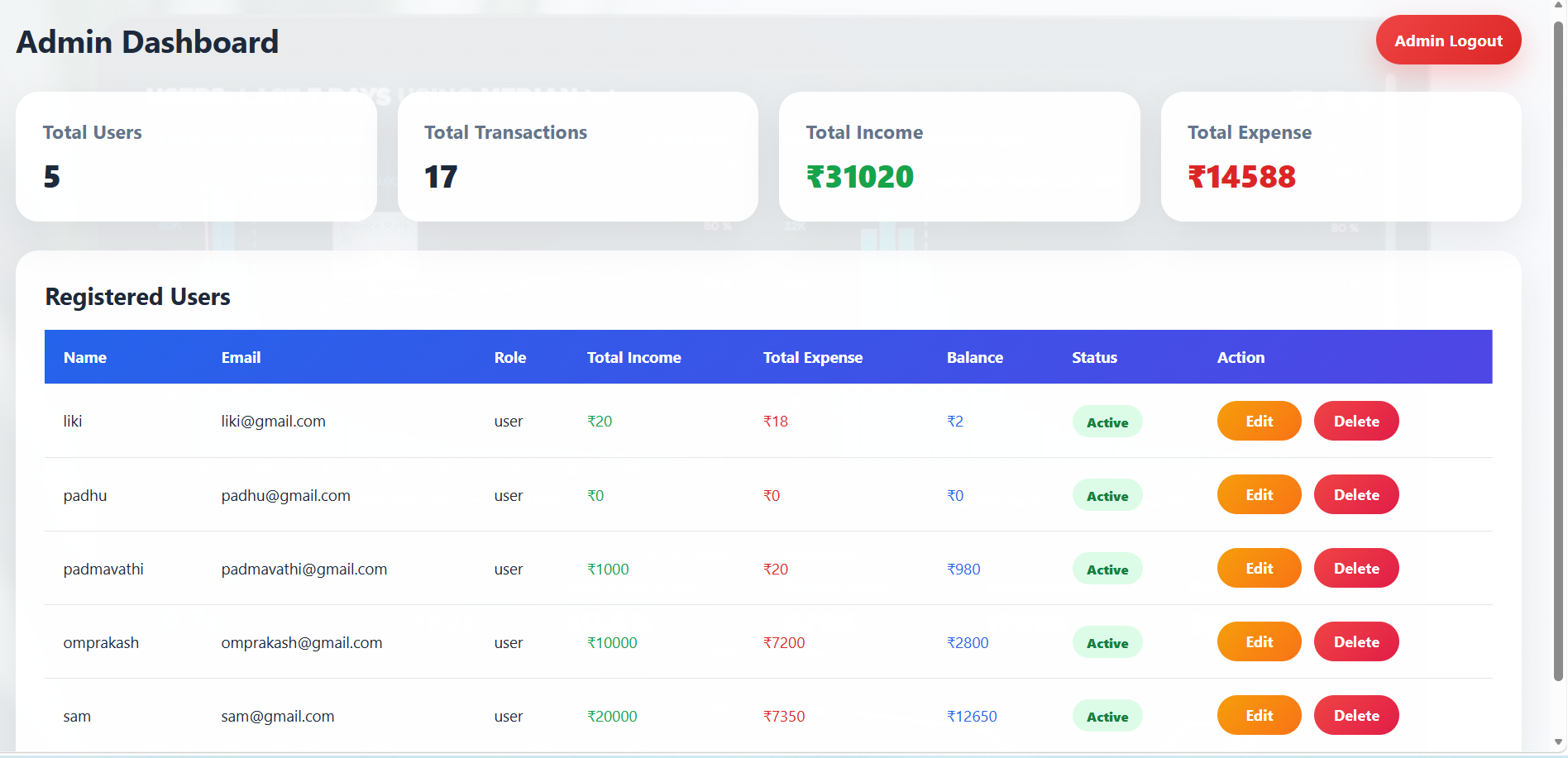
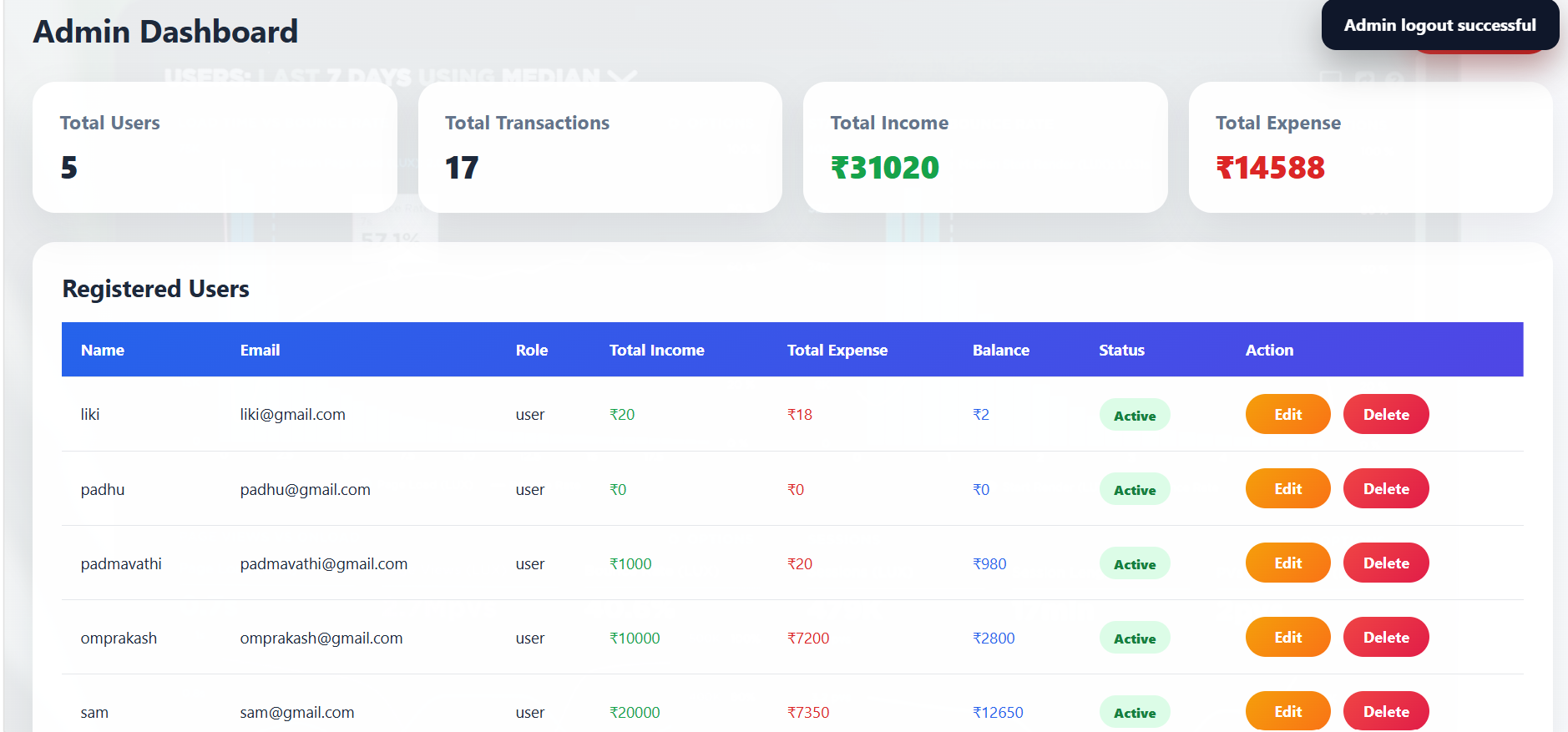
Unlock New Career Opportunities
⬇️
Keywords
Expense Tracker, MERN Expense Tracker, React Expense Tracker, Node.js Expense Manager, MongoDB Expense Tracker, Express.js Expense API, JWT Authentication, bcrypt Password Hashing, CRUD App, Add Income, Add Expense, Edit Transaction, Delete Transaction, Search Transactions, Filter Transactions, Date Filter, Expense Pie Chart, Summary Dashboard, WhatsApp Share, Admin Dashboard, Protected Routes, Axios API Calls, React Router DOM, Full Stack Expense Tracker, MERN Stack Project, Beginner MERN Project.
Summary
The Expense Tracker is a full-stack MERN application that allows users to securely register, login, logout, and manage their personal income and expenses. Users can add, edit, delete, search, and filter transactions, monitor their financial balance, visualize spending through interactive pie charts, filter expenses by date range, and share financial summaries via WhatsApp. The project uses JWT Authentication for secure protected routes and bcryptjs for password hashing. It also includes an Admin Dashboard where the admin can view total users, total transactions, total income, total expenses, manage registered users, update user roles and status, and delete users. This project is excellent for learning CRUD operations, React components, Express APIs, MongoDB models, JWT authentication, protected routes, form validation, chart integration, state management, API communication, and real-world full-stack MERN development.



