
Notes App
Notes App
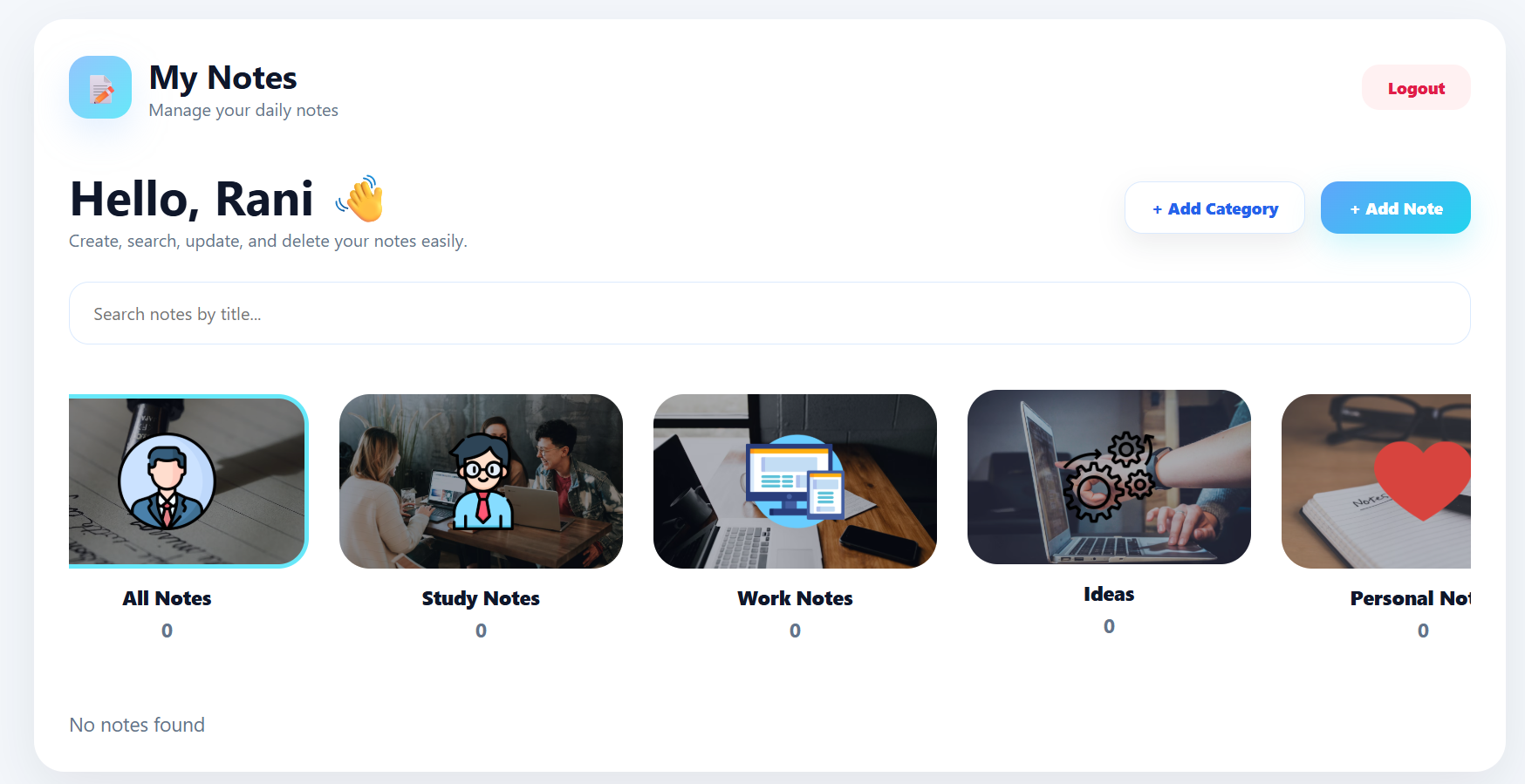
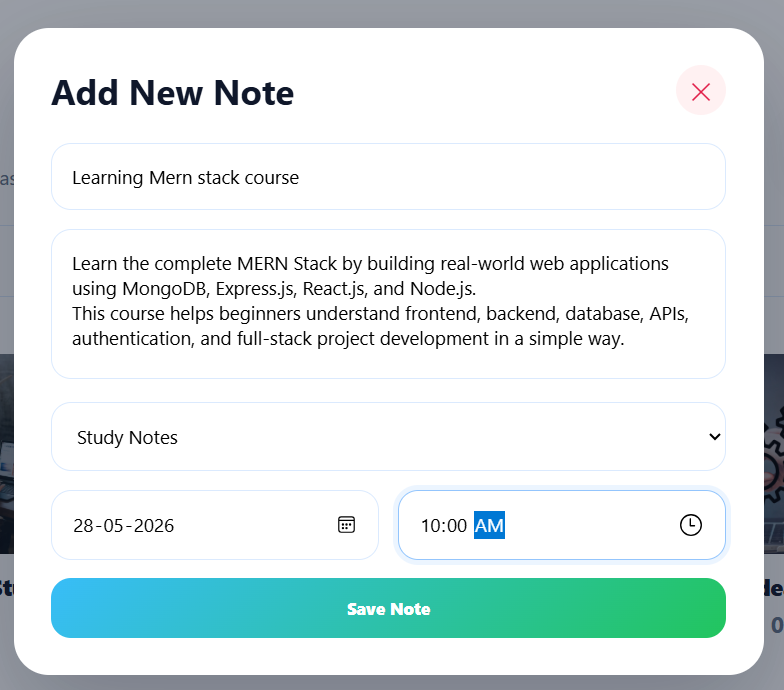
A Notes App is a simple note management application used to create, save, search, update, and delete notes in one place.
Users can:
Add notes
View notes
Update notes
Delete notes
Search notes
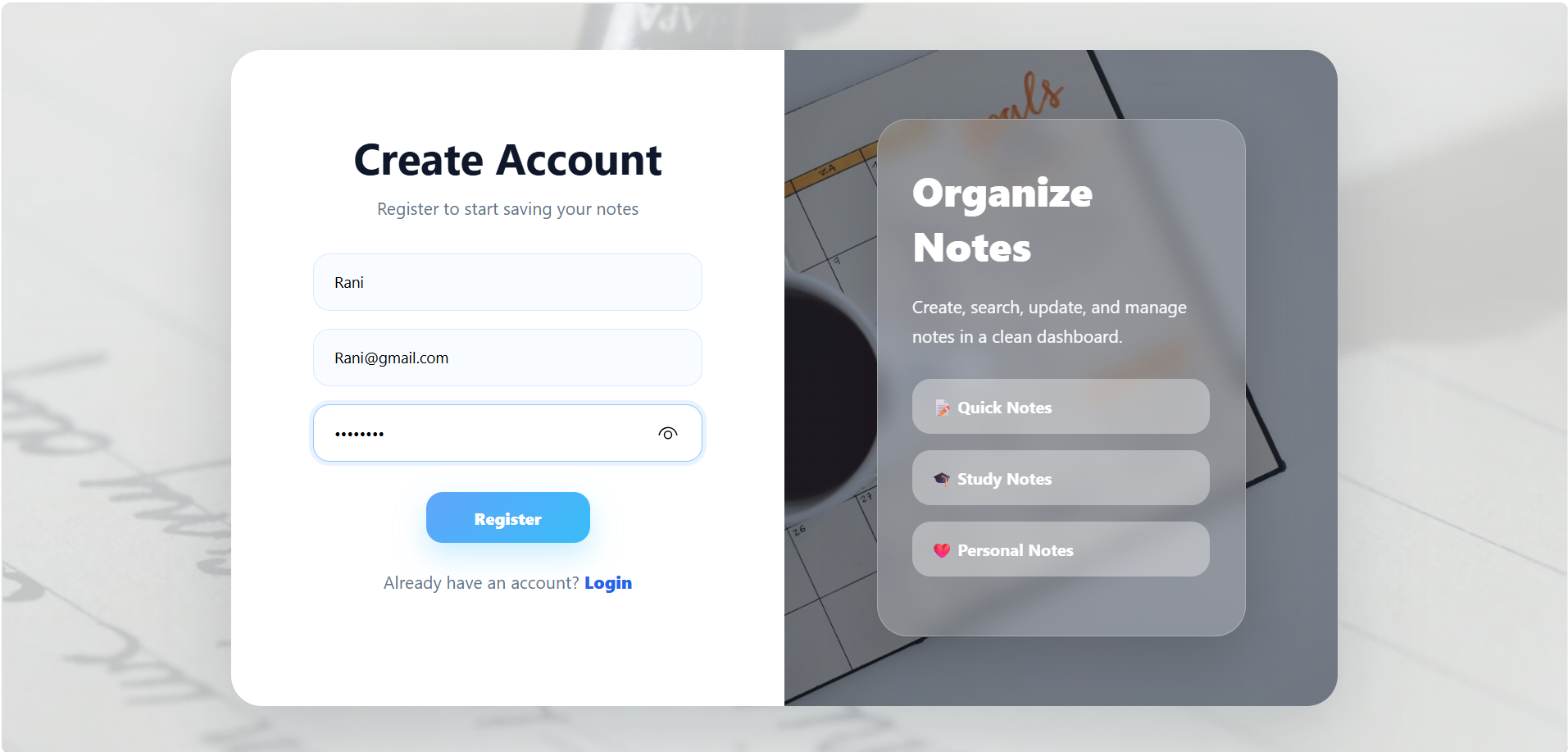
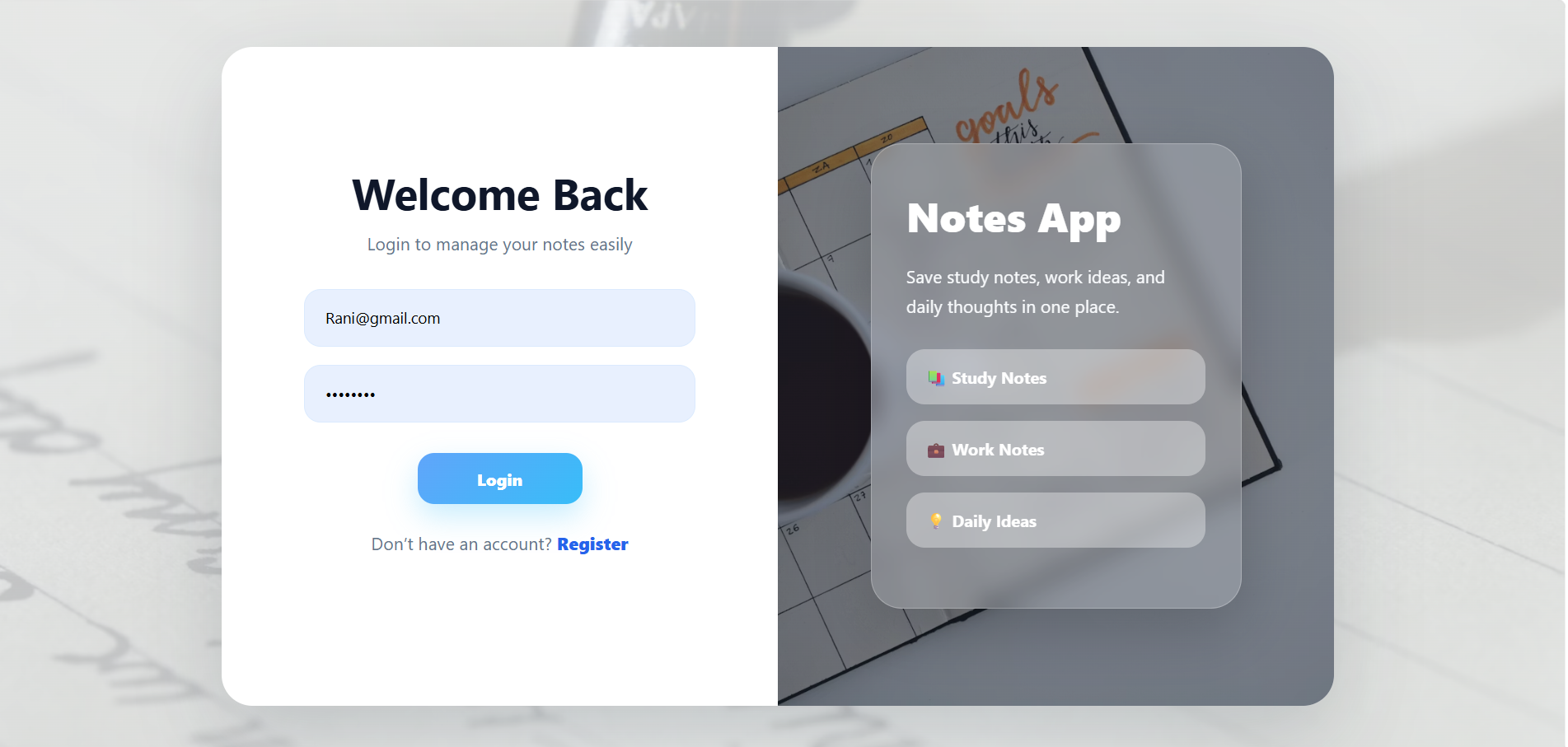
Login and register securely
The main goal of a Notes App is to help users store important information, ideas, reminders, and daily notes in an organized way.
MERN Stack Notes App File Structure
A MERN Stack Notes App is divided into three main parts: Frontend, Backend, and Database.
The frontend creates the user interface, the backend handles APIs and logic, and MongoDB stores users and notes data.
Technologies Used
Frontend
React.js
Vite
JSX
CSS
Axios
React Router DOM
Backend
Node.js
Express.js
Database
MongoDB
Mongoose
Authentication
JWT Token
bcrypt password hashing
Unlock New Career Opportunities
⬇️
Database Execution (MongoDB)
The database is used to store users and notes data.
Database Files Included
.env
User.js
Note.js
Database Execution Steps
Step 1 — Start MongoDB
mongodMongoDB server starts running.
Step 2 — Add Database URL in .env
MONGO_URI=mongodb://127.0.0.1:27017/notes_db
JWT_SECRET=mysecretkey
PORT=5000
This connects backend with MongoDB.
Step 3 — Mongoose Connects Database
Inside server.js, Mongoose connects Node.js with MongoDB.
MongoDB
↓
Mongoose
↓
Backend
Backend Execution (Node.js + Express.js)
Backend Installation Commands
mkdir backend
cd backend
npm init -y
npm install express mongoose cors dotenv bcryptjs jsonwebtoken
npm install nodemon --save-dev
mkdir models routes middleware
touch server.js .env
npm run dev
The backend handles APIs, authentication, and note operations.
Backend Files Included
server.js
routes/
models/
middleware/
controllers/
.env
package.json
Important Backend Files
server.js → Main backend file
authRoutes.js → Login/Register APIs
noteRoutes.js → Notes APIs
User.js → User schema
Note.js → Notes schema
authMiddleware.js → JWT security
Backend Execution Steps
Step 1 — Move to Backend Folder
cd backend
Step 2 — Install Packages
npm install express mongoose cors dotenv bcryptjs jsonwebtoken
Step 3 — Start Backend Server
npm run devNow server.js starts running.
Backend Flow
server.js
↓
Routes
↓
Middleware
↓
Models
↓
MongoDB
Example:
User clicks Login
↓
Frontend sends API request
↓
Backend receives request in authRoutes.js
↓
Checks user using User.js
↓
MongoDB sends data
↓
Backend sends response back
Frontend Execution (React.js)
Frontend Installation Commands
mkdir frontend
cd frontend
npm create vite@latest .
npm install
npm install axios react-router-dom
npm run dev
The frontend displays the UI like Login, Register, and Dashboard pages.
Frontend Files Included
main.jsx
App.jsx
pages/
components/
App.css
index.css
package.json
Important Frontend Files
main.jsx → Starts React app
App.jsx → Main app flow
Login.jsx → Login page
Register.jsx → Register page
Dashboard.jsx → Notes dashboard
Frontend Execution Steps
Step 1 — Move to Frontend Folder
cd frontendStep 2 — Install Packages
npm installStep 3 — Start Frontend
npm run devNow React application opens in browser.
Frontend Flow
main.jsx
↓
App.jsx
↓
Pages
↓
Axios API Calls
↓
Backend
Notes App Execution Flow
First, MongoDB stores the users and notes data.
Next, the backend server starts from server.js and connects to MongoDB using db.js.
Then, the frontend React app starts from main.jsx, opens App.jsx, and loads pages like Login, Register, and Dashboard.
The frontend sends API requests using Axios, the backend processes the request, communicates with MongoDB, and sends the response back to the frontend.
Simple Notes App Flow
Frontend React UI
↓
Axios API Request
↓
Backend Express Server
↓
Routes
↓
Controllers
↓
Mongoose Models
↓
MongoDB Database
↓
Response Back to Frontend
↓
UI Updates
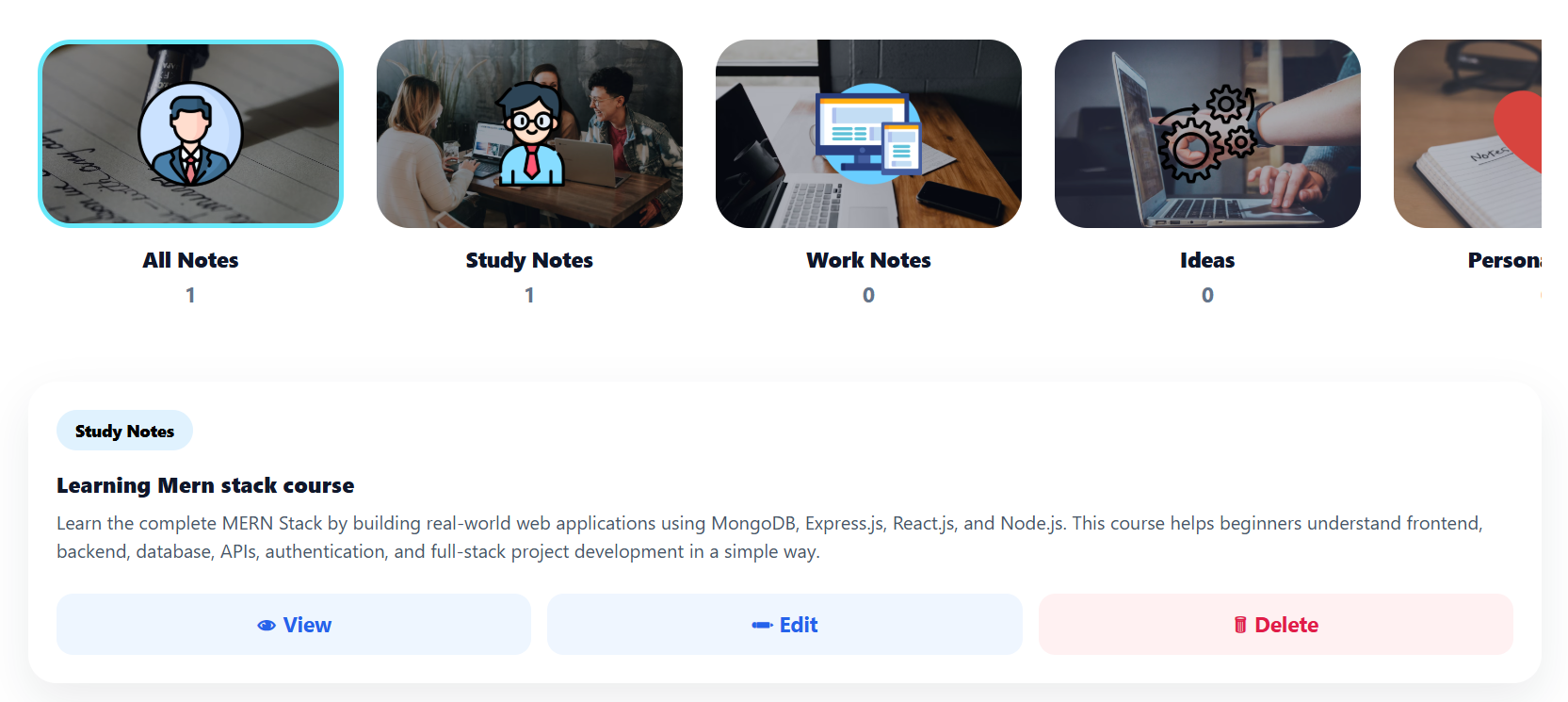
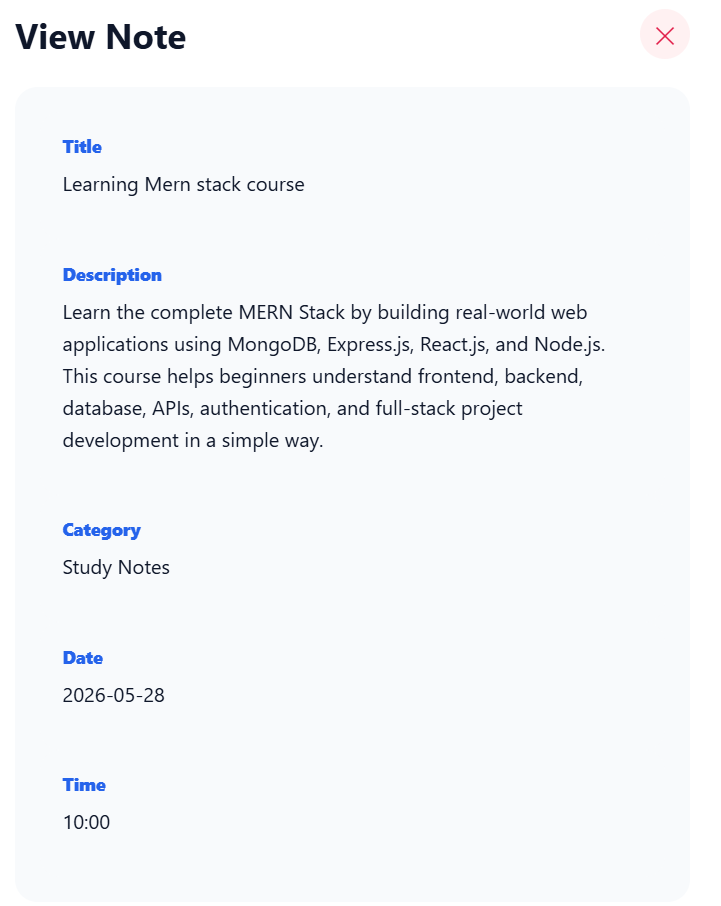
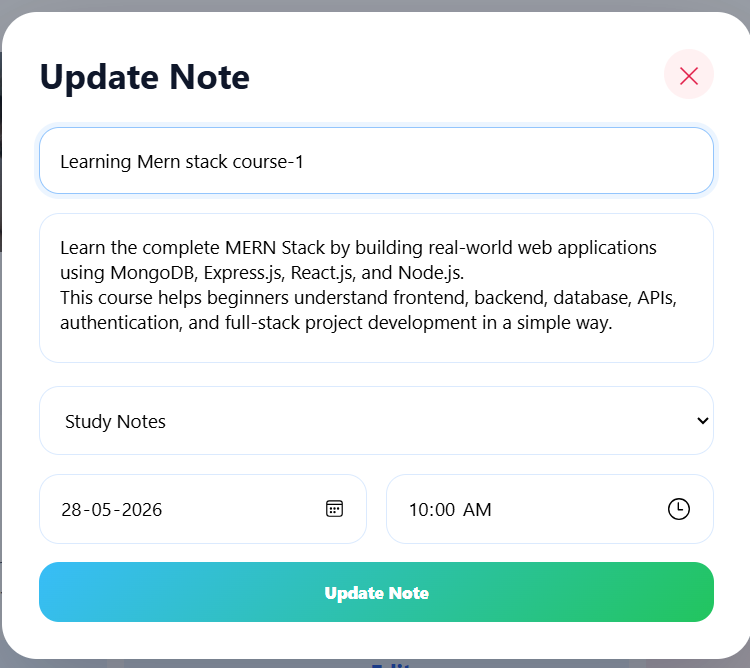
Output Screens of To-Do List Application
Keywords
Notes App, MERN Stack Notes App, React Notes App, Node.js Notes App, MongoDB Notes Application, Express.js Backend, React Frontend, Full Stack Notes App, CRUD Operations, JWT Authentication, MERN Project, Notes Management System, React Vite Project, MongoDB Database, Axios API Calls, User Authentication, Secure Login System, Notes Dashboard, Beginner MERN Project, Full Stack Web Development
Summary
The Notes App is a full-stack MERN project where users can securely register, login, create notes, update notes, delete notes, and search notes. It is a good beginner-friendly project to learn React, Node.js, Express.js, MongoDB, APIs, authentication, and CRUD operations.



