
URL Shortener
What is a URL Shortener?
A URL Shortener is a web application that converts a long and complicated URL into a short and easy-to-share URL. It creates a unique short code for each original URL and stores both URLs in a database. When a user opens the short URL, the application finds the matching original URL from the database. It then redirects the user to the original website automatically. A URL Shortener can also track the number of clicks received by each short URL. Users can manage their created URLs through a dashboard. This makes long URLs easier to share, remember, and use.
For example:
Empower Your Career with New Skills
⬇️
Original URL
https://www.example.com/products/electronics/mobile-phones/samsung/galaxy-s25This URL is long and difficult to share.
The URL Shortener converts it into:
http://localhost:5000/A7k92X
Now when someone opens:
http://localhost:5000/A7k92X
the application automatically sends them to:
https://www.example.com/products/electronics/mobile-phones/samsung/galaxy-s25That is the main purpose of the project.
What Does the Application Actually Do?
The URL Shortener has two important operations.
Operation 1 — Create Short URL
Long URL
   ↓
Generate Short Code
   ↓
Save in MongoDB
   ↓
Return Short URL
Operation 2 — Redirect
User clicks Short URL
        ↓
Find Short Code
        ↓
Find Original URL
        ↓
Increase Click Count
        ↓
Redirect User
These two operations are the heart of the application.
Why Do We Need Authentication?
Without authentication, anyone could create URLs under the same account.
With authentication:
Register
   ↓
Login
   ↓
JWT Token
   ↓
Create URLs
   ↓
View My URLs
Each URL belongs to a particular user.
Example:
Ravi
 ├── Google URL
 ├── YouTube URL


Rani
 ├── Facebook URL
 └── Instagram URL
So users can only see their own URLs.
Main Features
We can divide the application into three levels.
Basic Features
Register
Login
Create Short URL
Redirect URL
My URLs
Delete URL
Intermediate Features
Click Tracking
Dashboard Statistics
Search URLs
Copy Short URL
URL Analytics
Advanced Features
Admin Dashboard
User Management
Total Users
Total URLs
Total Clicks
Click Analytics
Custom Short Codes
URL Expiration
Project Architecture
Think of the project like this:
                  URL SHORTENER
                       │
          ┌────────────┴────────────┐
          │                         │
       FRONTEND                  BACKEND
        React                  Node + Express
          │                         │
          │                         │
       Axios ─────────────────── APIs
                                    │
                                    ↓
                                 MongoDB
                                    │
                          ┌─────────┴─────────┐
                          │                   │
                        Users                URLs
Folder Structure
Backend
backend/
│
├── config/
│   └── db.js
│
├── controllers/
│   ├── authController.js
│   ├── urlController.js
│   └── adminController.js
│
├── middleware/
│   ├── authMiddleware.js
│   └── errorMiddleware.js
│
├── models/
│   ├── User.js
│   └── Url.js
│
├── routes/
│   ├── authRoutes.js
│   ├── urlRoutes.js
│   └── adminRoutes.js
│
├── .env
├── server.js
└── package.json
Frontend
frontend/
│
├── src/
│   │
│   ├── components/
│   │   ├── Navbar.jsx
│   │   ├── Sidebar.jsx
│   │   ├── UrlCard.jsx
│   │   └── StatsCard.jsx
│   │
│   ├── pages/
│   │   ├── Login.jsx
│   │   ├── Register.jsx
│   │   ├── Dashboard.jsx
│   │   ├── CreateUrl.jsx
│   │   ├── MyUrls.jsx
│   │   ├── Analytics.jsx
│   │   └── AdminDashboard.jsx
│   │
│   ├── context/
│   │   └── AuthContext.jsx
│   │
│   ├── services/
│   │   └── api.js
│   │
│   ├── App.jsx
│   ├── main.jsx
│   └── App.css
│
└── package.json
Final Project Flow
The finished project will work like this:
                     START
                       ↓
                  REGISTER
                       ↓
                    LOGIN
                       ↓
                 JWT TOKEN
                       ↓
                  DASHBOARD
                       ↓
             ┌─────────┴─────────┐
             ↓                   ↓
        CREATE URL             MY URLs
             ↓                   ↓
        Enter Long URL      View Short URLs
             ↓                   ↓
          Generate             Copy
         Short Code           Delete
             ↓                 Analytics
          MongoDB
             ↓
       Short URL Created
             ↓
      http://localhost:5000/X7K92A
             ↓
            CLICK
             ↓
        Find Short Code
             ↓
        Clicks + 1
             ↓
          Redirect
             ↓
       Original Website
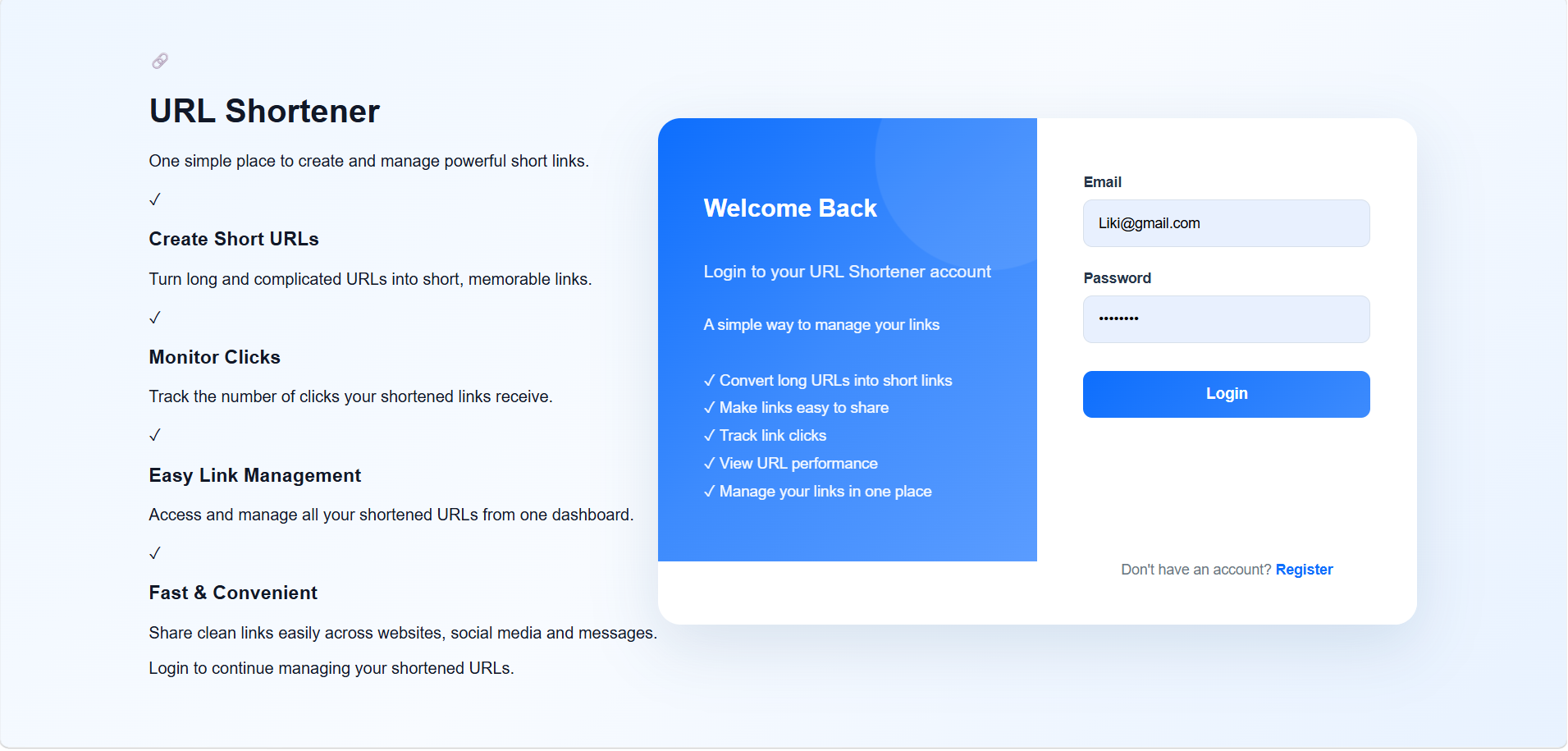
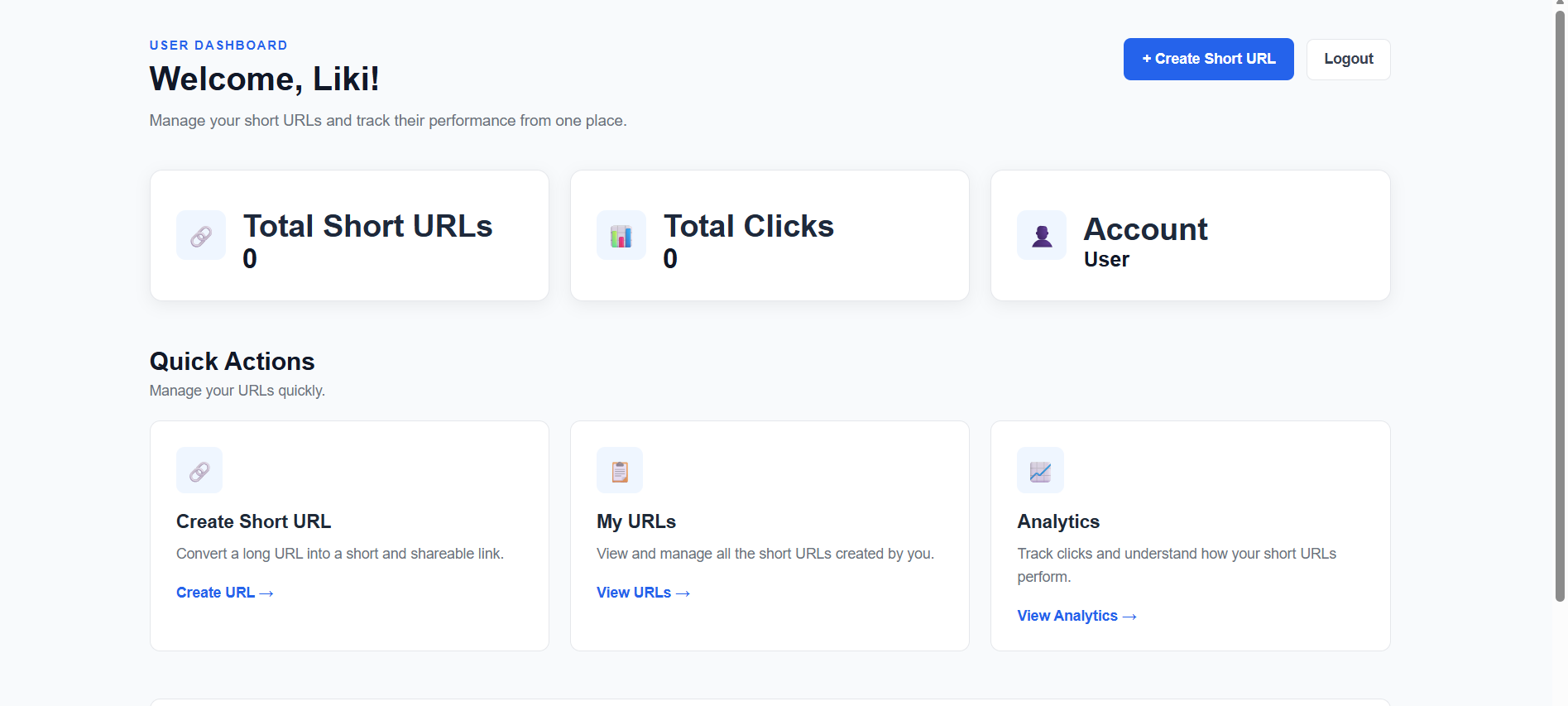
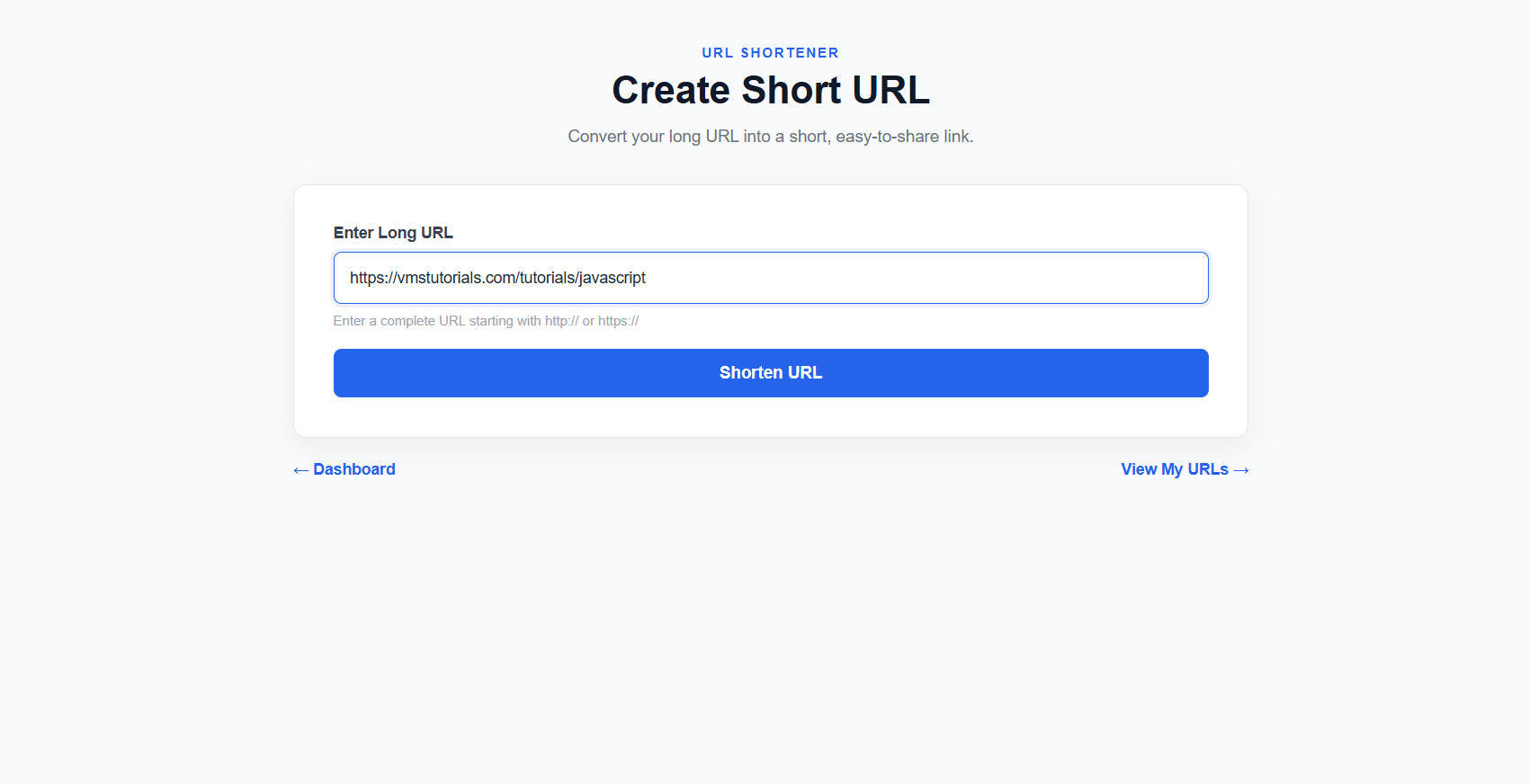
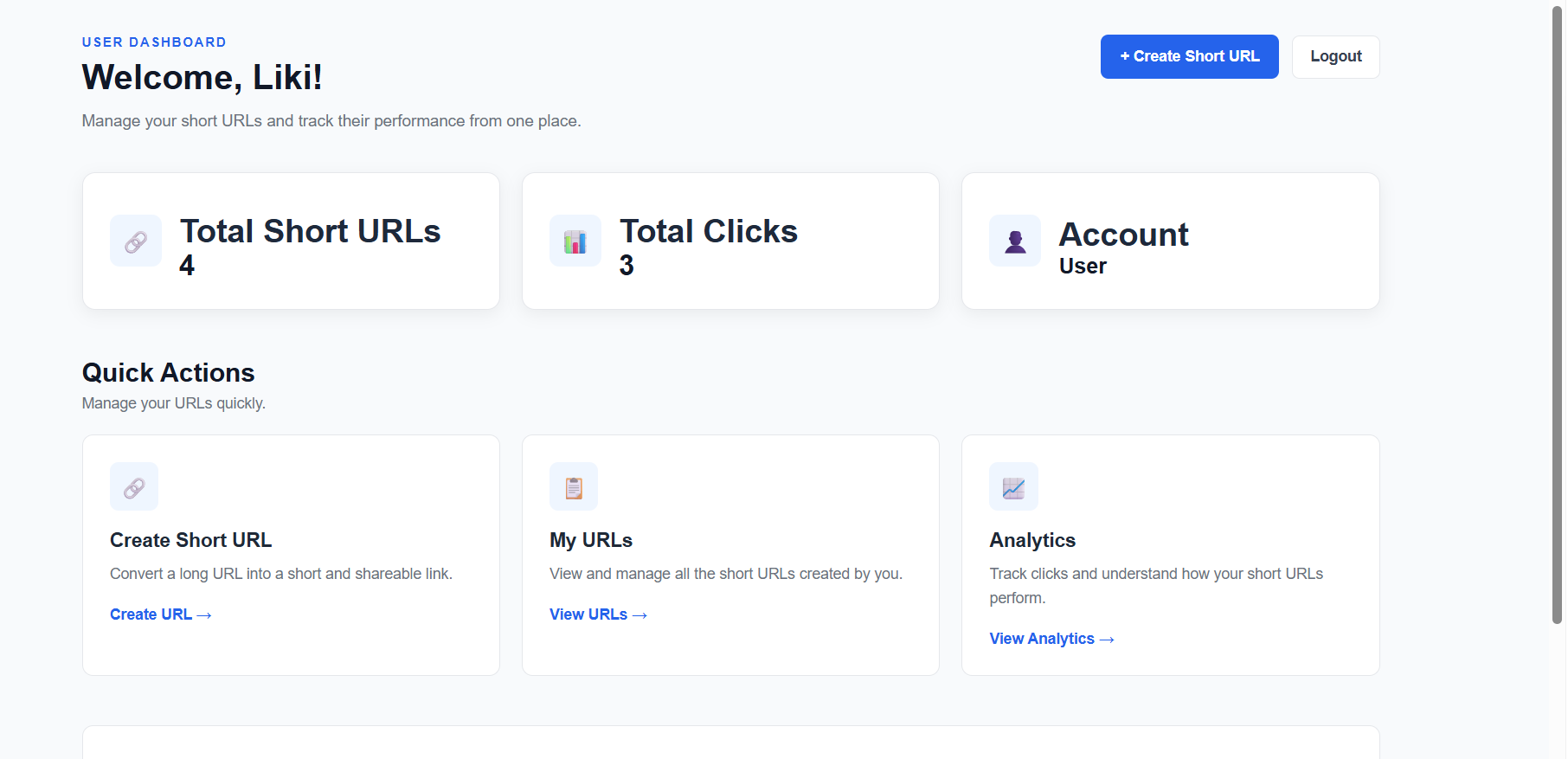
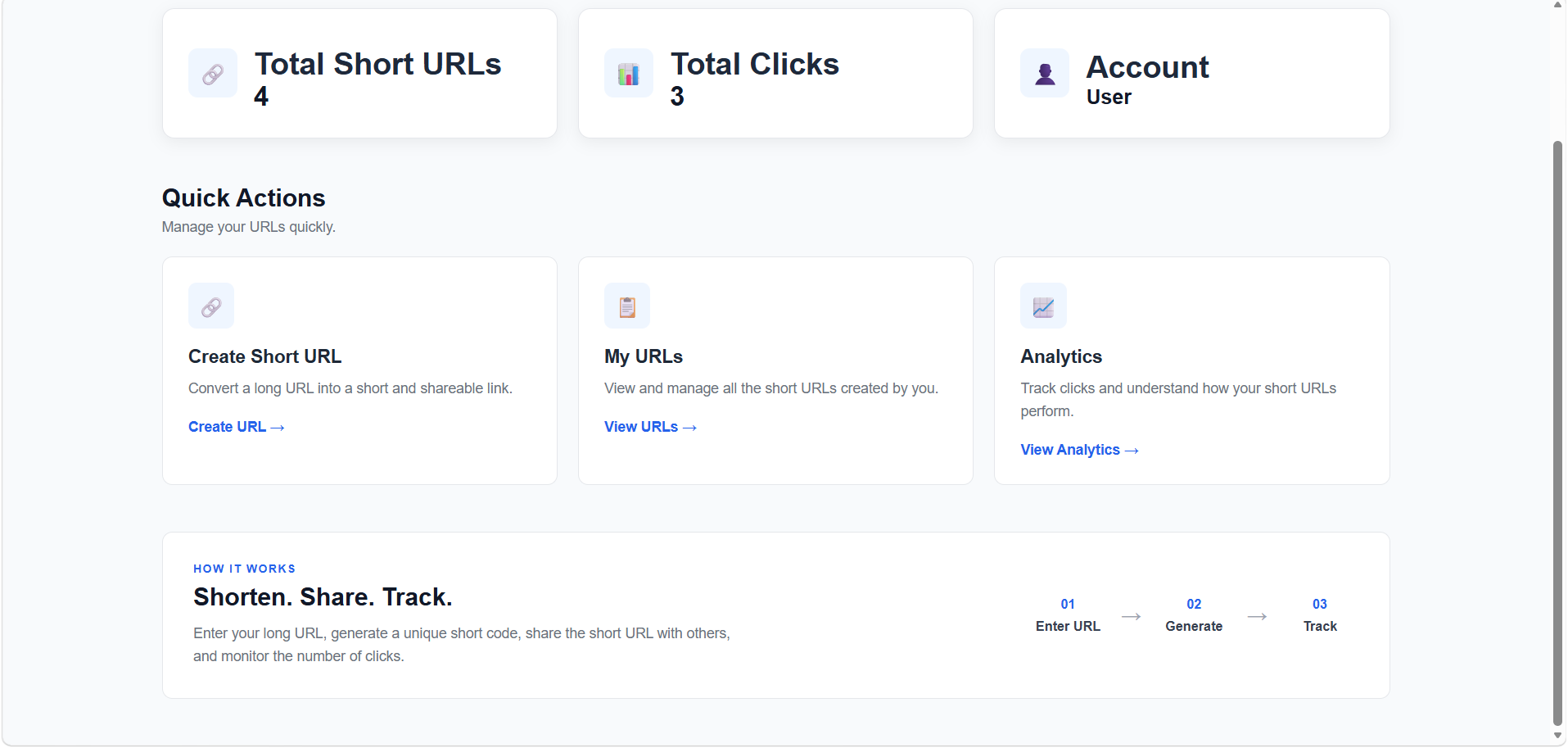
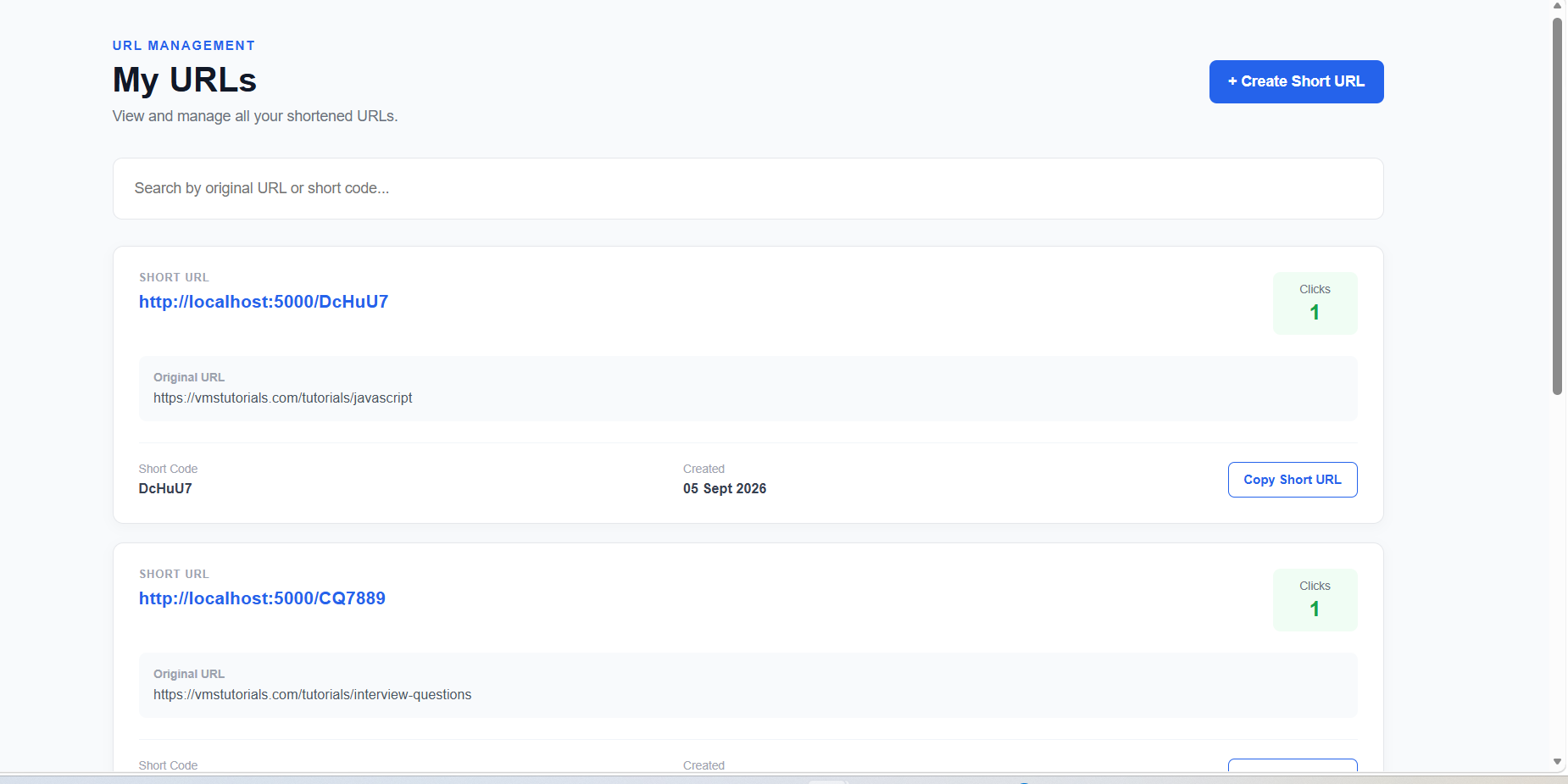
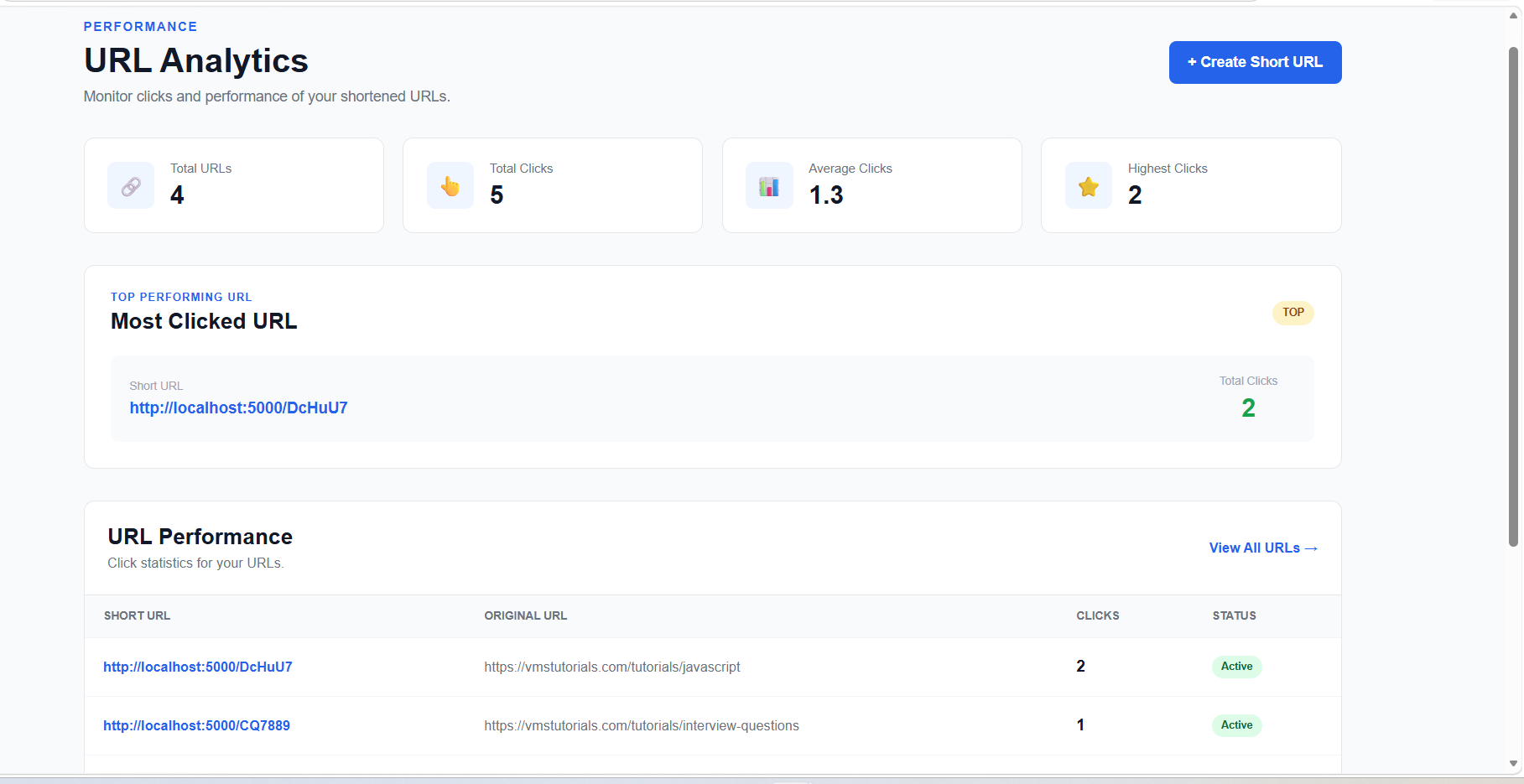
Output Screens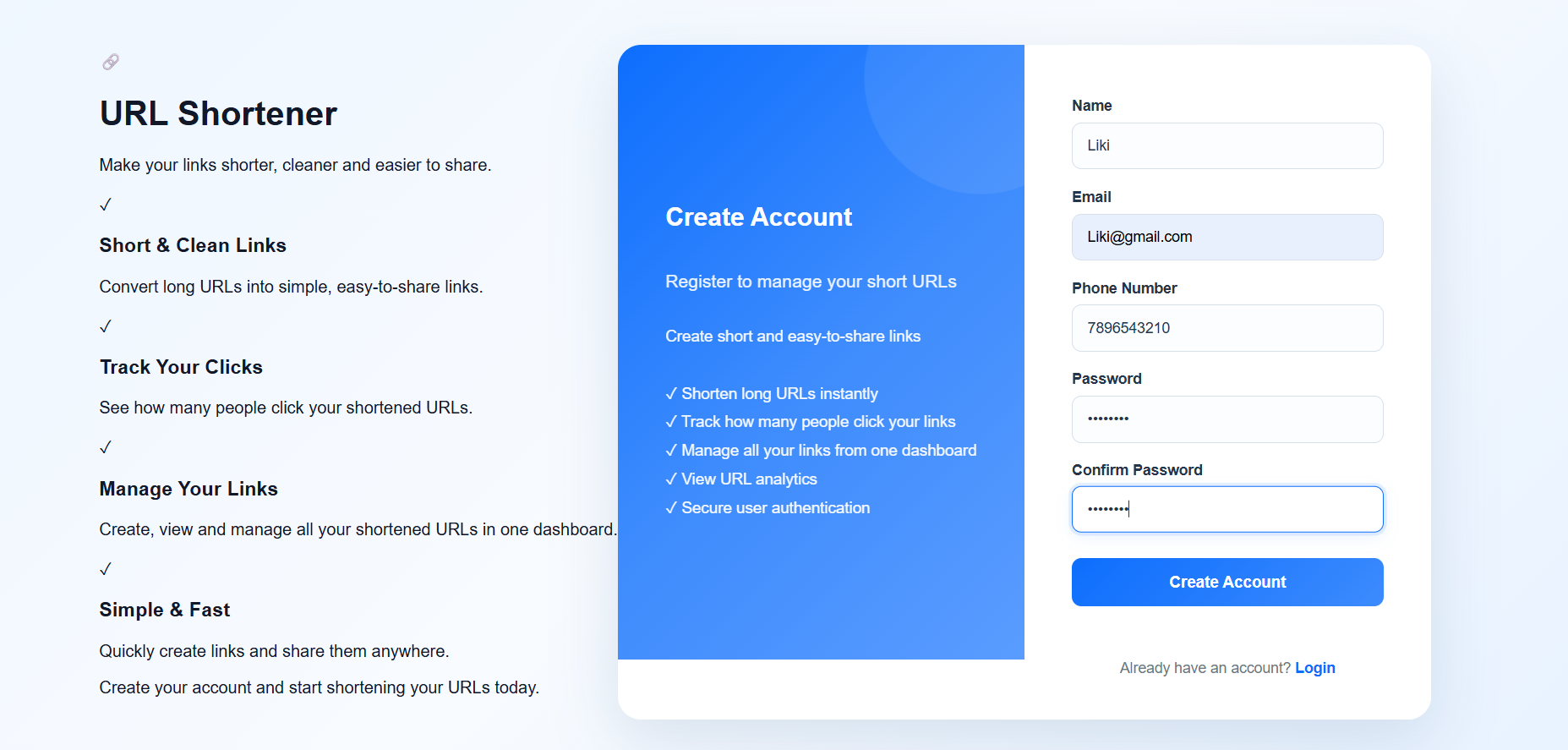
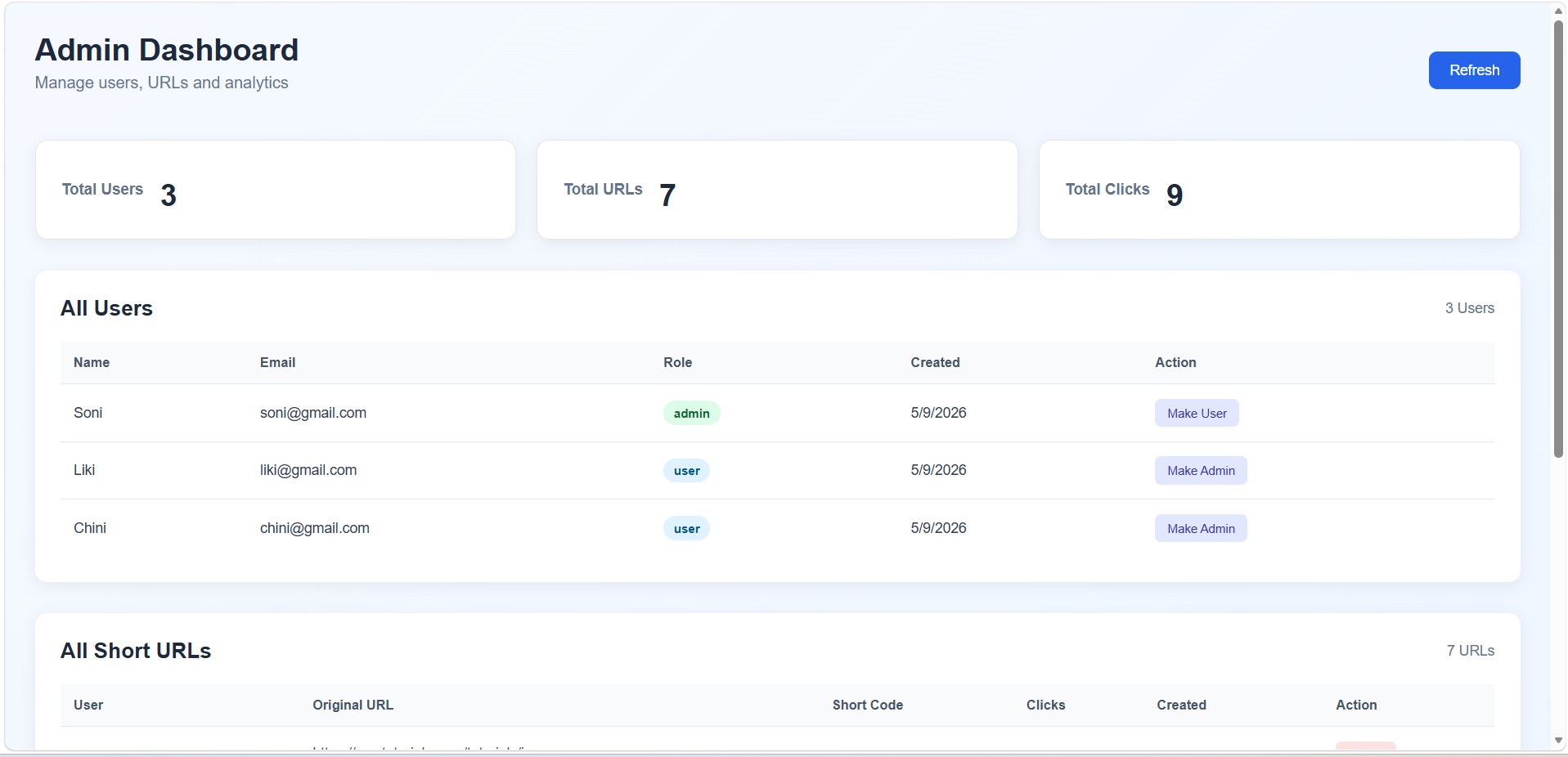
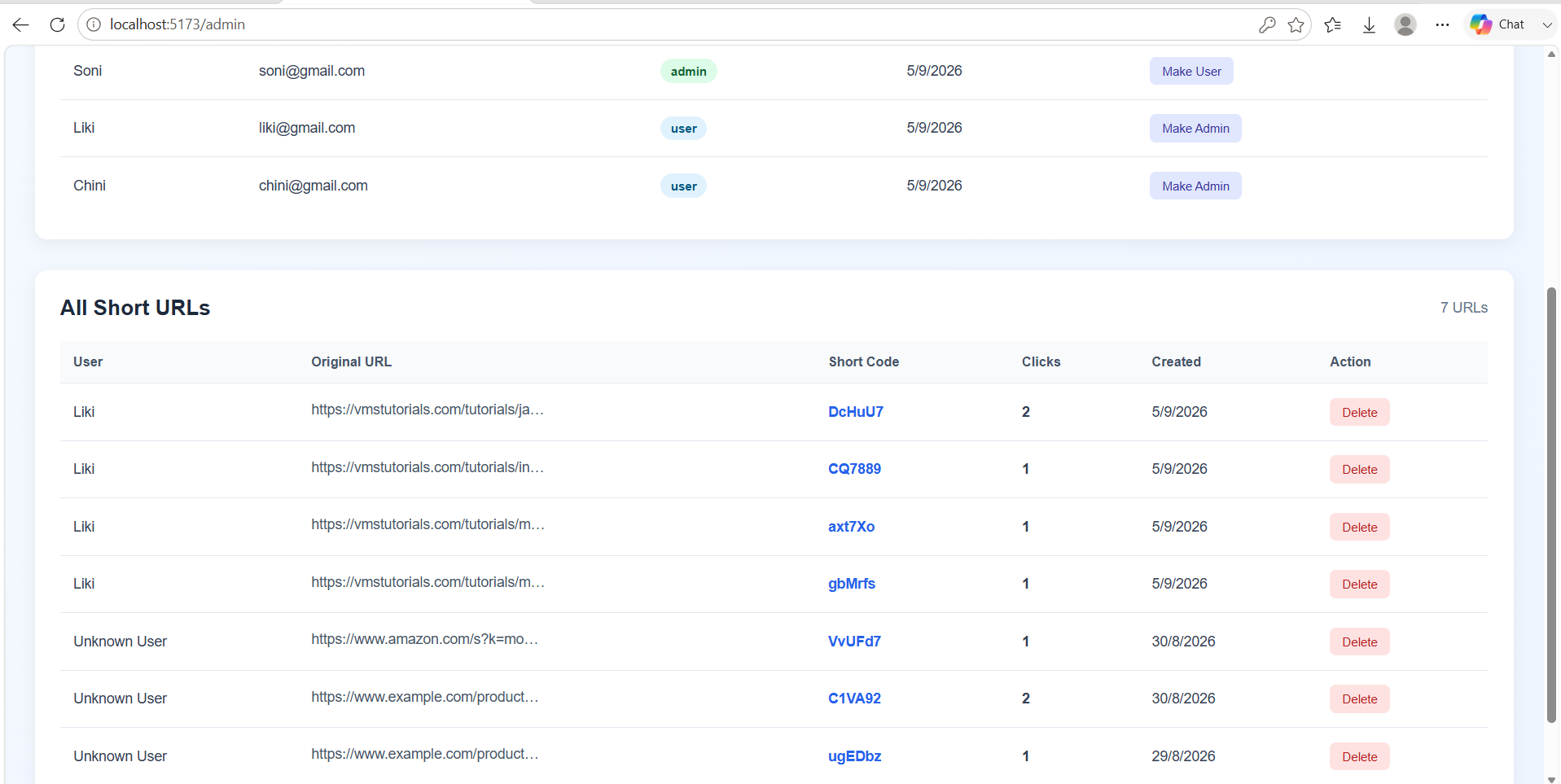
Empower Your Career with New Skills
⬇️
Note :
If needed, we can add extra features to make the URL Shortener more advanced and industry-ready. For example, we can add QR Code generation, custom short URLs, URL expiration, detailed analytics, and an admin dashboard. These features can be added later after the basic URL Shortener is working properly.
Summary
A URL Shortener changes a long URL into a short URL using a unique short code. The short URL and original URL are stored together in the database. When someone clicks the short URL, the system finds the original URL and redirects the user to it. The application can also count clicks and provide URL analytics. In a complete system, users can register, create, manage, and track their shortened URLs.



