
Chat Application
What is a Chat Application?
A Chat Application is a full-stack MERN web application that allows registered users to communicate with each other through real-time messaging.
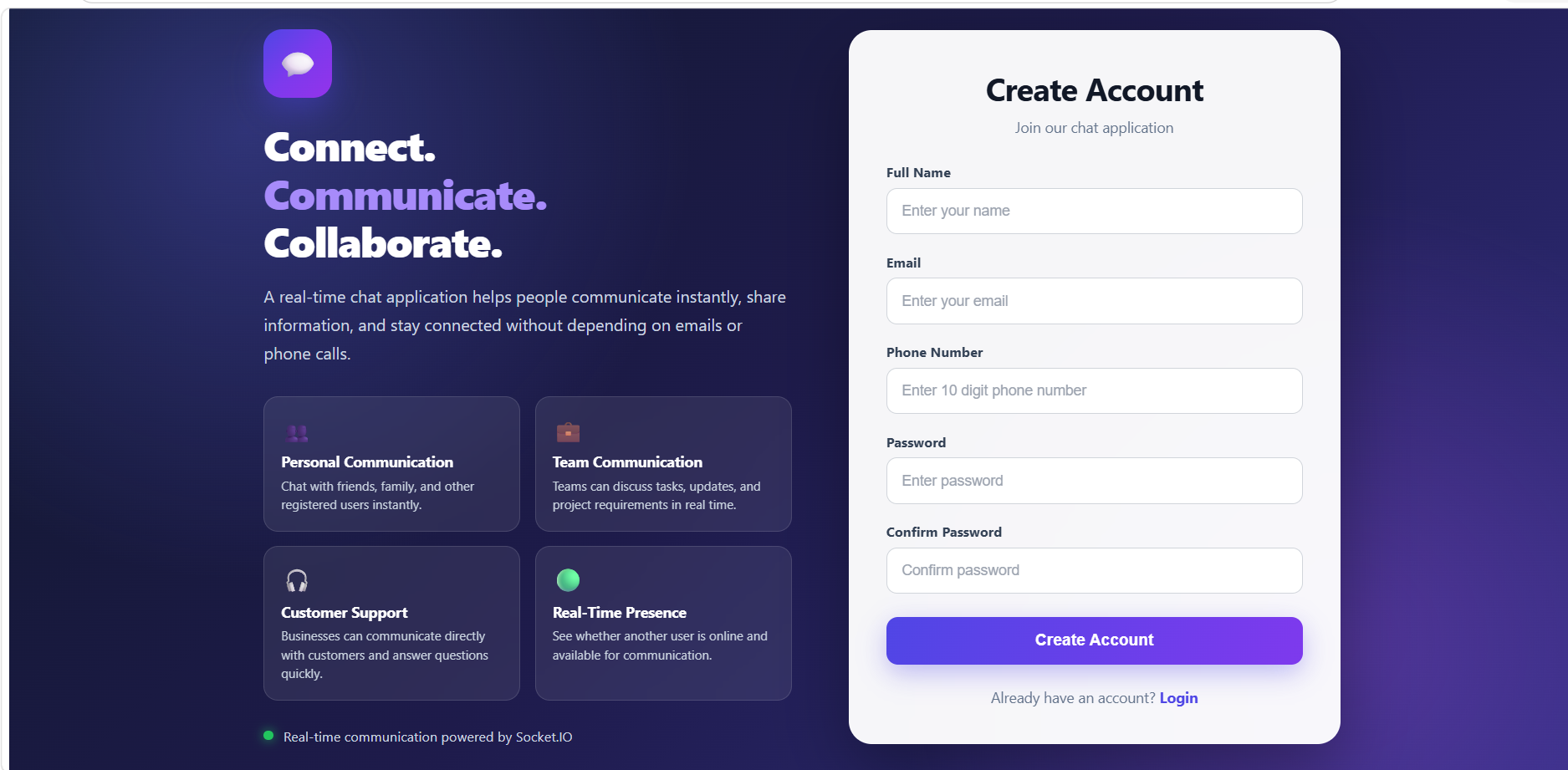
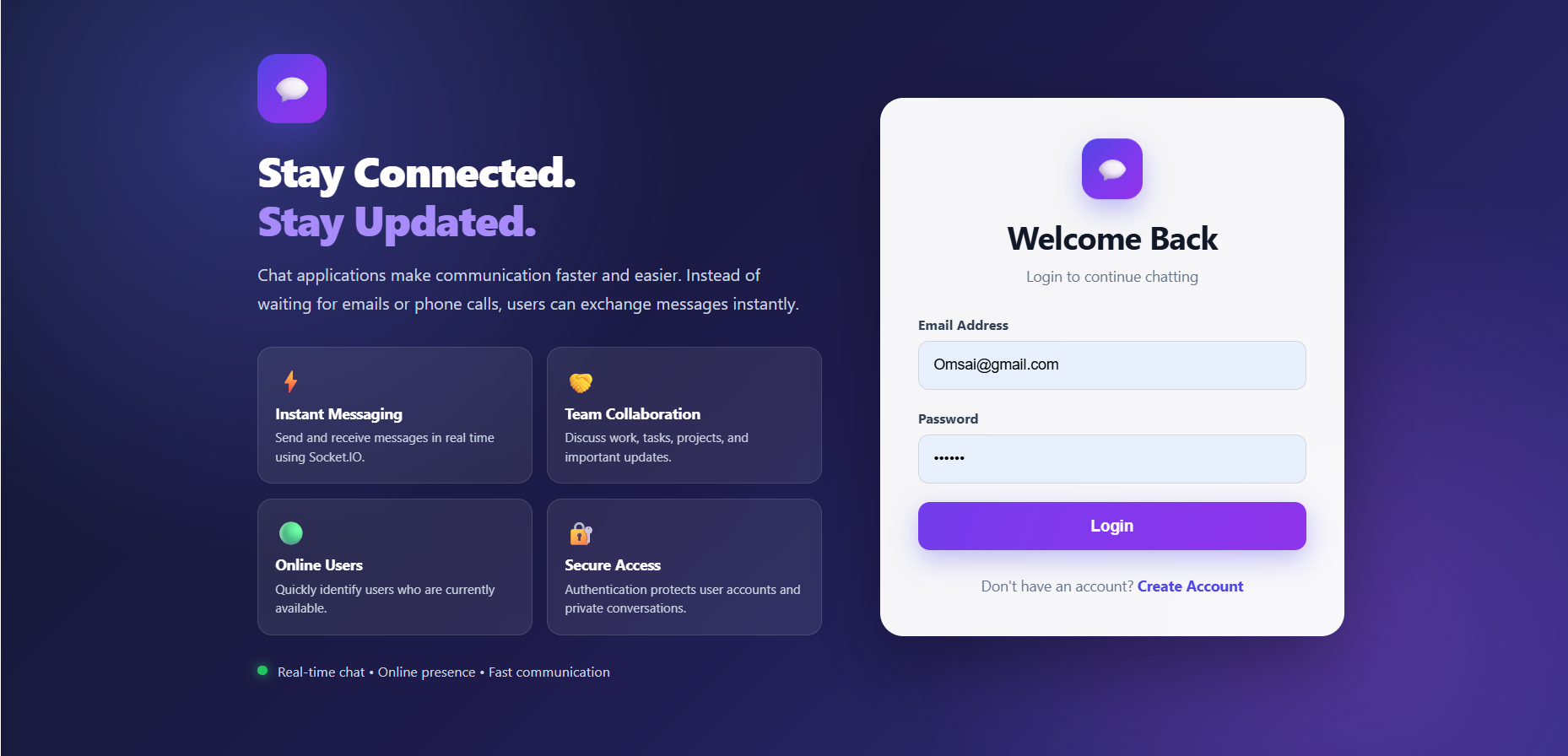
Users can securely create an account, login, view other users, send chat requests, accept or decline requests, block users, and exchange messages in real time.
The application uses JWT Authentication to protect user accounts and private APIs.
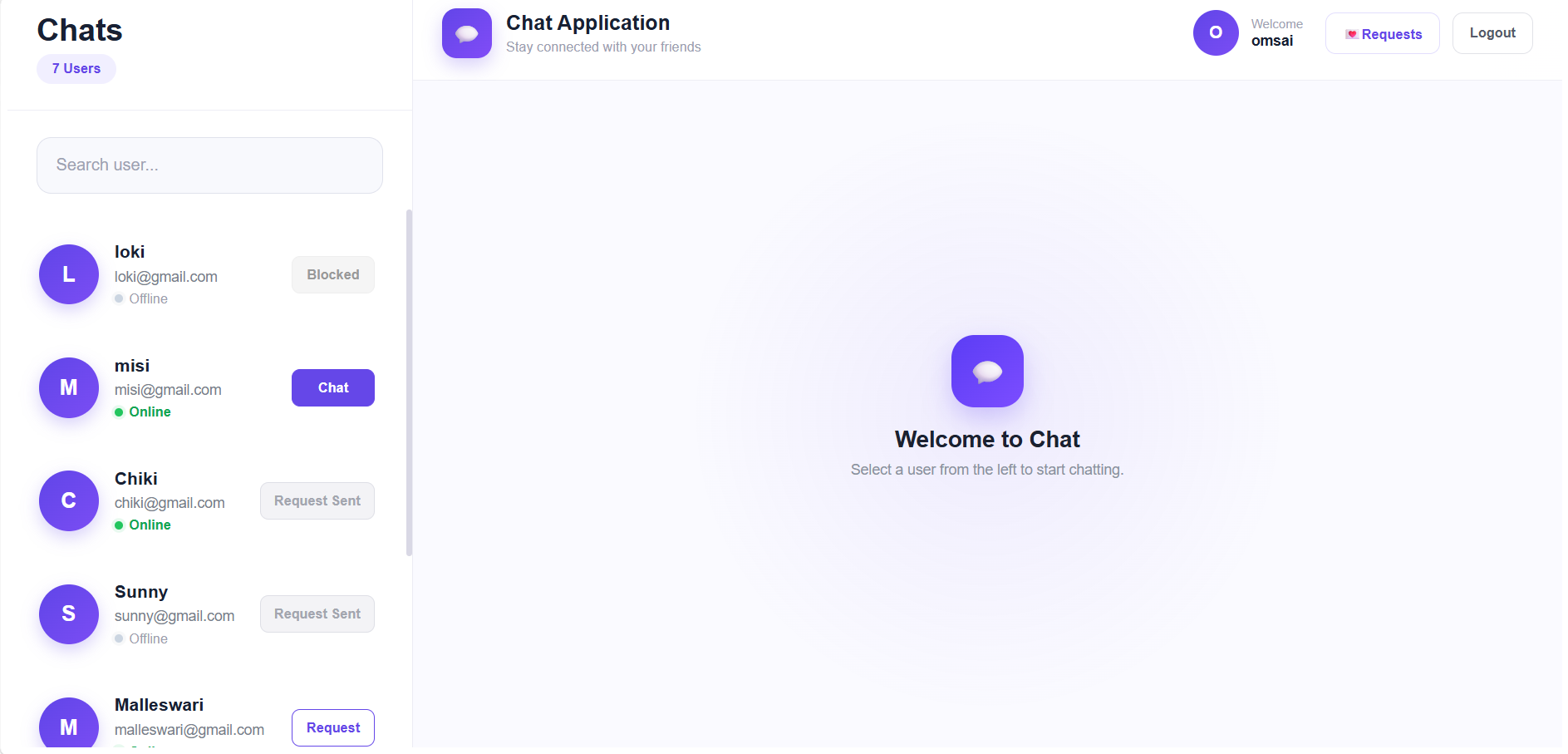
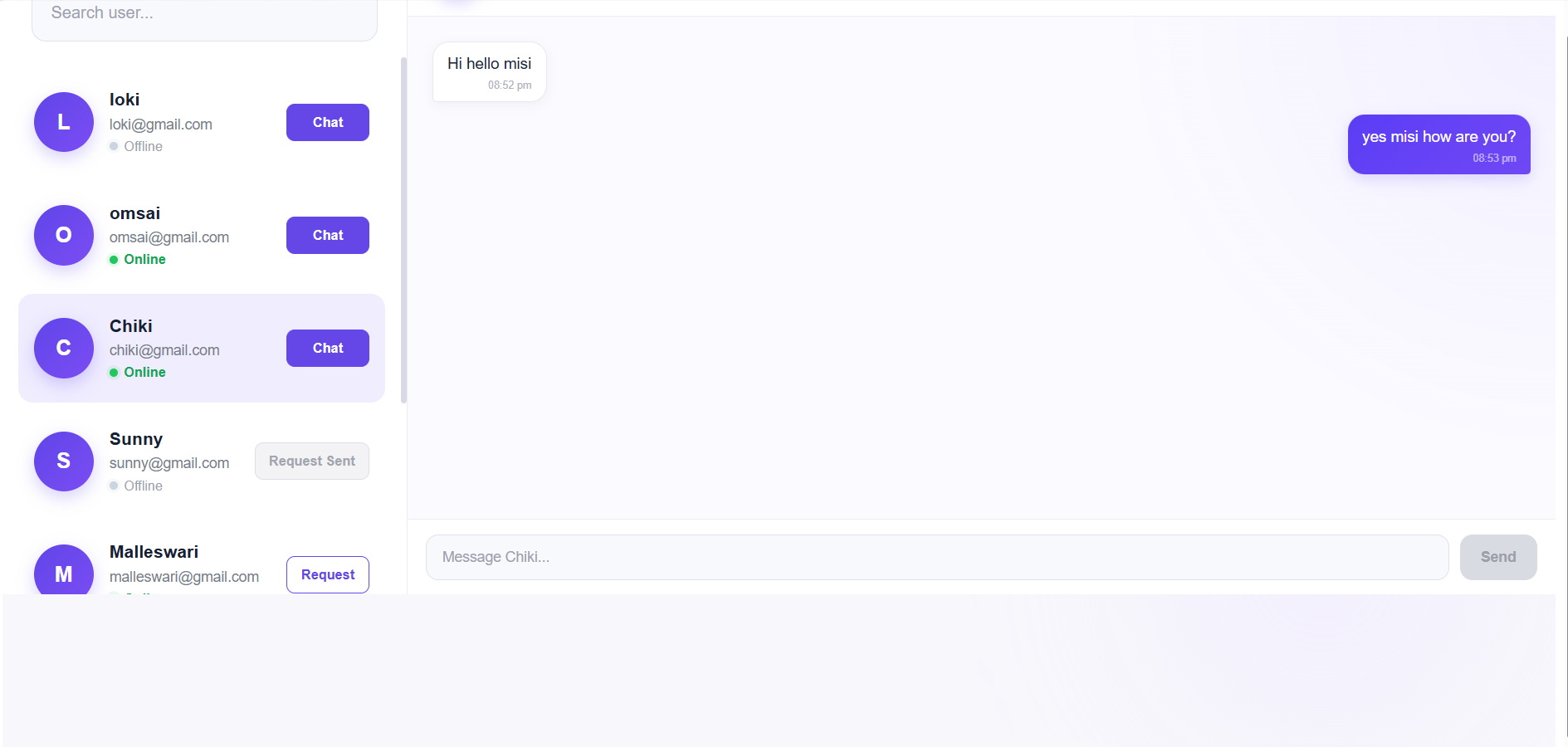
Users can see the online/offline status of other users. Once a chat request is accepted, users can start chatting with each other.
The application uses Socket.IO for real-time communication, allowing messages to be delivered instantly without refreshing the page.
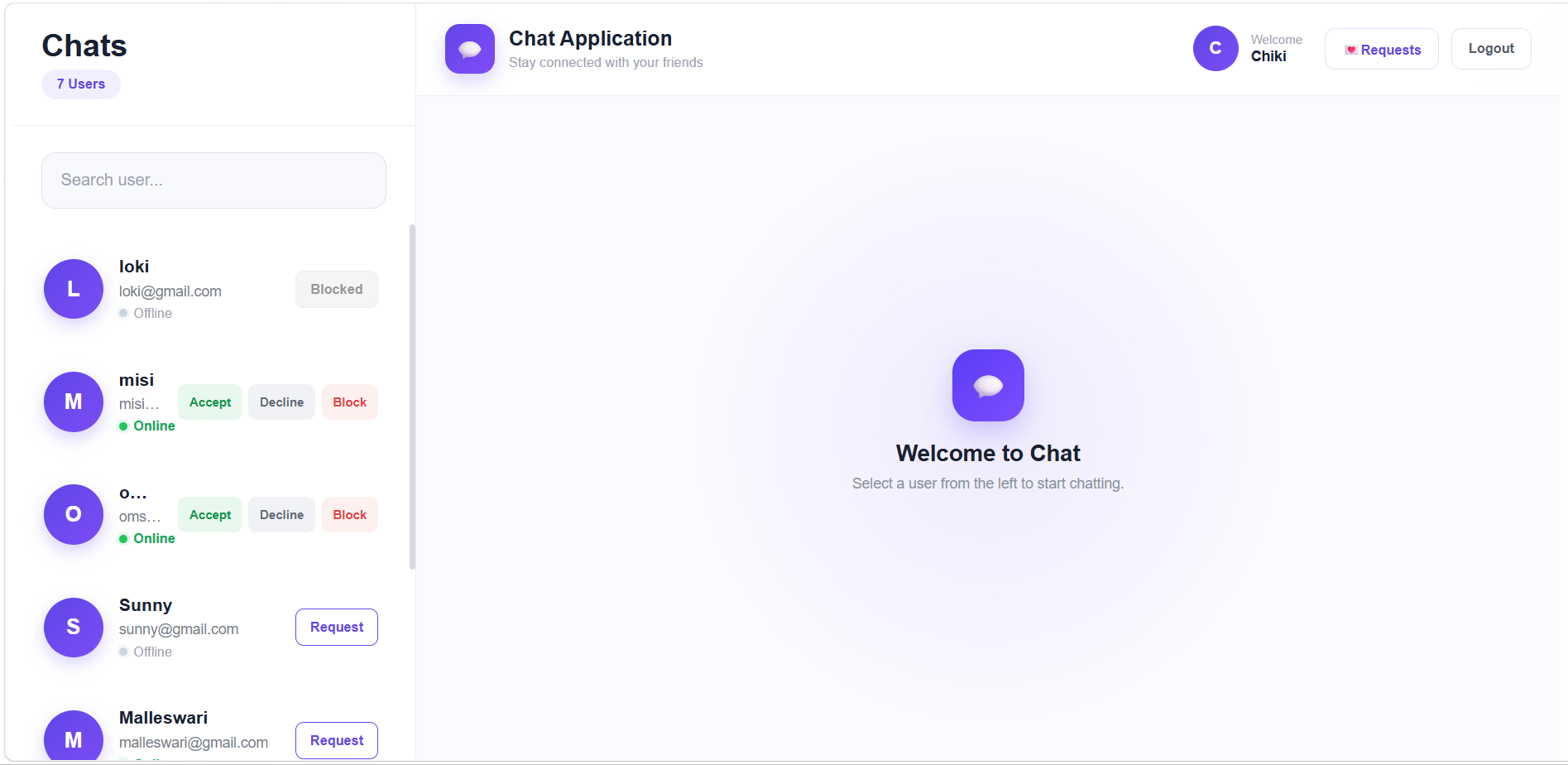
A Chat Request System is included so that users cannot directly start a conversation with everyone. A user must first send a request, and the receiver can Accept, Decline, or Block the request.
Create Your Future with the Right Skills
⬇️
Features of Chat Application
User Features
| Feature | Description |
|---|---|
| User Registration | Create a new chat application account |
| User Login | Login securely using email and password |
| JWT Authentication | Protects user-only pages and APIs |
| User Dashboard | Display users and chat interface |
| View Users | View registered users |
| Search Users | Search users by name or email |
| Online Status | Show whether users are online or offline |
| Send Chat Request | Send a request to another user |
| Request Sent Status | Show when a request has already been sent |
| Chat Request Notification | Show received chat requests |
| Accept Request | Accept an incoming chat request |
| Decline Request | Decline an incoming chat request |
| Block User | Block a user from chatting |
| Chat Access | Start chatting after request acceptance |
| Send Message | Send messages to another user |
| Receive Message | Receive messages in real time |
| Message History | View previous messages |
| Message Time | Display the time when messages were sent |
| Real-Time Messaging | Messages appear instantly using Socket.IO |
| Online/Offline Indicator | Display current user availability |
| Last Seen | Store the last time a user was online |
| Logout | Securely logout from the application |
Chat Request Features
The chat request system works like this:
User A
   |
   | Send Request
   ↓
User B
   |
   ├── Accept
   │     ↓
   │   Chat Enabled
   │
   ├── Decline
   │     ↓
   │   Chat Not Allowed
   │
   └── Block
         ↓
      User Blocked
Technologies Used
Frontend
| Technology | Purpose |
|---|---|
| React.js | User interface |
| Vite | Fast React development setup |
| JSX | Component structure |
| CSS | Styling and responsive layout |
| Axios | API communication |
| React Router DOM | Page navigation |
| Context API | Authentication/user state management |
| Socket.IO Client | Real-time messaging |
| JavaScript | Frontend functionality |
Backend
| Technology | Purpose |
|---|---|
| Node.js | JavaScript runtime |
| Express.js | Backend API framework |
| MongoDB | Stores users, messages, and chat requests |
| Mongoose | MongoDB connection and schemas |
| JWT | Secure authentication |
| bcryptjs | Password hashing |
| CORS | Frontend-backend communication |
| dotenv | Environment variable management |
| Socket.IO | Real-time communication |
Chat Application File Structure
Backend Files
backend/
├── server.js
├── .env
├── package.json
│
├── config/
│   └── db.js
│
├── models/
│   ├── User.js
│   ├── Message.js
│   └── ChatRequest.js
│
├── controllers/
│   ├── authController.js
│   ├── userController.js
│   ├── messageController.js
│   └── chatRequestController.js
│
├── routes/
│   ├── authRoutes.js
│   ├── userRoutes.js
│   ├── messageRoutes.js
│   └── chatRequestRoutes.js
│
├── middleware/
│   └── authMiddleware.js
│
└── socket/
    └── socket.js
Frontend Files
frontend/
├── src/
│   ├── App.jsx
│   ├── main.jsx
│   │
│   ├── api/
│   │   └── axios.js
│   │
│   ├── components/
│   │   ├── Auth/
│   │   │   ├── Login.jsx
│   │   │   └── Register.jsx
│   │   │
│   │   ├── Chat/
│   │   │   ├── ChatWindow.jsx
│   │   │   ├── MessageBubble.jsx
│   │   │   └── MessageInput.jsx
│   │   │
│   │   ├── ChatRequest/
│   │   │   ├── ChatRequestCard.jsx
│   │   │   ├── ChatRequestPanel.jsx
│   │   │   └── RequestActions.jsx
│   │   │
│   │   ├── Common/
│   │   │   └── ...
│   │   │
│   │   └── Sidebar.jsx
│   │
│   ├── context/
│   │   └── AuthContext.jsx
│   │
│   ├── pages/
│   │   ├── Login.jsx
│   │   ├── Register.jsx
│   │   └── UserDashboard.jsx
│   │
│   └── styles/
│       ├── global.css
│       ├── login.css
│       ├── register.css
│       ├── dashboard.css
│       └── chat.css
│
├── public/
├── package.json
└── vite.config.js
Simple Chat Application Flow
User opens Chat Application
        ↓
User opens Register page
        ↓
User creates account
        ↓
Password is hashed using bcrypt
        ↓
User data is saved in MongoDB
        ↓
User logs in
        ↓
JWT token is created
        ↓
Token is stored in browser
        ↓
User opens User Dashboard
        ↓
Registered users are displayed
        ↓
User searches for another user
        ↓
User clicks "Request"
        ↓
Chat Request is created
        ↓
Receiver receives Chat Request
        ↓
Receiver opens Requests
        ↓
Receiver chooses
        ↓
 ┌──────────┬──────────┬──────────┐
 ↓          ↓          ↓
Accept    Decline    Block
 ↓          ↓          ↓
Chat      Request     User
Enabled   Declined    Blocked
 ↓
User opens Chat
 ↓
User sends message
 ↓
Message saved in MongoDB
 ↓
Socket.IO sends message
 ↓
Receiver gets message instantly
Backend Installation Commands
mkdir backend

cd backend

npm init -y

npm install express mongoose cors dotenv bcryptjs jsonwebtoken socket.io

npm install nodemon --save-dev

mkdir models routes controllers middleware config socket
Frontend Installation Commands
Create the React application:
mkdir frontend

cd frontend

npm create vite@latest .

npm install
Install required packages:
npm install axios react-router-dom socket.io-clientSecurity Features
The Chat Application includes:
- JWT Authentication
- Password Hashing using bcryptjs
- Protected API Routes
- Authentication Middleware
- CORS Configuration
- User-based Access Control
- Protected Chat Requests
- Protected Messages
- MongoDB Data Storage
Complete Project Architecture
                         CHAT APPLICATION
                                |
                 ┌──────────────┴──────────────┐
                 ↓                             ↓
             FRONTEND                       BACKEND
                 |                             |
              React.js                    Node.js
                 |                             |
              Vite                       Express.js
                 |                             |
             Axios API                    REST API
                 |                             |
         React Router DOM              Controllers
                 |                             |
          Context API                     Routes
                 |                             |
         Socket.IO Client              Middleware
                 |                             |
                 |                       Socket.IO
                 |                             |
                 └──────────────┬──────────────┘
                                ↓
                              MongoDB
                                |
                     ┌──────────┼──────────┐
                     ↓          ↓          ↓
                   Users    ChatRequests  Messages
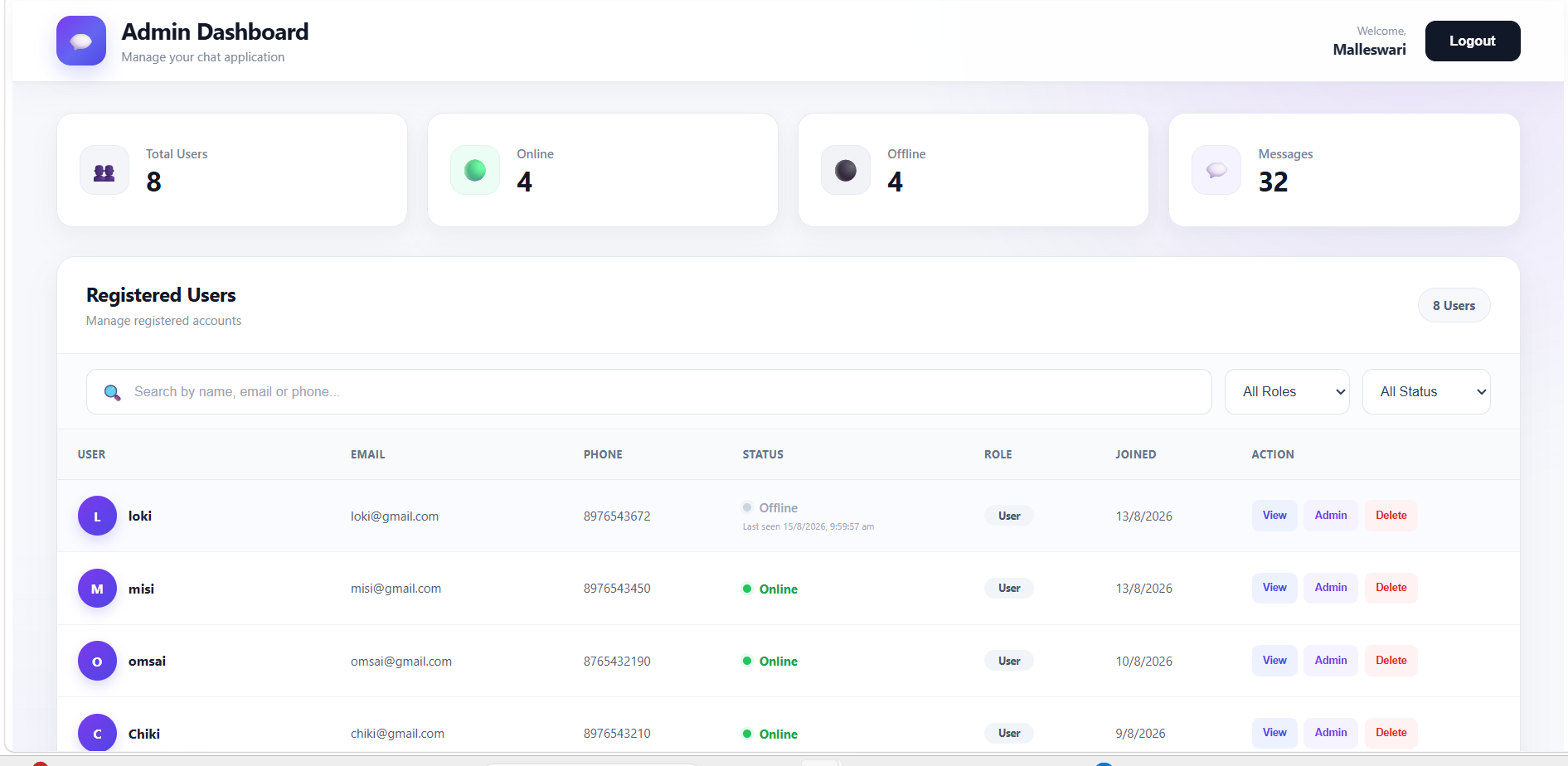
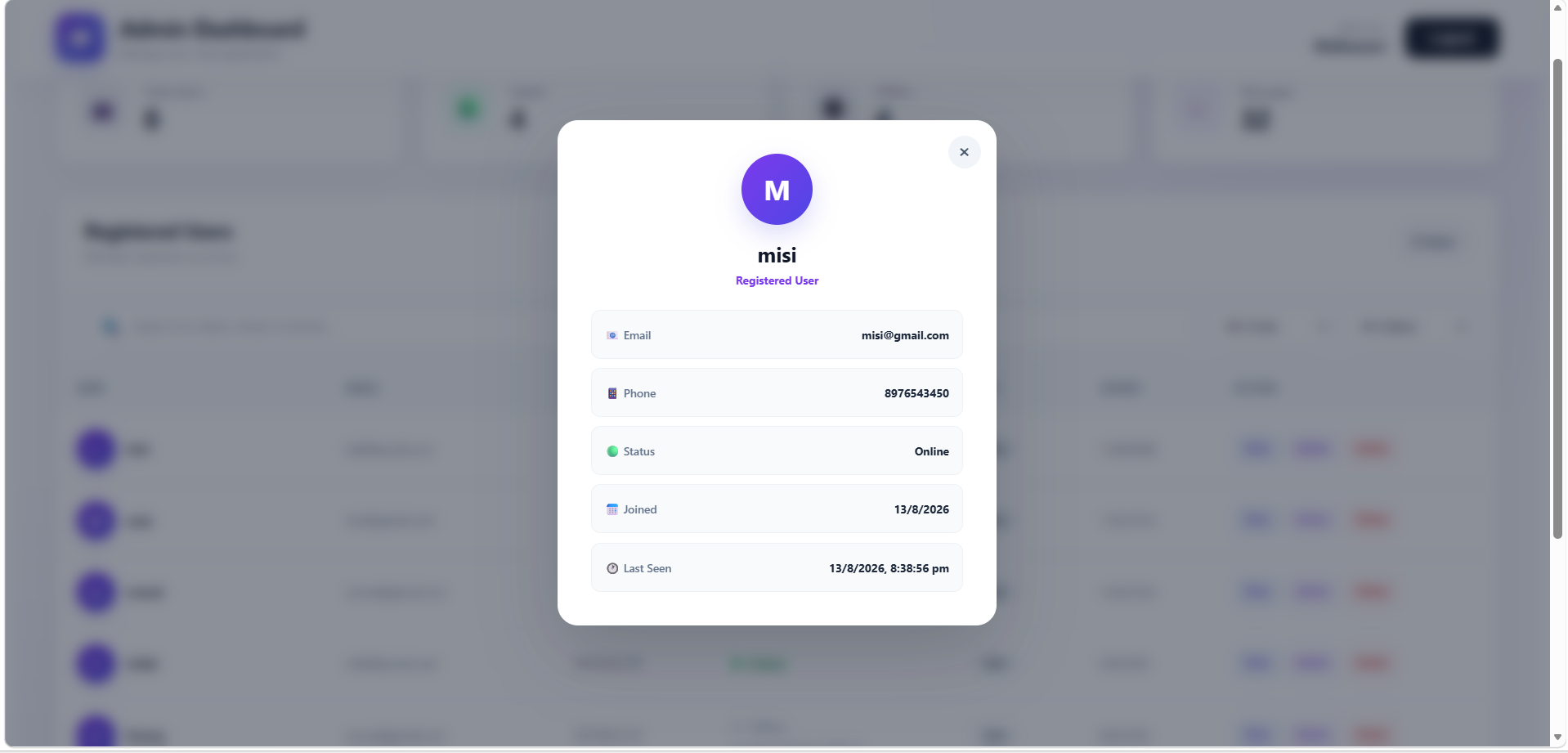
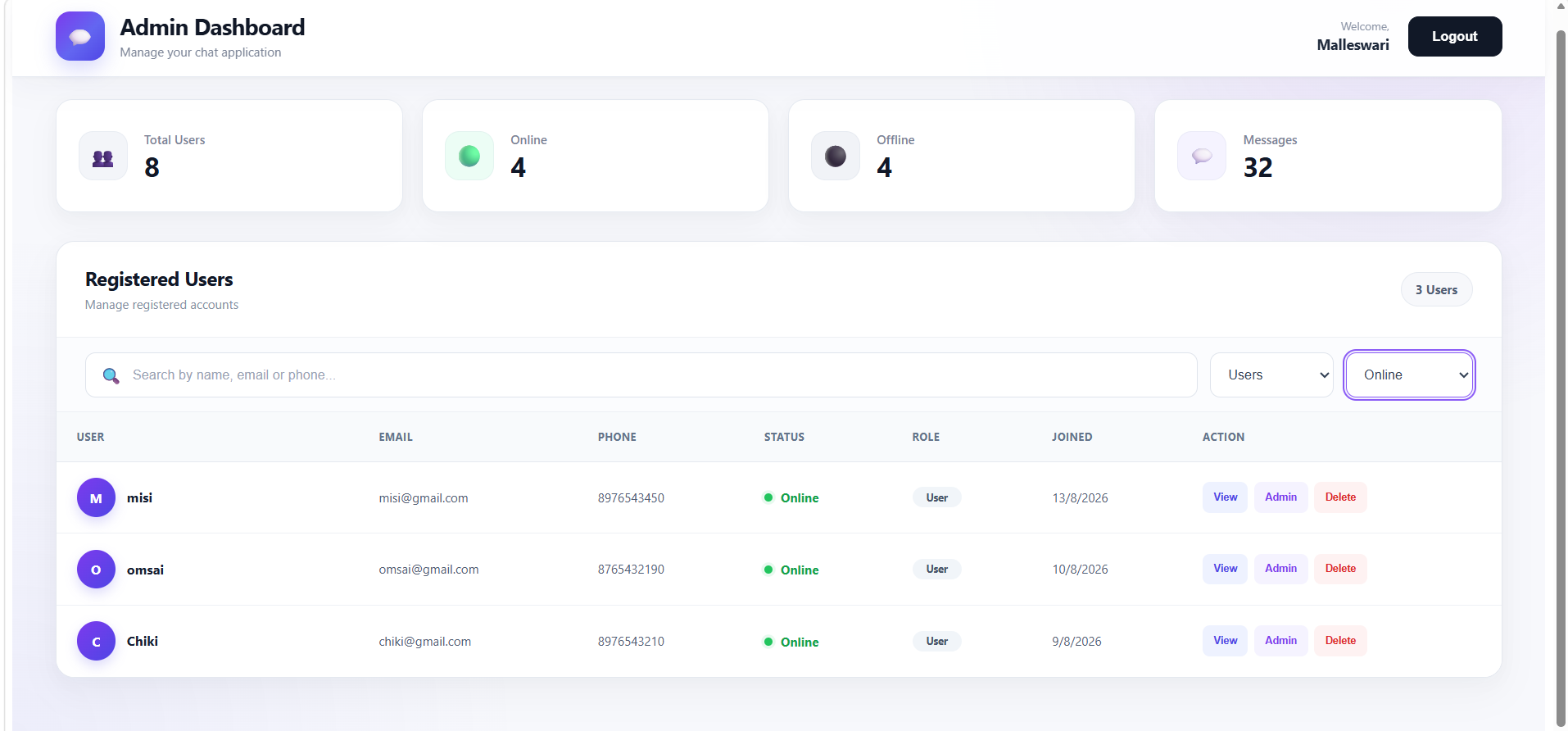
Output Screens of Chat Application
Create Your Future with the Right Skills
⬇️
Summary
The Chat Application is a full-stack MERN real-time messaging application that allows users to securely communicate with each other.
Users can register, login, search for users, view online/offline status, send chat requests, accept or decline requests, block users, and exchange messages.
The application uses JWT Authentication for secure login and protected APIs, MongoDB for storing users, chat requests, and messages, and Socket.IO for real-time communication.



