
Comments in Python
The Comments in Python are notes written inside a program to explain what the code is doing. Comments are not executed by the computer. They are written only for humans to read and understand code better.
In simple words, comments help explain the code.
Real-Life Analogy
Comments are like writing notes in a notebook or adding instructions beside a problem.
- A teacher writes extra notes near a math problem to explain it.
- In the same way,
commentshelp programmers understand and remember code easily.
Example
# This prints a message
print("Hello")
Output
HelloWhat are Comments in Python?
Comments in Python are notes written inside code to explain what the program is doing.
- They do not affect the output
- Python ignores comments while running the program
- Comments make code easy to read and understand
Syntax of Comments
# This is a commentWhy Do We Use Comments in Python?
Comments help us:
- Explain what code does
- Make programs easy to understand
- Remember important instructions
- Keep code clean and readable
- Help others understand our programs
Like writing notes in a notebook to understand your work better, comments help explain your code.
# This is a comment
print("Hello, World!")

# Adding two numbers
print(5 + 3)
Output
Hello, World!
8
Types of Comments in Python
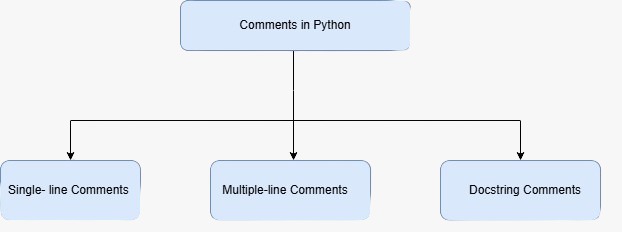
1. Single-Line Comment
A single-line comment is used to write a note in one line.
It starts with the # symbol.
Example
# This is a single-line comment
print("Hello")
Output
Hello2. Multi-Line Comment (Using Triple Quotes)
Python does not have a separate multi-line comment symbol, but we can write multi-line explanations in two ways.
Method 1: Multiple # Symbols
# This is line 1
# This is line 2
# This is line 3
Method 2: Using Triple Quotes
"""
This is a multi-line text
used for explanation
or documentation
"""
Examples of Comments in Python
Example-1
# Print student name
print("Ravi")
Output
RaviExample-2
# Store two numbers
a = 5
b = 3

# Add numbers
print(a + b)
Output
8
➤ Summary
- Comments are notes written in code
- They are not executed by the computer
- Written using the # symbol
- Help in understanding programs
- Make code clean and readable
Comments in Python are useful for:
- Beginners learning Python
- Explaining difficult code
- Remembering program steps
- Making programs easier to maintain
- Writing cleaner code
Learning comments is like writing notes beside your work so you can understand it later.
➤ Tips
- Use comments to explain your code
- Keep comments short and clear
- Do not overuse comments
- Write comments for important parts



