
Data Types in Python
Data is one of the most important parts of programming.
Whenever we create a Python program, we work with different kinds of data such as numbers, names, decimal values, True/False conditions, and mathematical values.
Python must understand what type of value we are storing inside a variable.
This identification of data is called a Data Type.
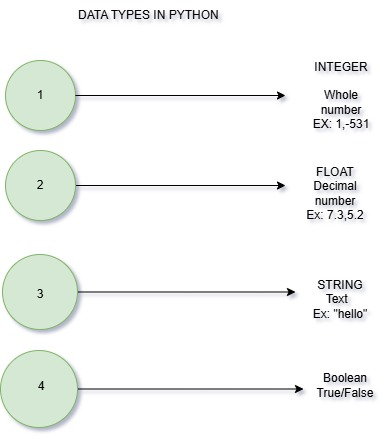
What is a Data Type in Python?
A data type defines the kind of value stored inside a variable.
Python uses data types to identify whether the stored value is:
- a whole number
- a decimal number
- text
- True/False value
- mathematical complex value
Why Data Types are Important
Data types are important because they help:
- store data correctly
- perform calculations
- avoid programming errors
- improve program accuracy
- manage memory efficiently
- build real-world applications
Without data types, Python would not know how to process the stored values.
Common Data Types in Python
1. Integer (int)
An integer (int) is a data type used to store whole numbers without decimals.
It includes positive numbers, negative numbers, and zero.
Used for: age, marks, counting
Examples: 10, 25, 100
age = 10
print(age)
Output:
102. Float (float)
A float is a data type used to store decimal numbers.
It is useful when more precise values are needed, such as measurements.
Used for: price, height, weight
Examples: 10.5, 99.9
price = 99.5
print(price)
Output:
99.53. String (str)
A string is a data type used to store text or characters.
Strings must always be written inside quotation marks (" " or ' ').
They are used to represent names, messages, and words.
Strings can include letters, numbers, and symbols.
Examples: "Hello", "Python"
name = "VMS"
print(name)
Output:
VMS4. Boolean (bool)
A boolean is a data type that stores only two values: True or False.
It is mainly used in decision-making and conditional statements.
Booleans help programs check conditions like yes/no or true/false.
- True
- False
Used for conditions (yes/no).
is_student = True
print(is_student)
Output:
TruePractical Understanding
Think of data types as boxes:
- Numbers → int, floa
- Text → string
- Yes/No → boolean
Each type stores a specific kind of data.
Python provides five commonly used primitive data types.
| Data Type | Full Form | Example |
|---|---|---|
| int | Integer | 10 |
| float | Decimal Number | 5.6 |
| str | String/Text | "Python" |
| bool | Boolean | True |
Examples
Example 1
age = 12
height = 5.2
name = "Ravi"
is_happy = True

print(age, height, name, is_happy)
Output:
12 5.2 Ravi TrueExample 2
marks = 95
temperature = 36.5
student = "Rahul"
present = True

print(marks)
print(temperature)
print(student)
print(present)
Output:
95
36.5
Rahul
True
Example 3
x = 50
y = 8.5
message = "Python"
status = False

print(x, y, message, status)
Output:
50 8.5 Python FalseChecking Data Type with
type()
We use the type() function to check a data type.
x = 10
print(type(x))
Output:
<class 'int'>This helps identify the data type of a variable.
➤ Common Beginner Mistakes
1. Forgetting Quotes for Strings
Correct
name = "VMS"Incorrect
name = VMS2. Writing Boolean Values in Lowercase
Correct
is_student = TrueIncorrect
is_student = true3. Confusing Strings and Numbers
Example
age = "30"This is valid, but Python treats it as a string, not as a number.
Real-Time Applications of Data Types
| Application | Data Type Used |
|---|---|
| Banking System | int, float |
| Login System | str, bool |
| School Software | str, int |
| E-Commerce Website | float, str |
➤ Summary
Primitive Data Types are the basic building blocks of Python programming.
Python mainly provides:
intfor whole numbersfloatfor decimal valuesstrfor textboolfor True/False conditionscomplexfor advanced mathematical numbers
Understanding data types is very important because every Python program uses them to store and process information correctly.
The type() function helps programmers identify the type of data stored inside variables.
Learning primitive data types is one of the first and most important steps in becoming a Python programmer.



