
Simple Drawing App
What is Simple Drawing App?
The Simple Drawing App is a fun Python mini project where children can draw different shapes like circles, squares, and stars using Python Turtle graphics.
This project is very useful for beginners to learn Python programming in a creative and interactive way.
Why This Project is Useful?
This mini project helps students learn:
- Python basics
- Turtle graphics
- Shapes and colors
- Loops
- Creativity
It is one of the best beginner projects for children and school students.
Real-Life Uses
The drawing app concept is used in:
- Kids drawing apps
- Graphic design basics
- Creative coding projects
- Educational games
- Animation projects
Skills Learned
- Python turtle
- Graphics
- Colors
- Creativity
- Shape drawing
Simple Drawing App Python Code
# Simple Drawing App using Turtle

import turtle

# Create screen
screen = turtle.Screen()
screen.title("Simple Drawing App")

# Create turtle
pen = turtle.Turtle()
pen.speed(3)

# Draw Square
pen.color("blue")

for i in range(4):
    pen.forward(100)
    pen.right(90)

# Draw Circle
pen.penup()
pen.goto(150, 0)
pen.pendown()

pen.color("green")
pen.circle(50)

# Draw Star
pen.penup()
pen.goto(-150, 0)
pen.pendown()

pen.color("red")

for i in range(5):
    pen.forward(100)
    pen.right(144)

turtle.done()
How the Program Works
Steps
1.The program opens a drawing window using the Turtle module.
2.The turtle pen starts drawing on the screen.
3.The program draws a square using a loop.
4.The program draws a circle and a star using Turtle functions.
5.Finally, all the shapes are displayed on the screen.
Output
When you run the program, a window opens and displays:
- A blue square
- A green circle
- A red star
Python Code Using Tkinter UI
import tkinter as tk
import turtle

# Function to draw square
def draw_square():
    pen.clear()
    pen.color("blue")

    for i in range(4):
        pen.forward(100)
        pen.right(90)

# Function to draw circle
def draw_circle():
    pen.clear()
    pen.color("green")
    pen.circle(50)

# Function to draw star
def draw_star():
    pen.clear()
    pen.color("red")

    for i in range(5):
        pen.forward(100)
        pen.right(144)

# Create main window
root = tk.Tk()
root.title("Simple Drawing App")
root.geometry("300x250")

# Turtle screen
canvas = turtle.ScrolledCanvas(root)
canvas.pack(fill="both", expand=True)

screen = turtle.TurtleScreen(canvas)
pen = turtle.RawTurtle(screen)
pen.speed(3)

# Buttons
btn1 = tk.Button(root, text="Draw Square", command=draw_square)
btn1.pack()

btn2 = tk.Button(root, text="Draw Circle", command=draw_circle)
btn2.pack()

btn3 = tk.Button(root, text="Draw Star", command=draw_star)
btn3.pack()

root.mainloop()
Output Screens
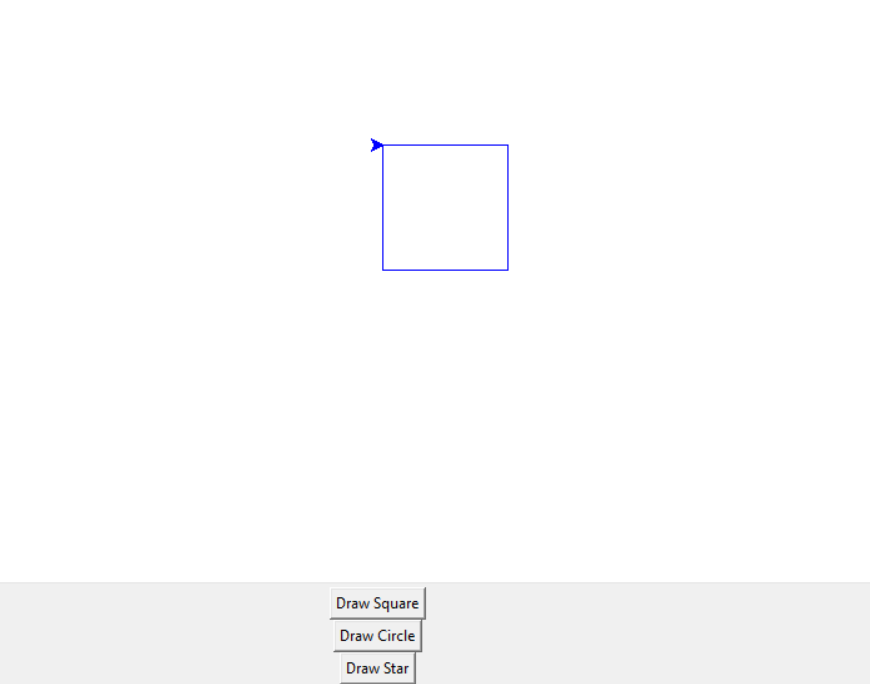
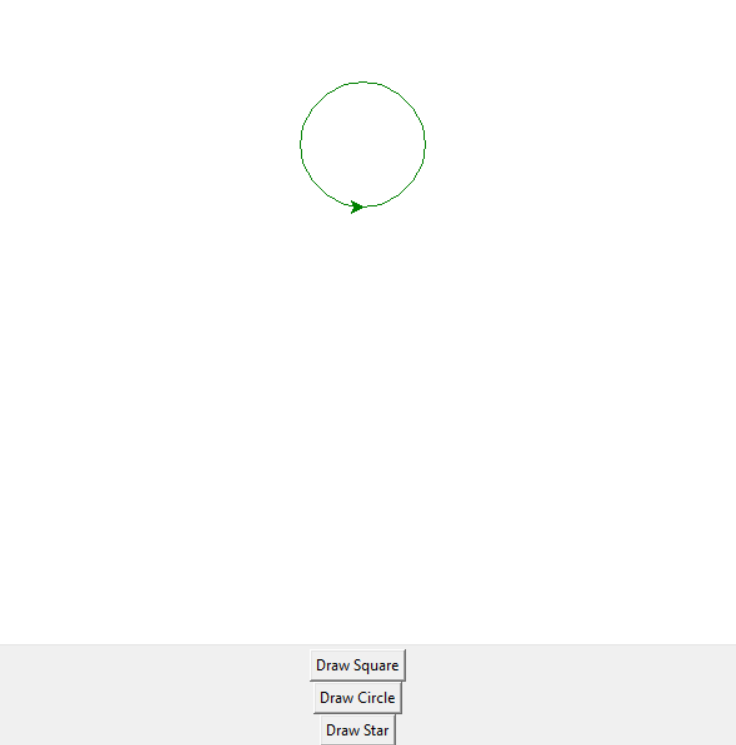
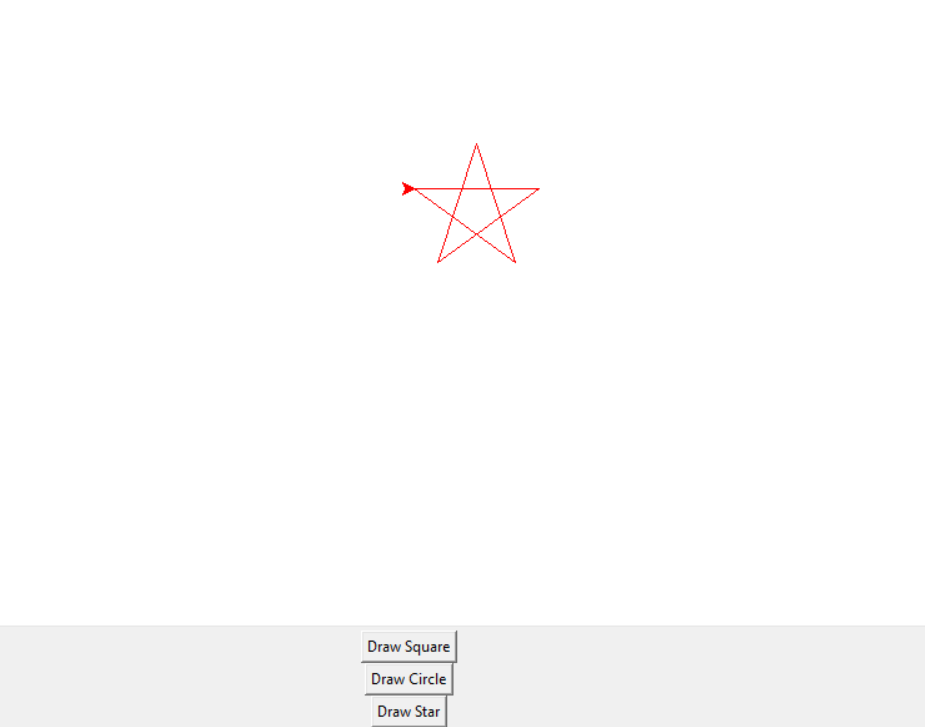
Explanation
1.The program opens a Simple Drawing App window.
2.The student selects a shape like Square, Circle, or Star.
3.When a button is clicked, the program calls the corresponding drawing function.
4.The Turtle module draws the selected shape using colors and graphics.
5.Finally, the shape is displayed on the screen.
How to Run the Program
Steps:
1. Install Python
Check Python installation using:
python --version2. Create Python File
Create a file named:
simple_drawing_app.py3. Paste the Code
Copy the drawing app code and paste it into the file.
4. Run the Program
Open terminal and run:
python simple_drawing_app.pySummary
The Simple Drawing App is a simple and beginner-friendly Python mini project. It helps students learn Turtle graphics, colors, loops, shapes, and creativity in an easy and fun way.
Keywords
Simple Drawing App Python, Python Turtle Project, Turtle Graphics Python, Python Drawing App, Python Mini Project, Beginner Python Project, Python Coding for Kids, Python Graphics Project, Python Shapes Drawing, Easy Python Mini Project



