
To-Do List App
What is To-Do List App?
A To-Do List App is a task management application used to keep track of daily activities. Users can create a list of tasks, view pending tasks, and remove completed tasks.
Examples of tasks include:
- Do Homework
- Read a Book
- Drink Water
- Practice Python
- Complete a School Project
Why Learn the To-Do List App Project?
The To-Do List App is an excellent project for beginners because it combines multiple Python concepts into one practical application.
Benefits of This Project
- Learn how Lists work in Python
- Understand Functions and code reusability
- Practice Loops and Conditions
- Learn CRUD Operations
- Improve logical thinking skills
- Build real-world applications
- Gain hands-on programming experience
Basic CRUD operations
CRUD means:
| Operation | Meaning | Example |
|---|---|---|
| Create | Add new data | Add a new task |
| Read | View existing data | Display task list |
| Update | Modify existing data | Edit a task |
| Delete | Remove data | Delete a task |
Features of the To-Do List App
The application provides several useful features:
- Add new tasks
- View all tasks
- Delete completed tasks
- Store multiple tasks
- User-friendly interface
- Simple menu-driven system
Skills Learned
| Skill | Description |
|---|---|
| Python Lists | Store multiple tasks in a single collection |
| Functions | Organize program logic into reusable blocks |
| Loops | Display and manage tasks repeatedly |
| Conditions | Check task availability and validate user actions |
| User Input | Accept task information from users |
| CRUD Operations | Create, read, update, and delete task records |
| Problem Solving | Develop logical thinking and practical coding skills |
| Tkinter GUI | Build graphical user interfaces for applications |
| List Management | Add, remove, and organize task items efficiently |
| Application Development | Create real-world task management projects |
To-Do List App Python Code
# To-Do List App in Python
# This project helps students manage daily tasks

# Empty list to store tasks
tasks = []


# Function to add a new task
def add_task():
    task = input("Enter your task: ")
    tasks.append(task)
    print("Task added successfully!")


# Function to view all tasks
def view_tasks():
    if len(tasks) == 0:
        print("No tasks available.")
    else:
        print("\nYour Tasks:")
        for index, task in enumerate(tasks, start=1):
            print(index, ".", task)


# Function to delete a task
def delete_task():
    view_tasks()

    if len(tasks) == 0:
        return

    task_number = int(input("Enter task number to delete: "))

    if 1 <= task_number <= len(tasks):
        removed_task = tasks.pop(task_number - 1)
        print("Deleted task:", removed_task)
    else:
        print("Invalid task number!")


# Main program loop
while True:
    print("\n===== To-Do List App =====")
    print("1. Add Task")
    print("2. View Tasks")
    print("3. Delete Task")
    print("4. Exit")

    choice = input("Enter your choice: ")

    if choice == "1":
        add_task()

    elif choice == "2":
        view_tasks()

    elif choice == "3":
        delete_task()

    elif choice == "4":
        print("Thank you for using To-Do List App!")
        break

    else:
        print("Invalid choice! Please try again.")
How the Program Works
Steps
1.The program creates an empty list:
tasks = []2.The user can add tasks.
Example:
Enter your task: Do homework
Task added successfully!
3.The user can view all tasks.
Example:
Your Tasks:
1. Do homework
2. Read a book
4.The user can delete a task by task number.
Example:
Enter task number to delete: 1
Deleted task: Do homework
How to Run the Program
Steps
1. Create Python File
Create a file named:
todo_list_app.py2.Paste the Code
Copy the above code and paste it inside the file.
3.Run the Program
Open terminal and run:
python todo_list_app.pyTo-Do List App Using Python Tkinter UI
# Import tkinter module
import tkinter as tk
from tkinter import messagebox

# Create main window
root = tk.Tk()

# Window title
root.title("To-Do List App")

# Window size
root.geometry("500x500")

# Background color
root.config(bg="#f0f8ff")

# List to store tasks
tasks = []


# Function to add task
def add_task():

    # Get task from input box
    task = task_entry.get()

    # Check if input is empty
    if task == "":
        messagebox.showwarning("Warning", "Please enter a task!")
    else:

        # Add task to list
        tasks.append(task)

        # Add task to listbox
        task_listbox.insert(tk.END, task)

        # Clear input box
        task_entry.delete(0, tk.END)


# Function to delete selected task
def delete_task():

    try:

        # Get selected task index
        selected_task = task_listbox.curselection()[0]

        # Remove task from listbox
        task_listbox.delete(selected_task)

        # Remove task from list
        tasks.pop(selected_task)

    except:
        messagebox.showwarning("Warning", "Please select a task to delete!")


# Function to clear all tasks
def clear_tasks():

    # Clear listbox
    task_listbox.delete(0, tk.END)

    # Clear task list
    tasks.clear()


# Heading label
title_label = tk.Label(
    root,
    text="To-Do List App",
    font=("Arial", 22, "bold"),
    bg="#f0f8ff",
    fg="#1e3a8a"
)

title_label.pack(pady=20)


# Input box
task_entry = tk.Entry(
    root,
    font=("Arial", 14),
    width=30
)

task_entry.pack(pady=10)


# Add Task Button
add_button = tk.Button(
    root,
    text="Add Task",
    font=("Arial", 12, "bold"),
    bg="#2563eb",
    fg="white",
    padx=20,
    pady=5,
    command=add_task
)

add_button.pack(pady=5)


# Delete Task Button
delete_button = tk.Button(
    root,
    text="Delete Task",
    font=("Arial", 12, "bold"),
    bg="#dc2626",
    fg="white",
    padx=20,
    pady=5,
    command=delete_task
)

delete_button.pack(pady=5)


# Clear All Button
clear_button = tk.Button(
    root,
    text="Clear All",
    font=("Arial", 12, "bold"),
    bg="#16a34a",
    fg="white",
    padx=20,
    pady=5,
    command=clear_tasks
)

clear_button.pack(pady=5)


# Listbox to display tasks
task_listbox = tk.Listbox(
    root,
    font=("Arial", 14),
    width=35,
    height=10
)

task_listbox.pack(pady=20)


# Run the window
root.mainloop()
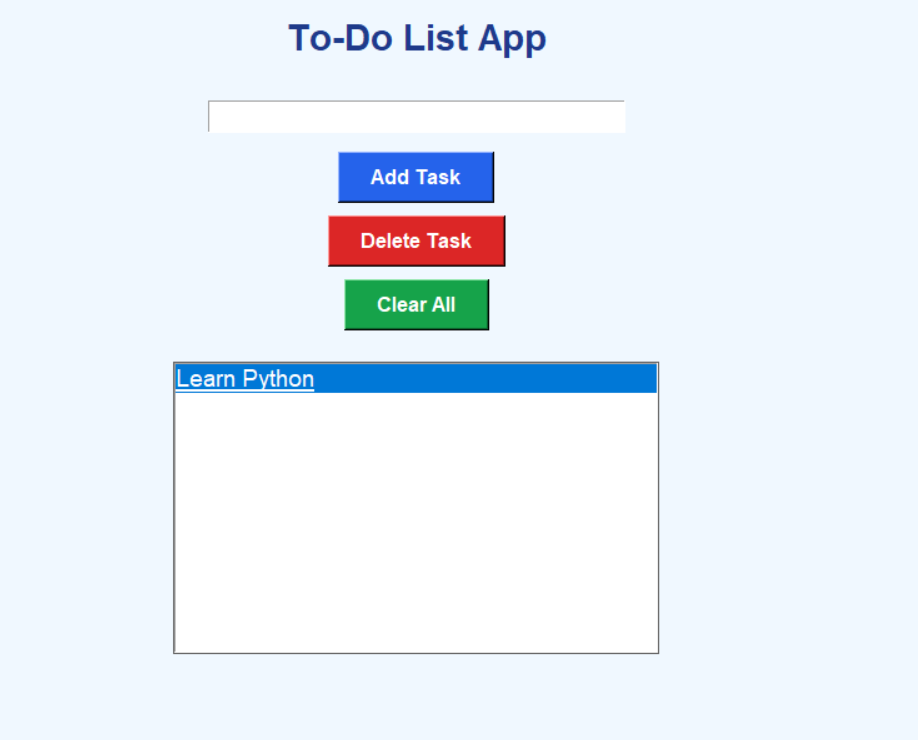
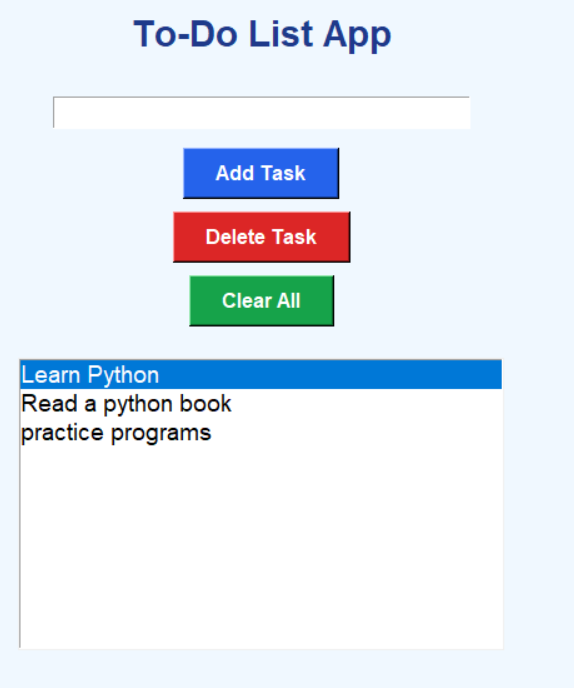
Output Screens:
1. Add Task
2. Delete Task
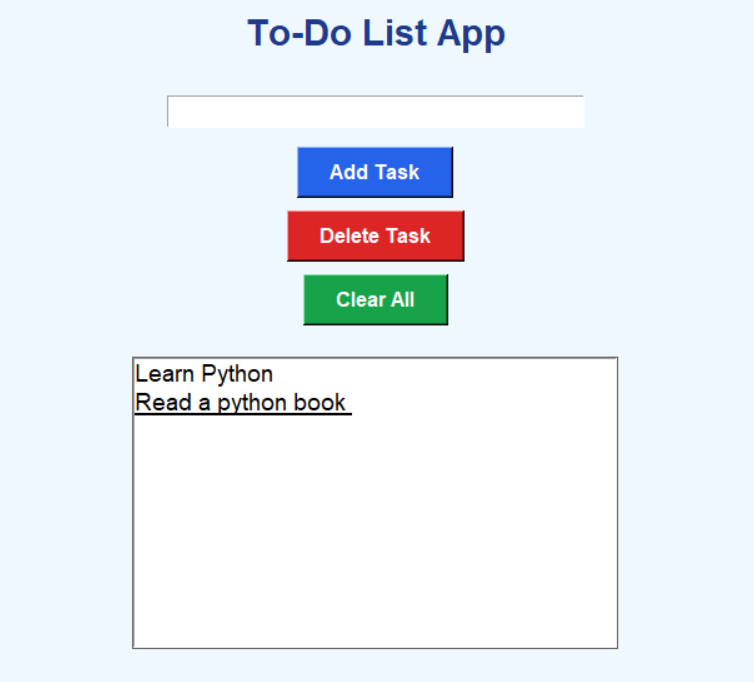
3. Clear All
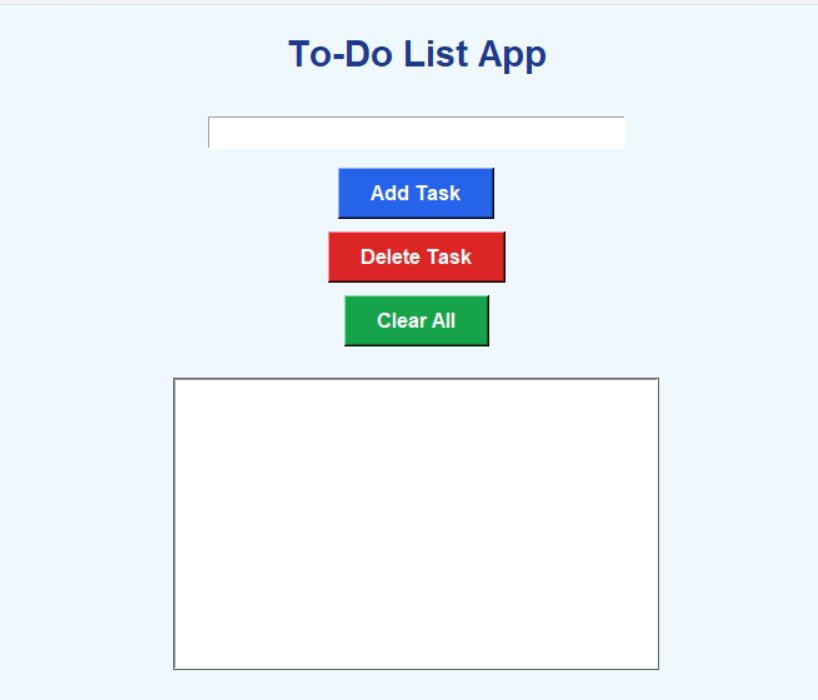
How the Program Works
Steps
1.The program opens a Tkinter window.
2.The student enters a task.
Example:
Do Homework3.Click Add Task.
The task is added to the list.
4.Select a task and click Delete Task to remove it.
5.Click Clear All to remove all tasks.
How to Run the Program --- > The same steps discussed above
Summary
The To-Do List App in Python is a simple and fun mini project for students. It helps children learn Python basics, lists, functions, buttons, and CRUD operations in an easy way. Students can add, view, and delete daily tasks using a simple Tkinter GUI interface.
Keywords
To-Do List App Python, Python Tkinter Project, Python Mini Project, Simple Python GUI App, Beginner Python Project, Python Project for Students, CRUD Operations Python, Python Coding for Kids, Tkinter To-Do App, Daily Task App Python.



